Hisense GhanaDEVHuman Resources · demo kit
HISENSE GHANA · HR

HR demo kit

Everything built so far, one section per module: 18 modules, 77 pages and 104 screenshots at 1600 by 900 (73 of the current build on sample data and 31 more with live data). Click a picture to see it full size. Every name, number and date is sample data. The modules below run on sample data held in the page (nothing is saved and there is no sign-in); the last section, Live data, shows the same app reading and saving to a database.

To open the live pages: run npm start in the project folder, then use the “Open live” links (they open the shell at 127.0.0.1:4180 as the right sample user). Pictures were taken 2026-11-06 with npm run demo-shots.

1. Who sees what

The sidebar is built from each person’s permissions. A page or module someone may not use is not greyed out: it is simply not there. Same app, three different people:

Full access

The HR manager: every module, and the controls to change things.

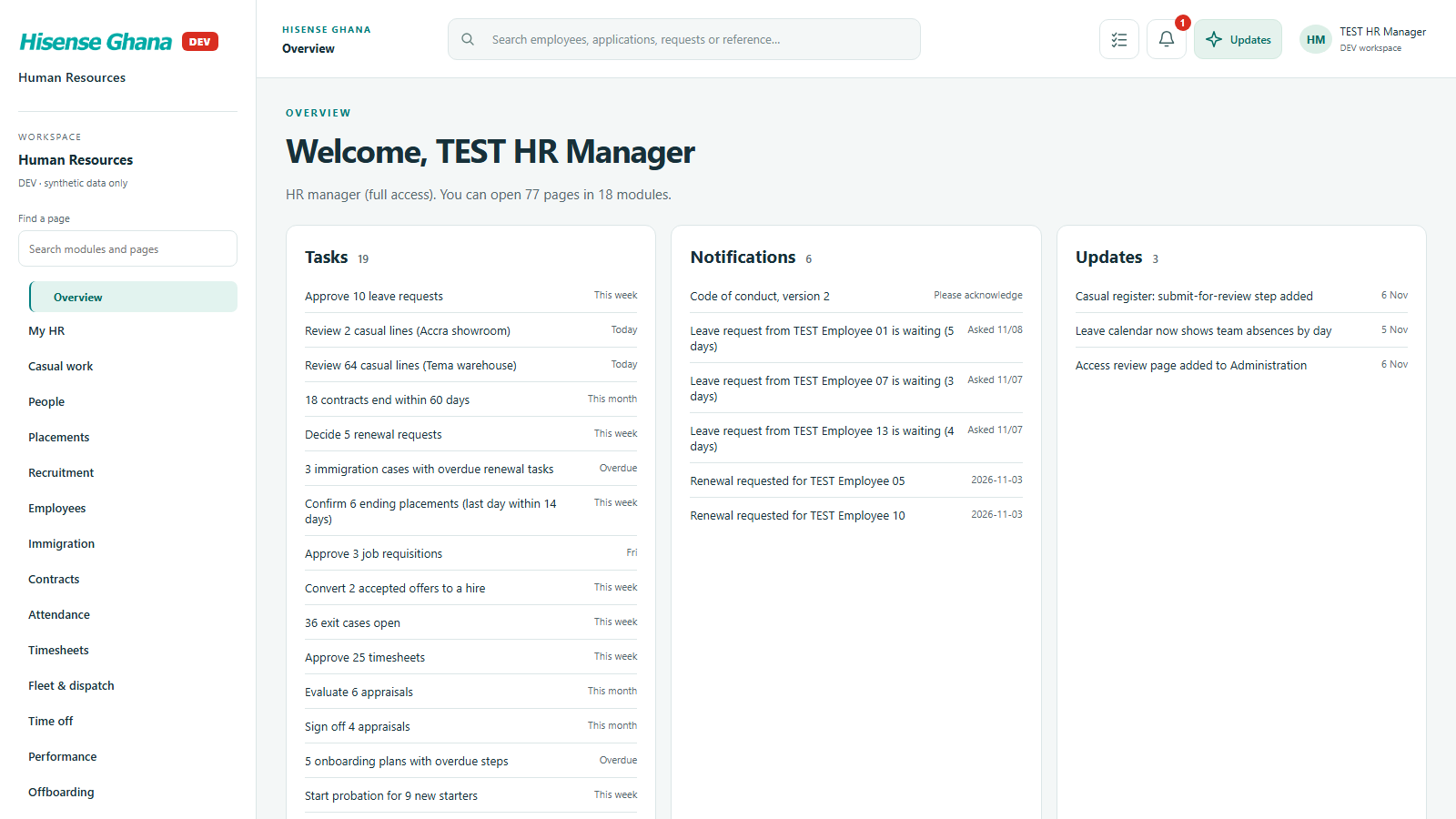
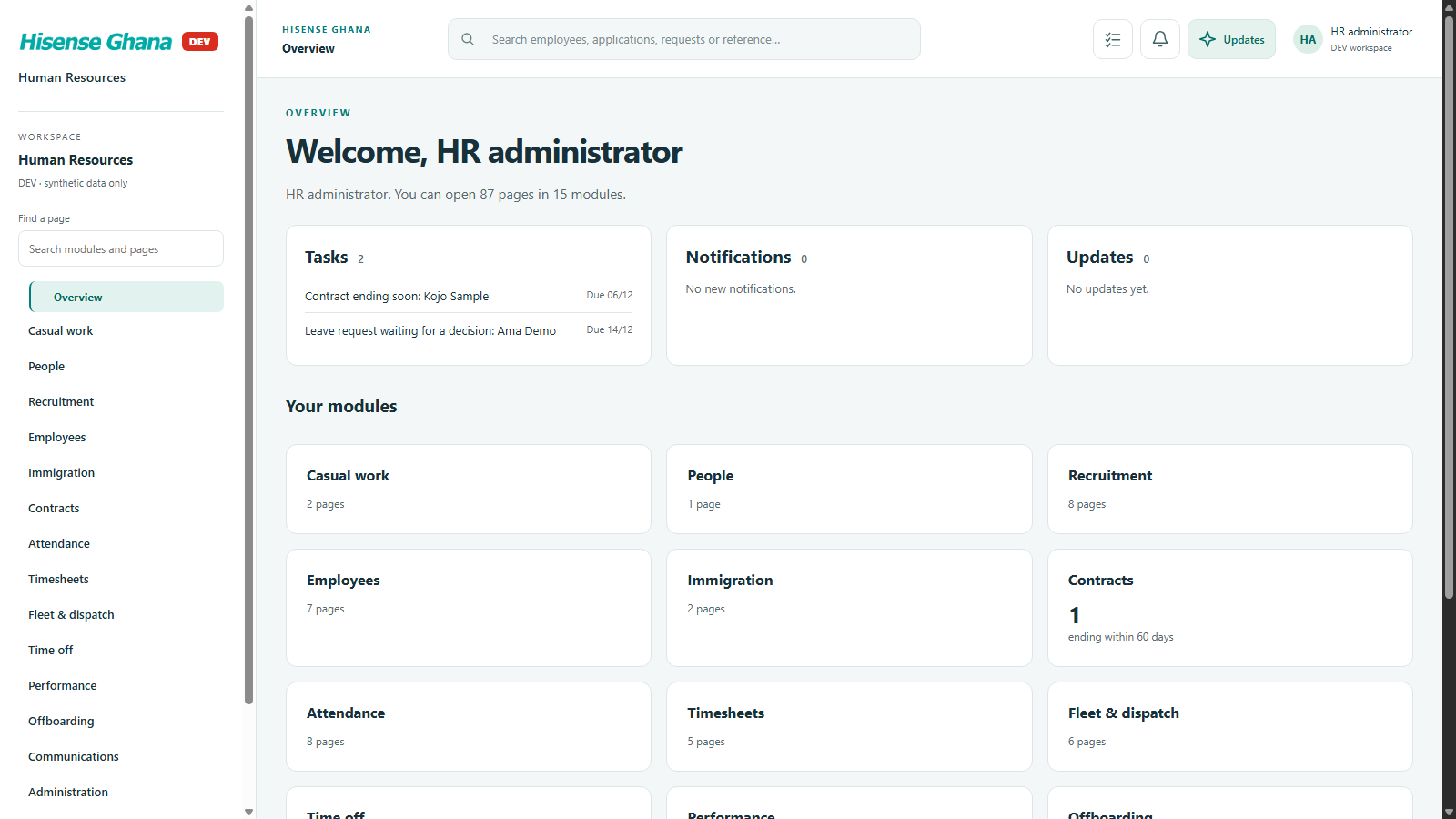
Role home and sidebar for Full access

18 of 18 menu groups

  • My HR
  • Casual work
  • People
  • Placements
  • Recruitment
  • Employees
  • Immigration
  • Contracts
  • Attendance
  • Timesheets
  • Fleet & dispatch
  • Time off
  • Performance
  • Offboarding
  • Communications
  • Reports
  • Administration
  • Phone (3CX)
Open live as HR manager (full access)

Line manager

A manager sees their team: attendance, leave approvals, contracts, performance.

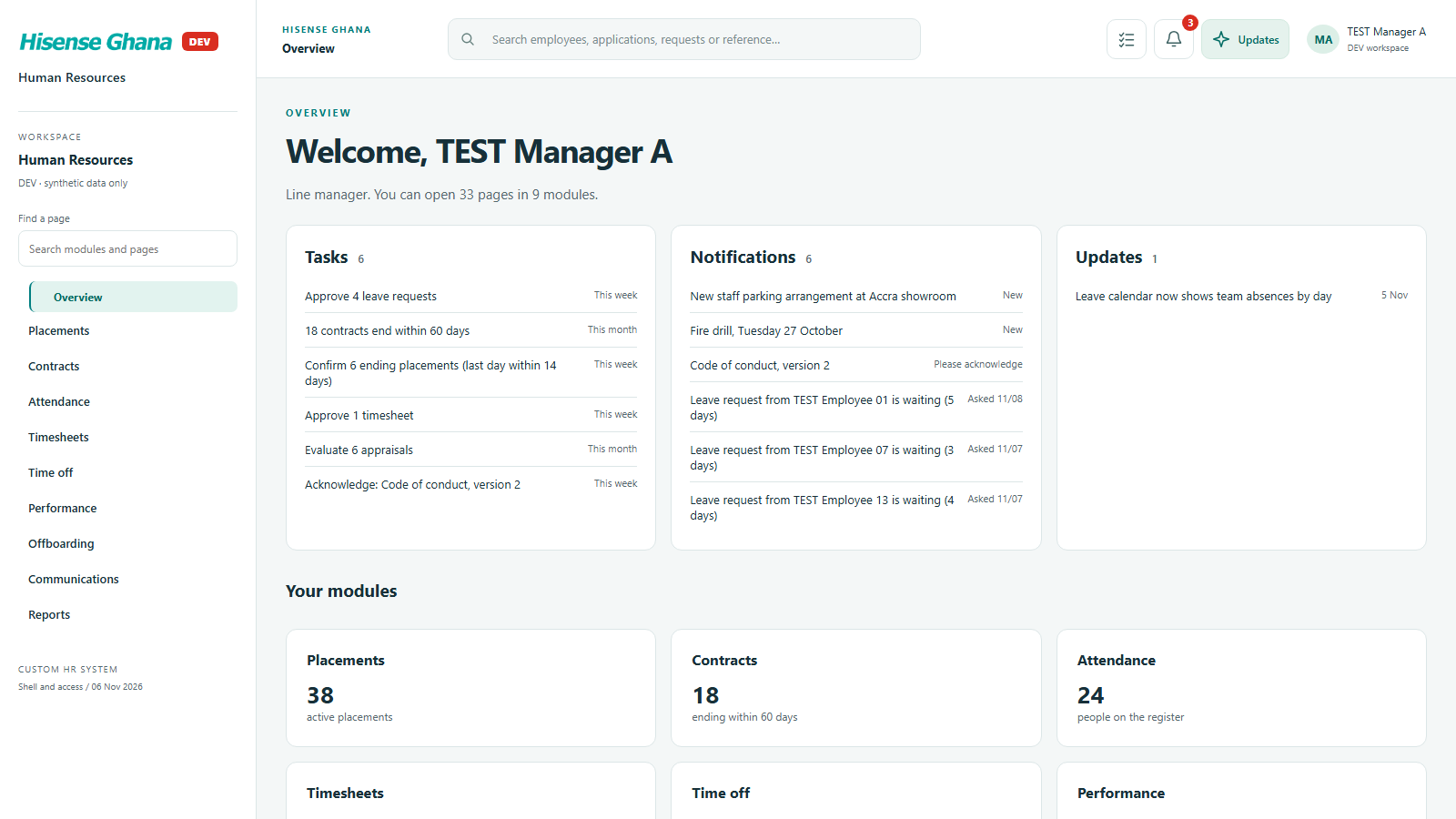
Role home and sidebar for Line manager

9 of 18 menu groups

  • Placements
  • Contracts
  • Attendance
  • Timesheets
  • Time off
  • Performance
  • Offboarding
  • Communications
  • Reports
Open live as Line manager

Plain employee

An employee sees only their own leave, timesheet and notices.

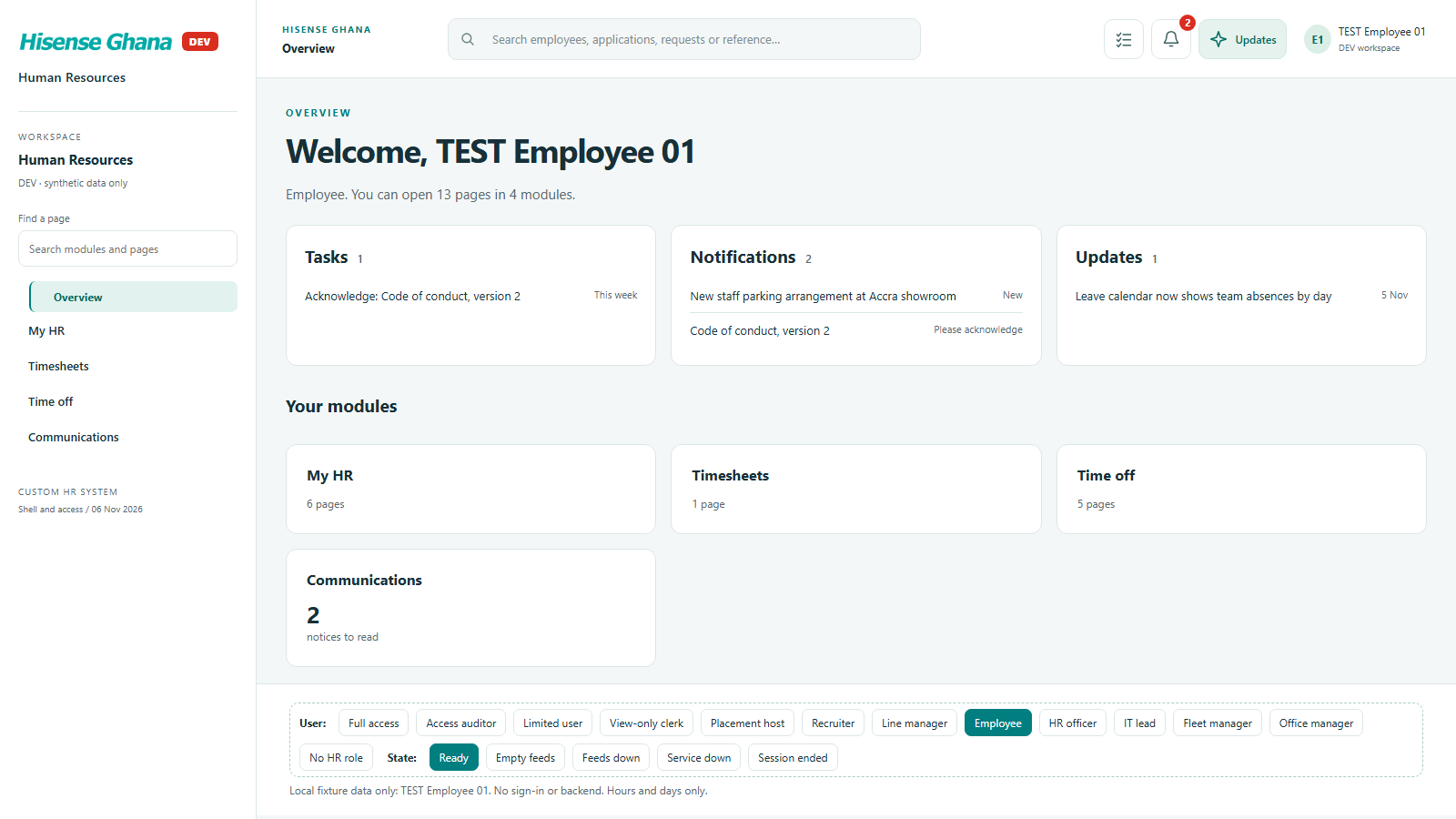
Role home and sidebar for Plain employee

4 of 18 menu groups

  • My HR
  • Timesheets
  • Time off
  • Communications
Open live as Employee

2. The modules

My HR (employee view)

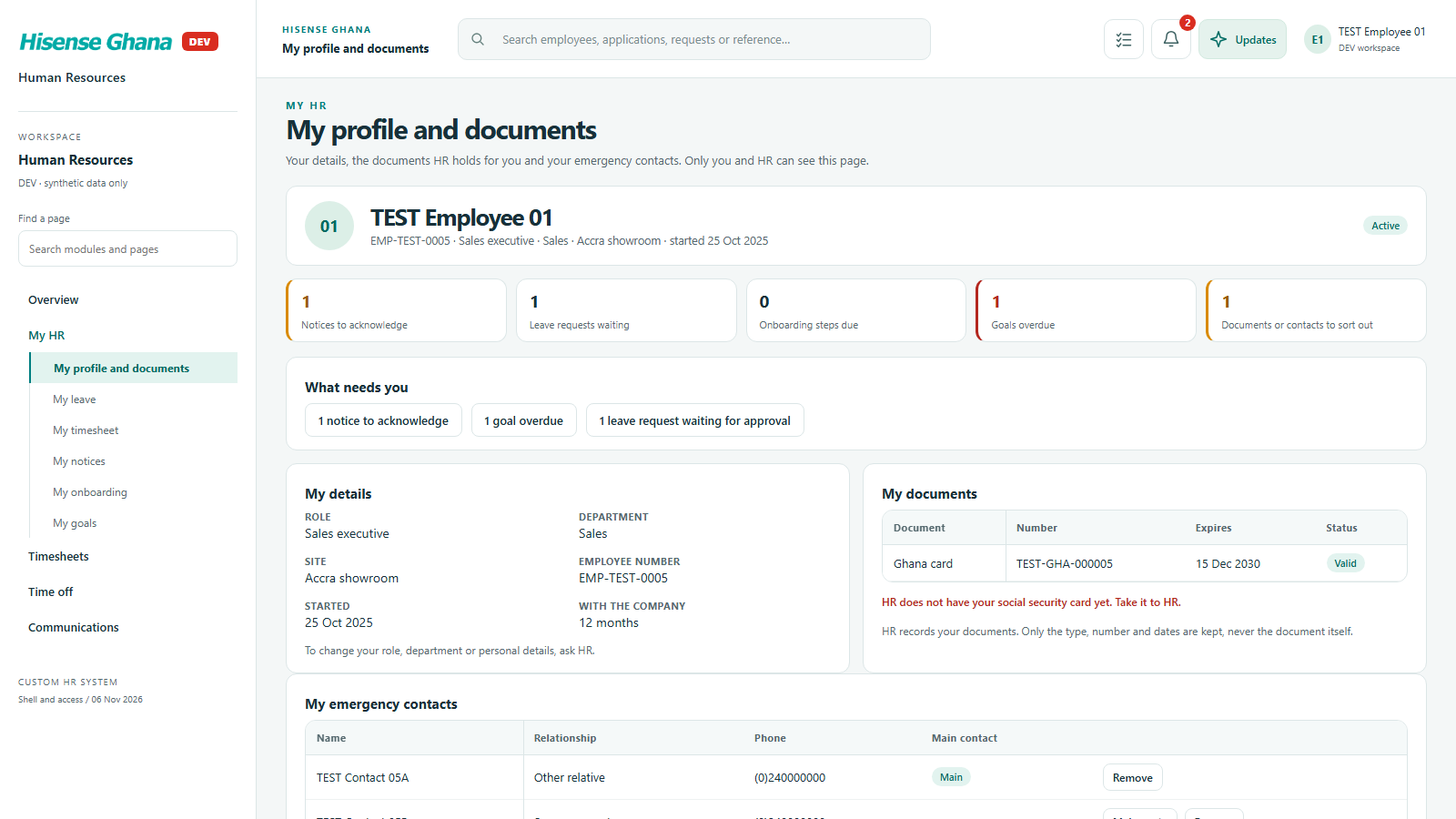
What an employee sees about themselves and nobody else: profile and documents, leave and balances, this week’s timesheet, notices to read, onboarding and goals.

Open live as Employee
My HR (employee view): My profile and documents
My profile and documentsas Employee · open live
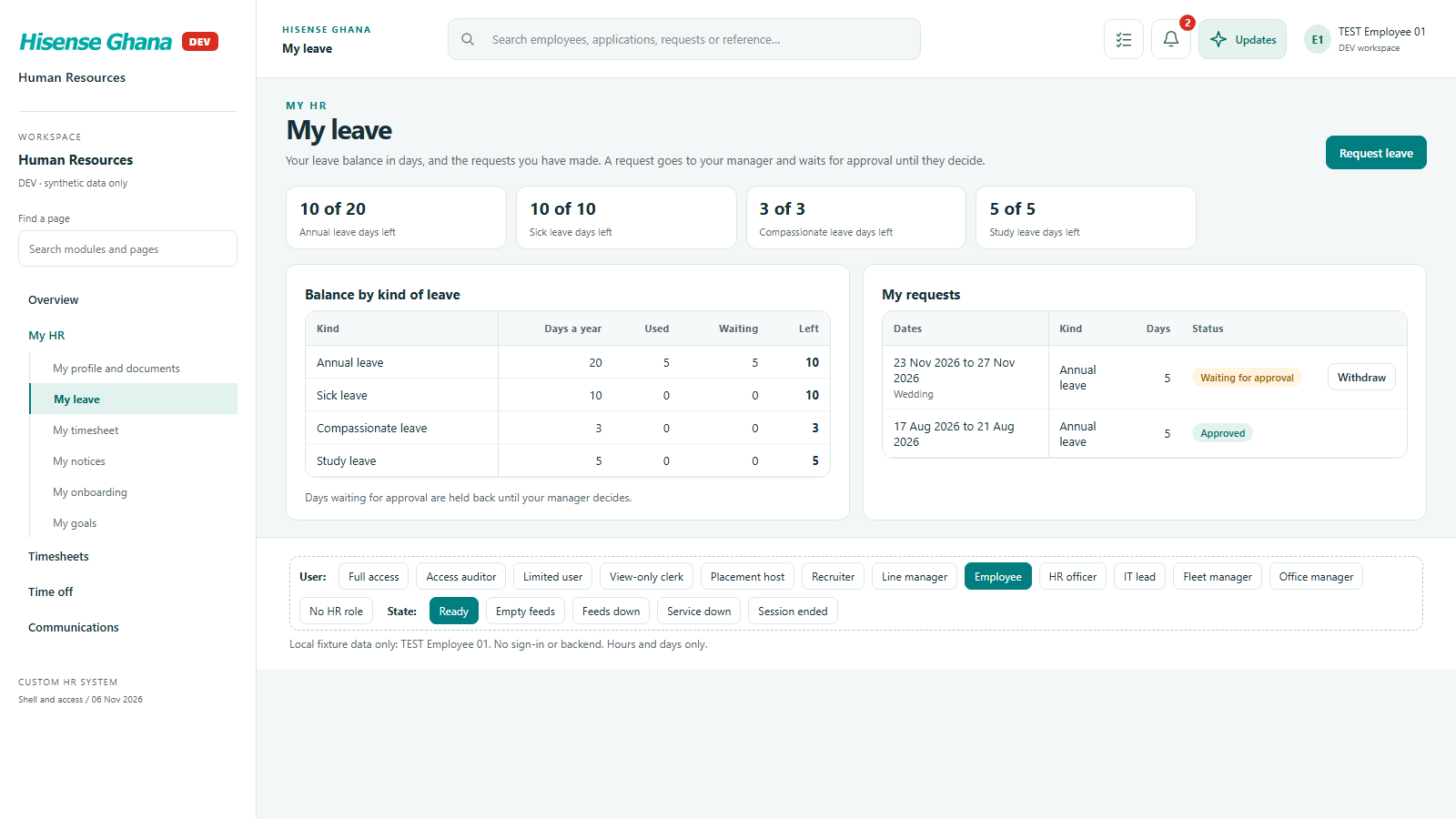
My HR (employee view): My leave
My leaveas Employee · open live
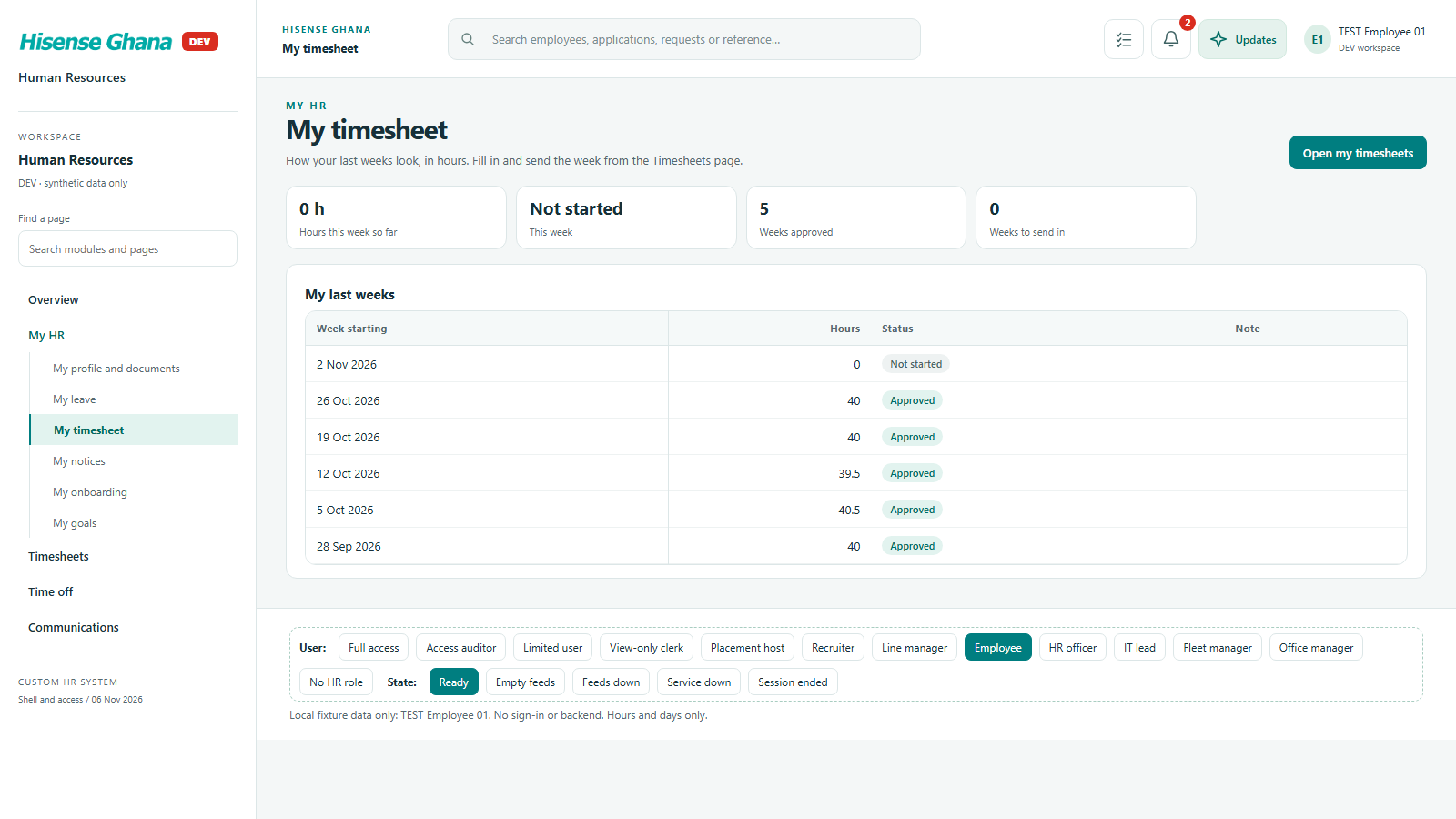
My HR (employee view): My timesheet
My timesheetas Employee · open live
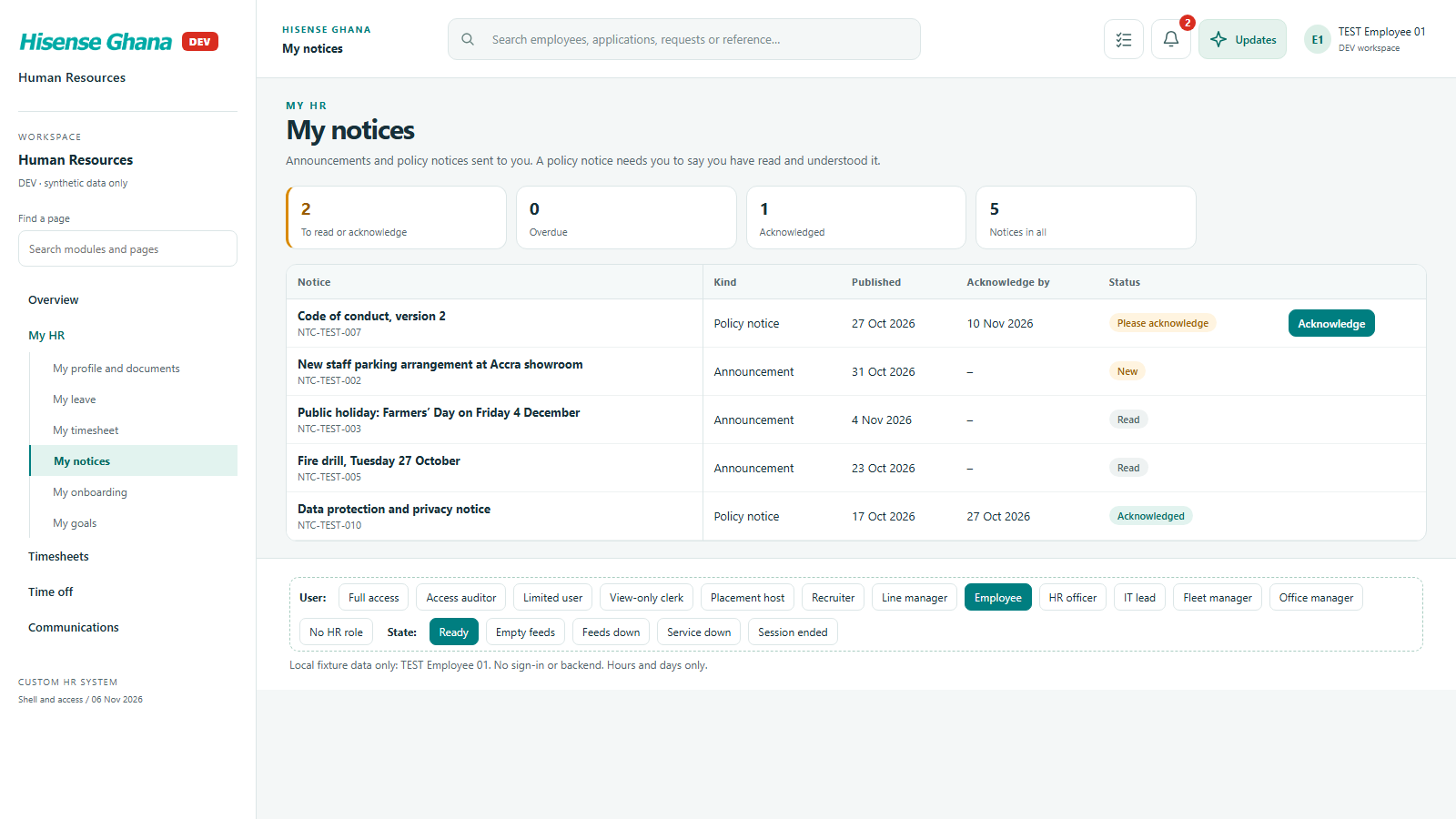
My HR (employee view): My notices
My noticesas Employee · open live
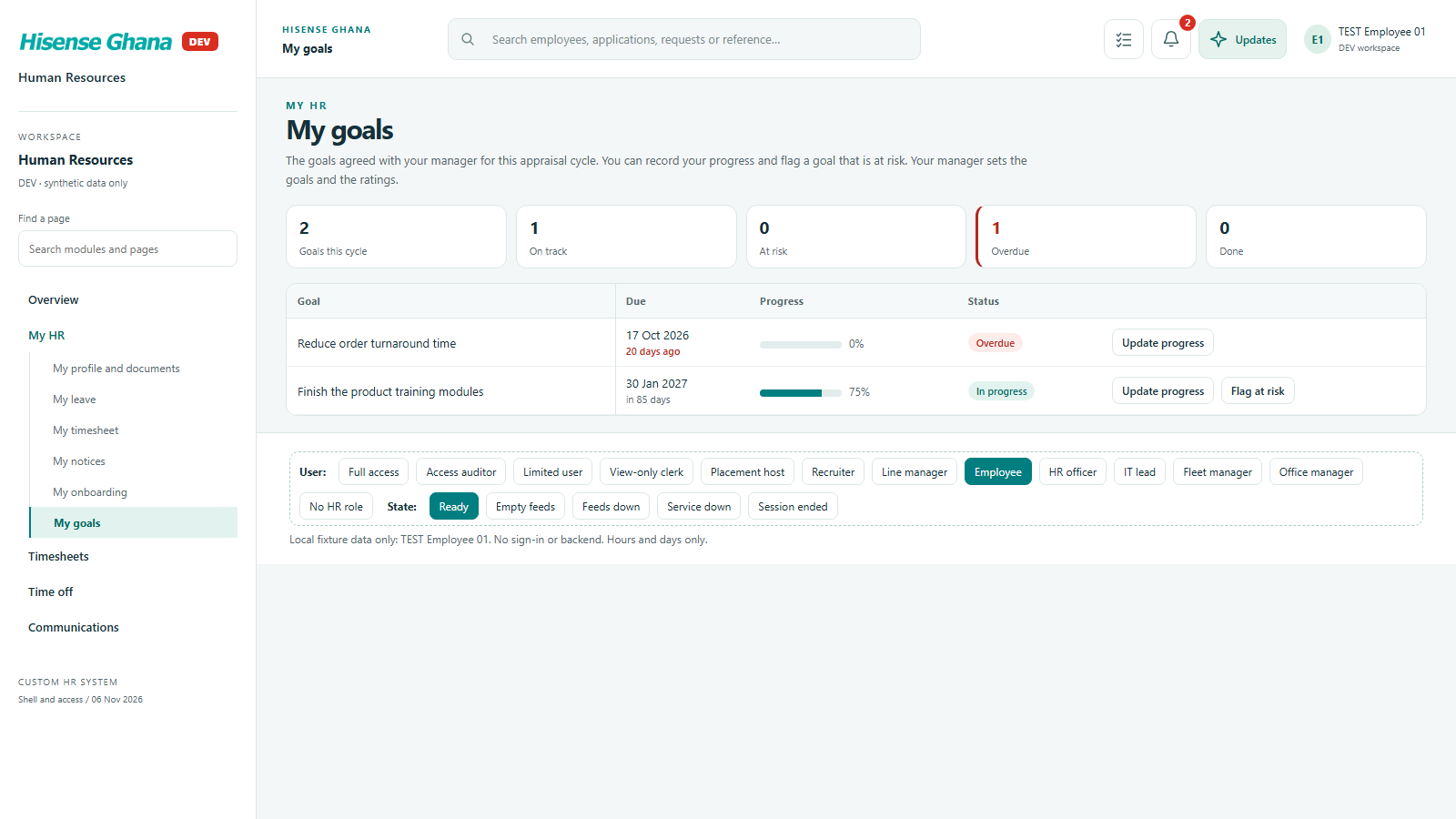
My HR (employee view): My goals
My goalsas Employee · open live

Casual work

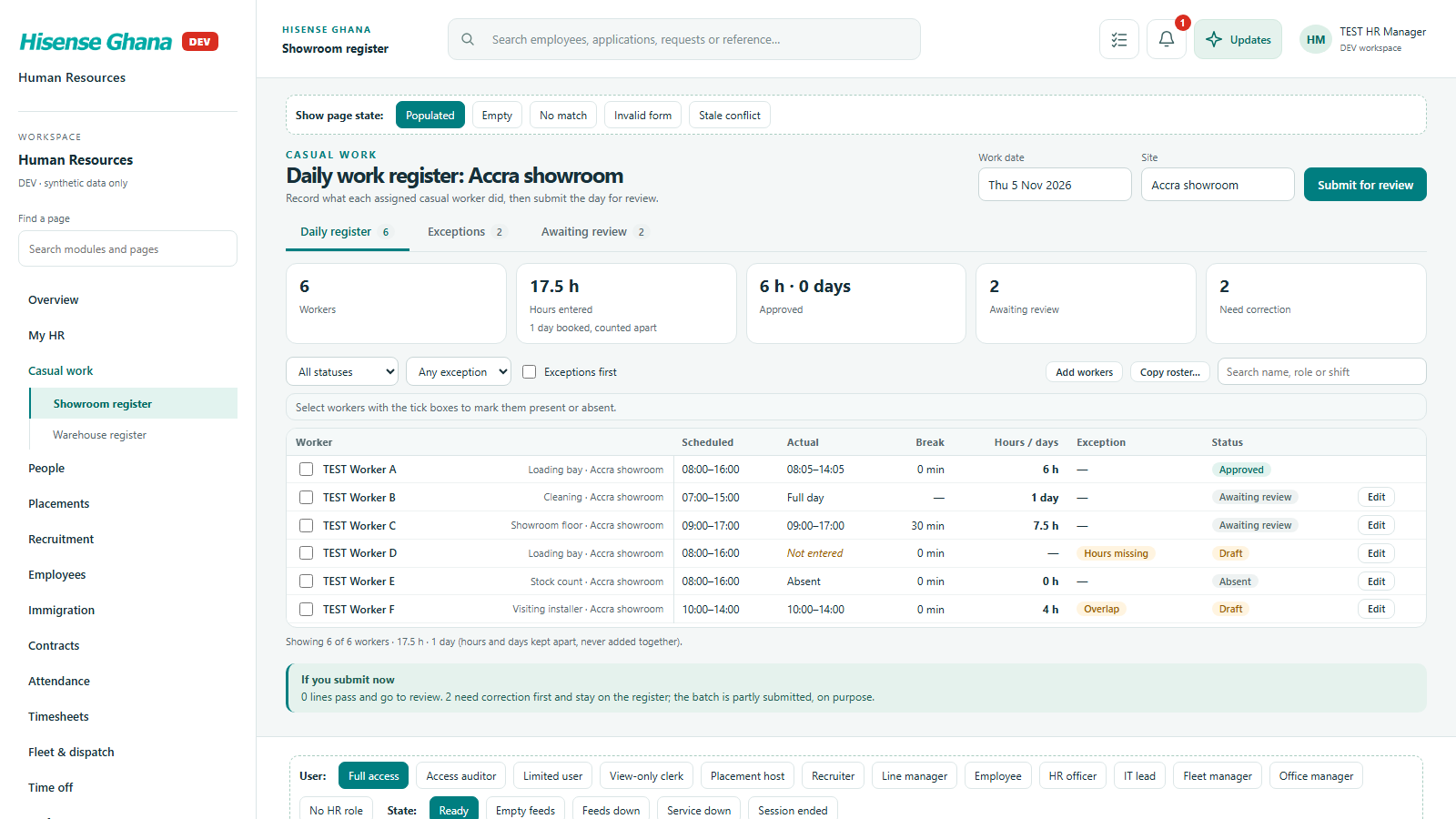
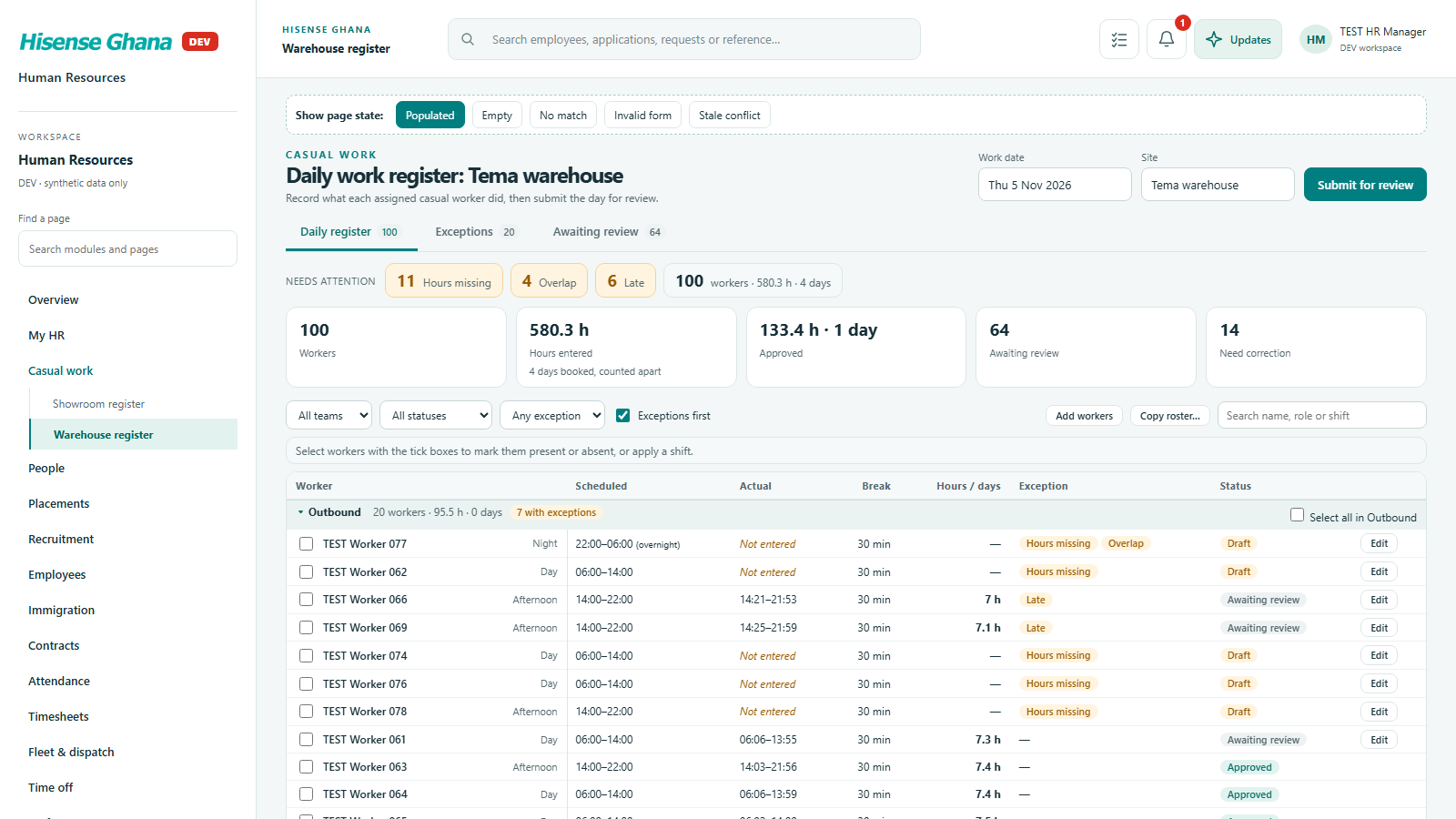
Daily registers for showroom and warehouse casuals: hours, present or absent, submit for review, approve or return.

Open live as HR manager (full access)
Casual work: Showroom register
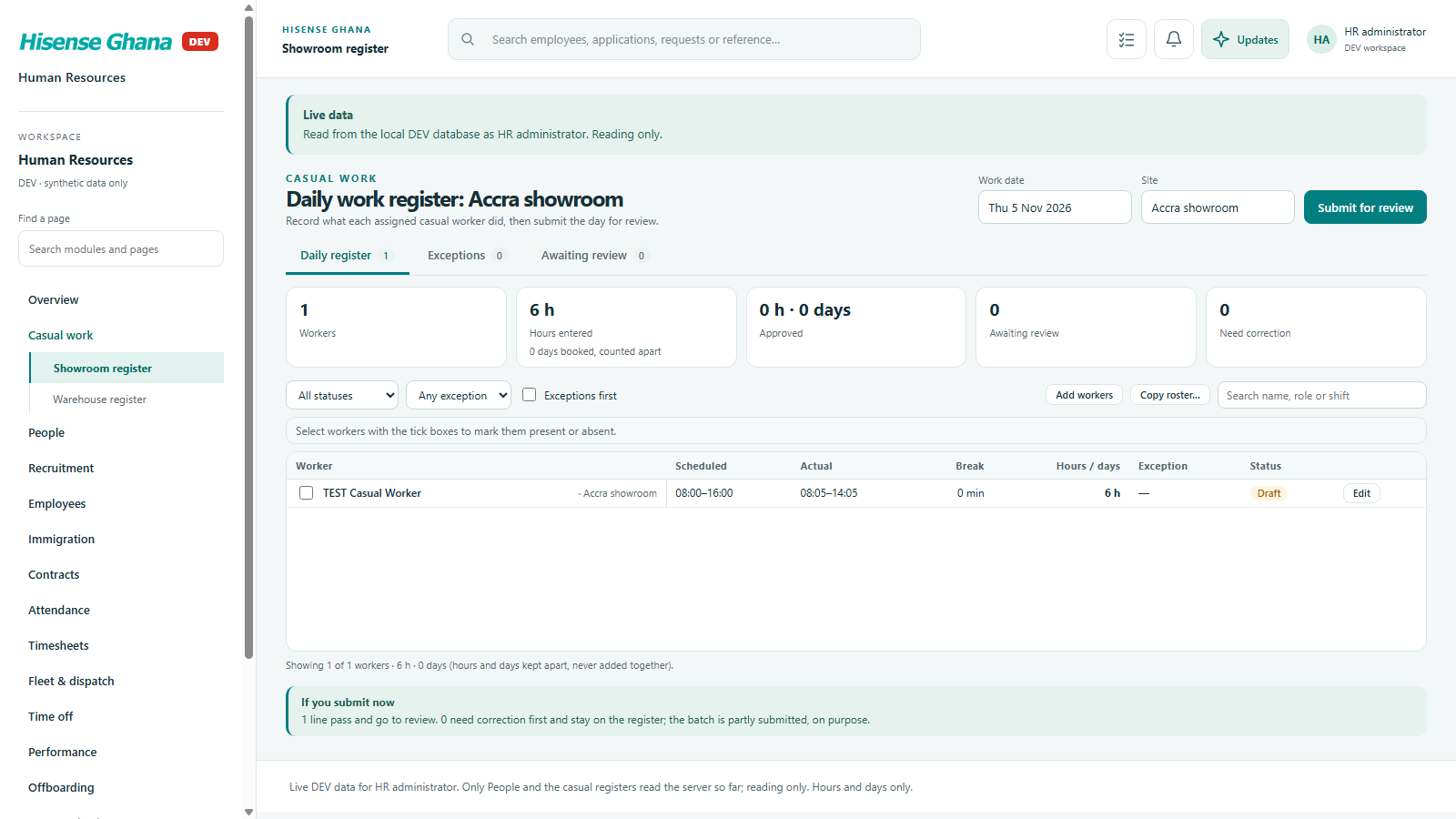
Showroom registeras HR manager (full access) · open live
Casual work: Warehouse register
Warehouse registeras HR manager (full access) · open live

People

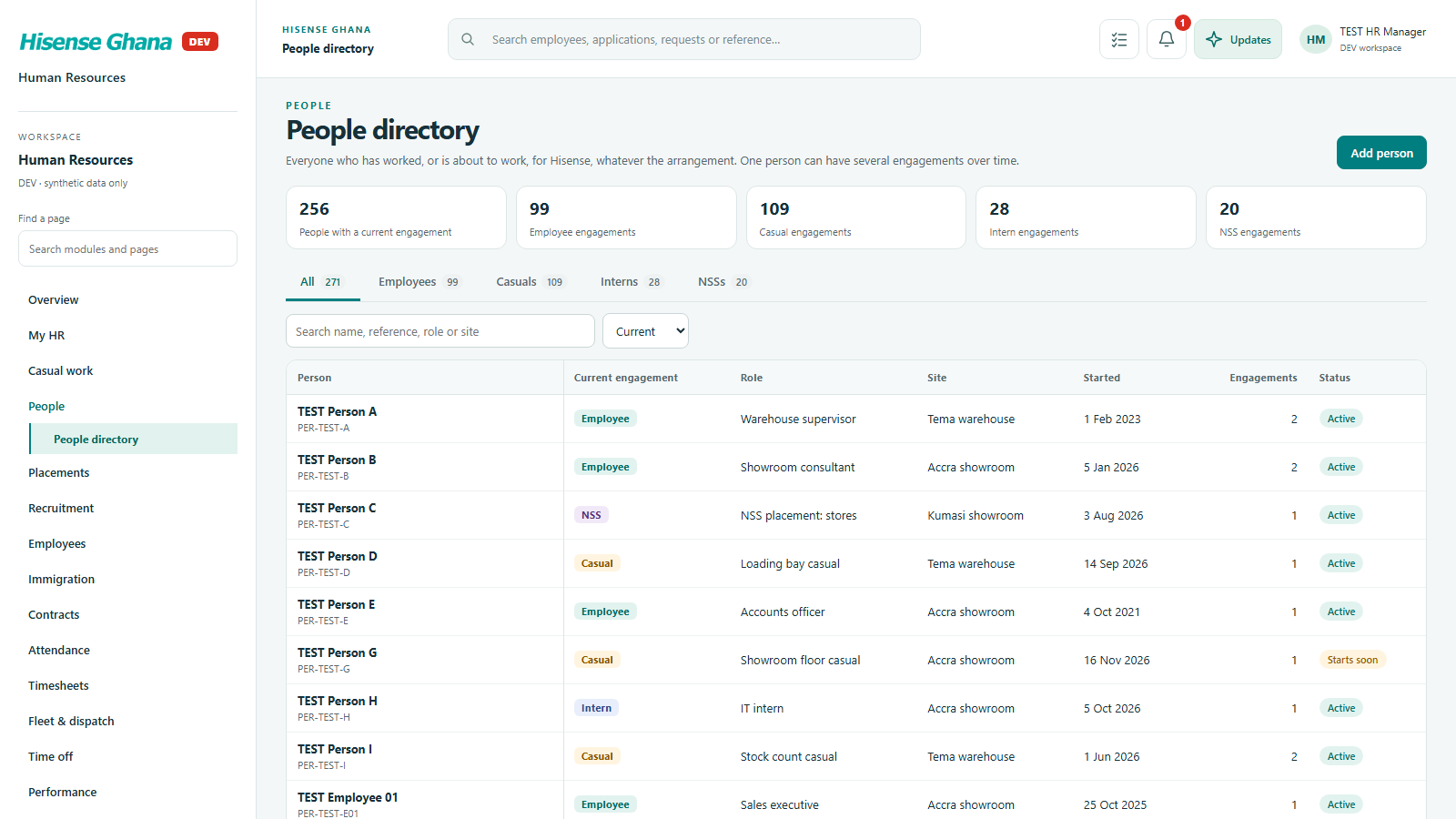
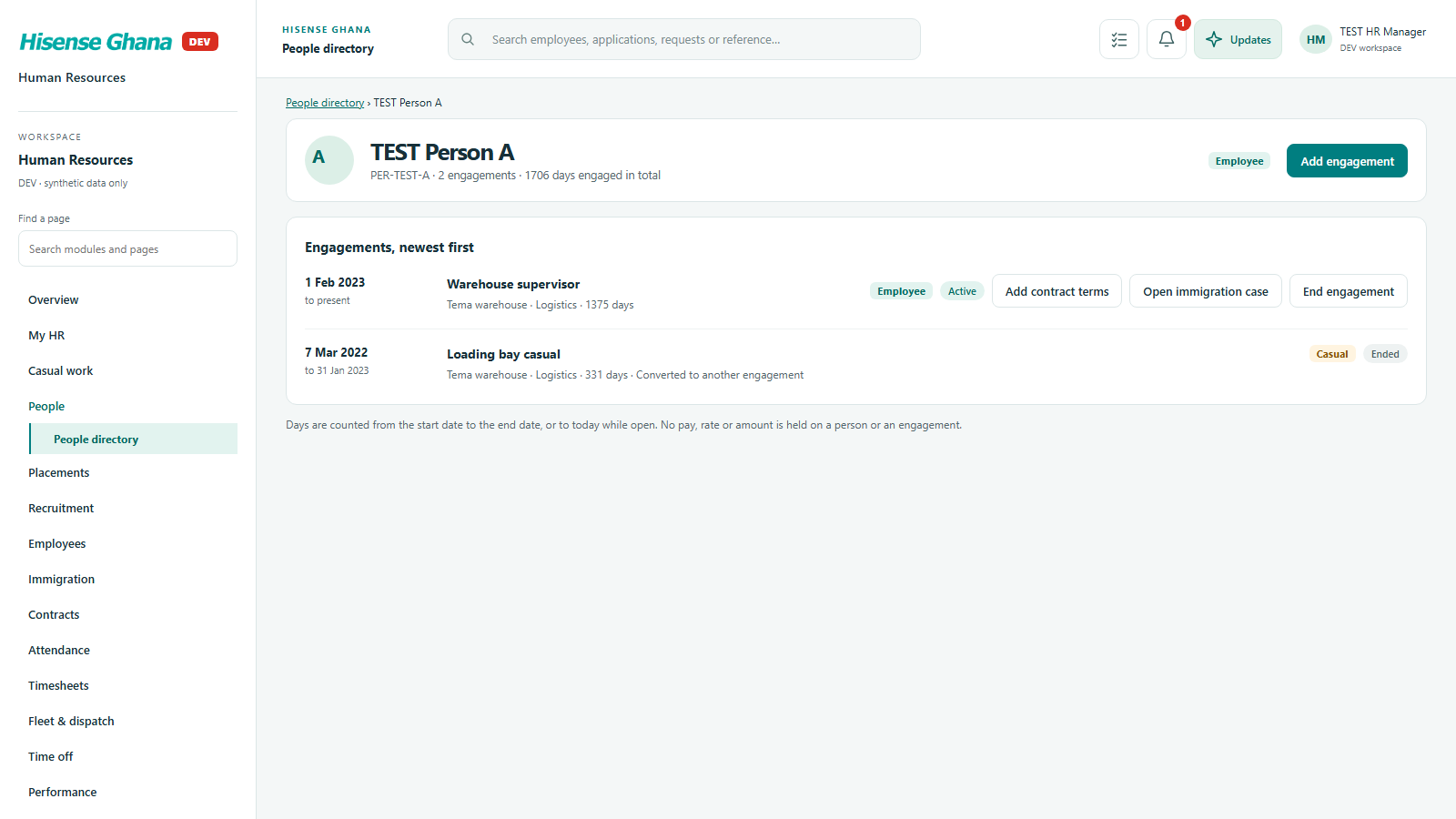
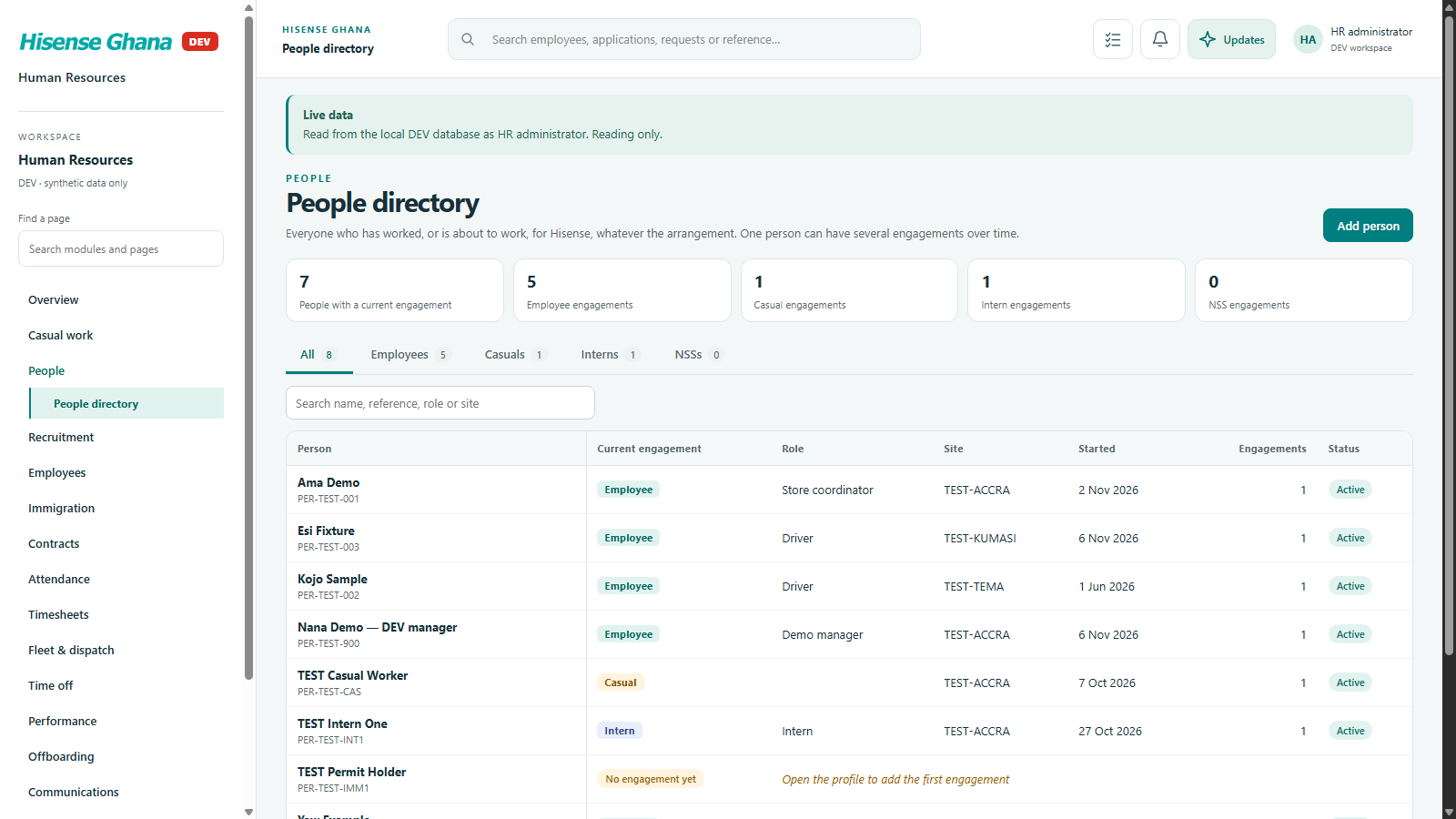
One directory of everyone who has worked for Hisense, whatever the arrangement, with every engagement over time.

Open live as HR manager (full access)
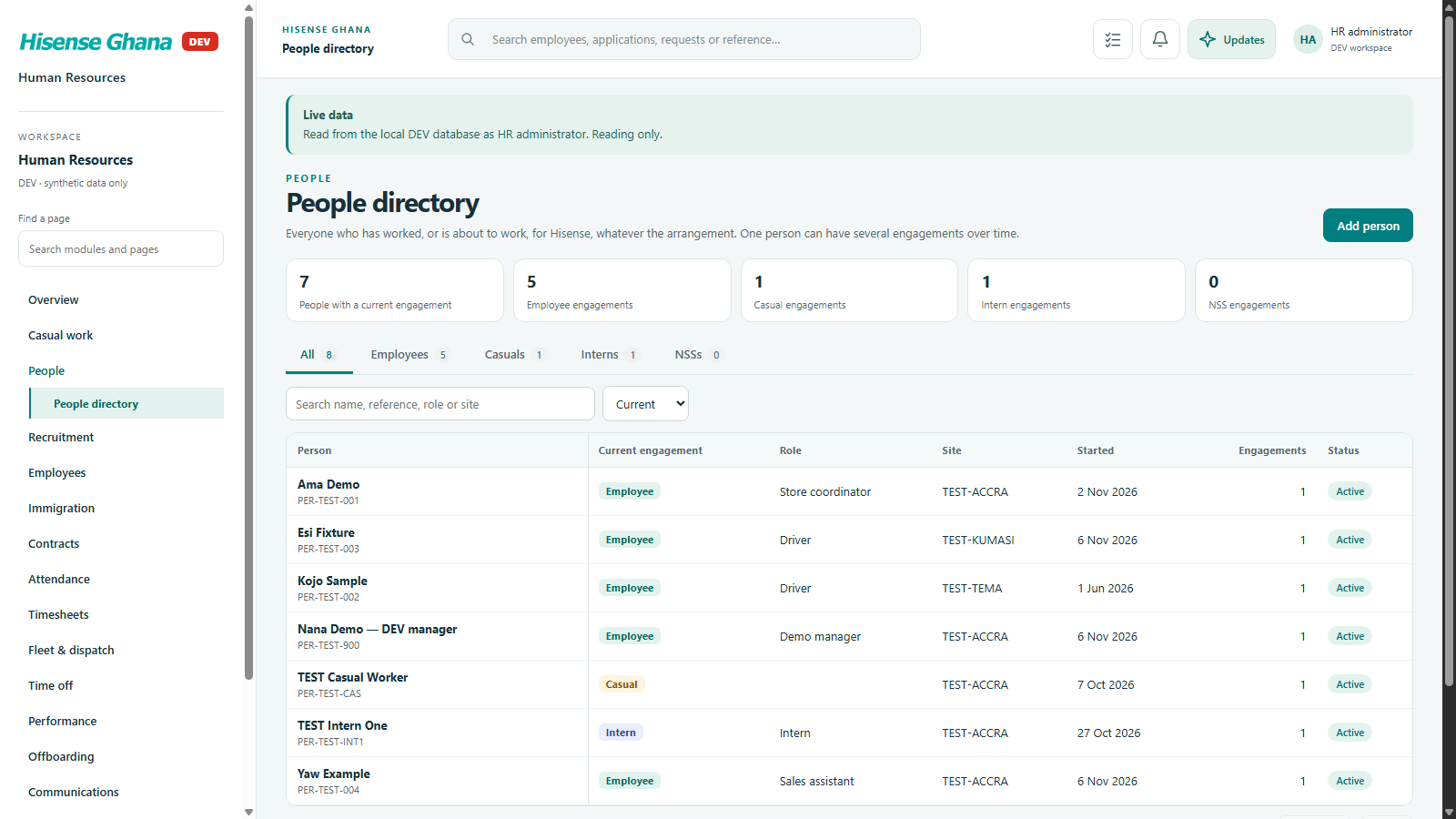
People: People directory
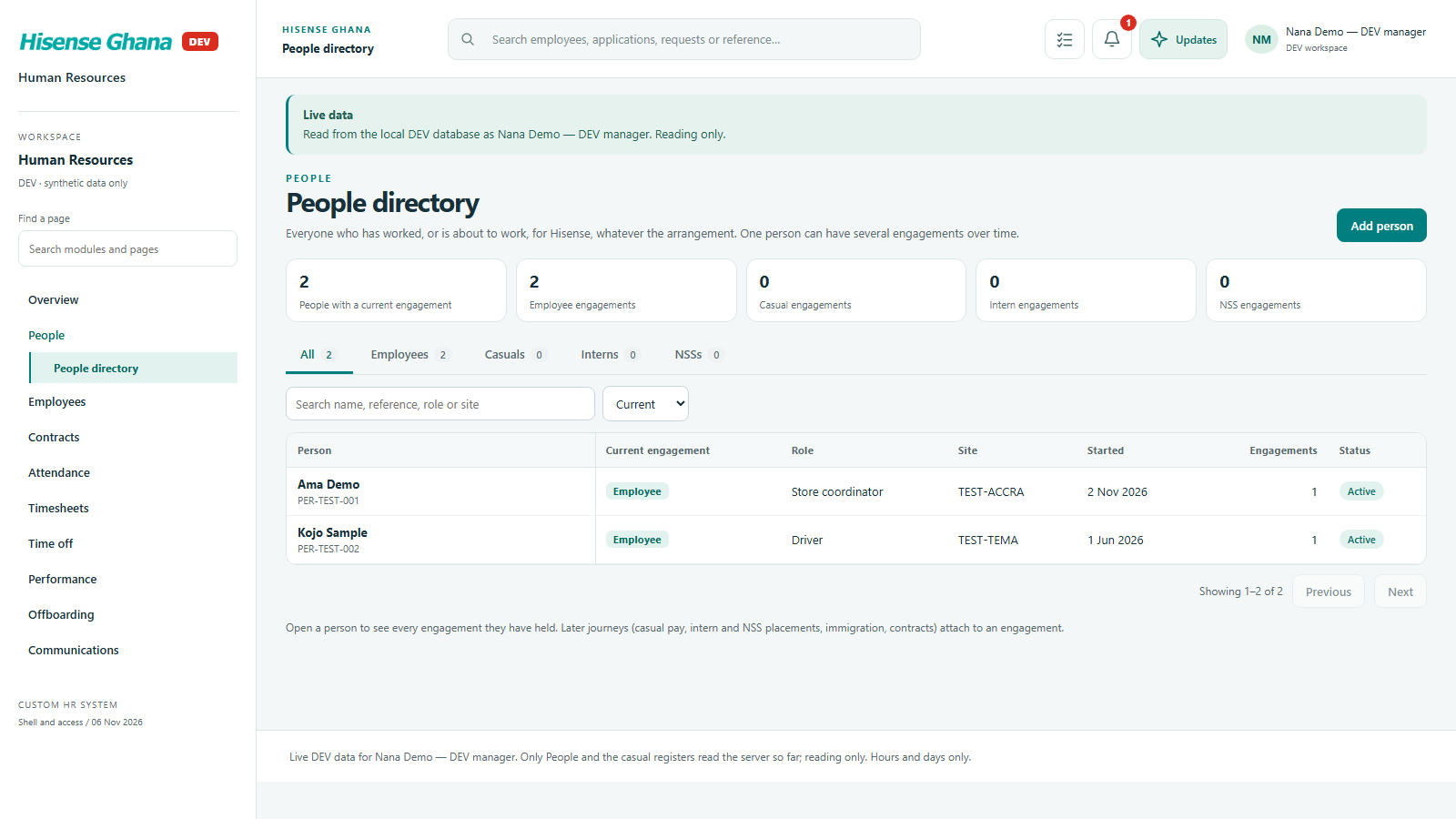
People directoryas HR manager (full access) · open live
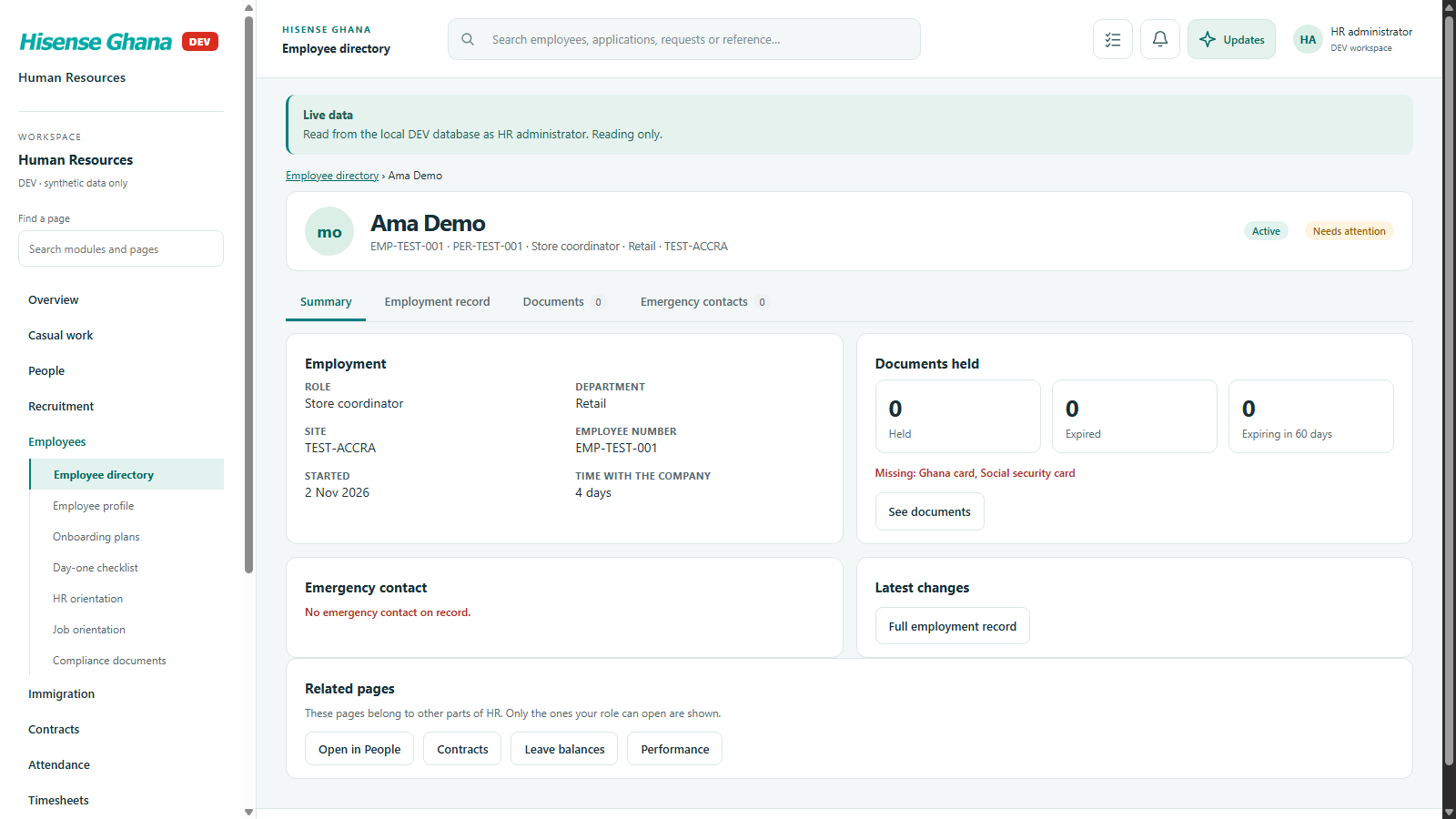
People: A person profile
A person profileas HR manager (full access) · open live

Placements

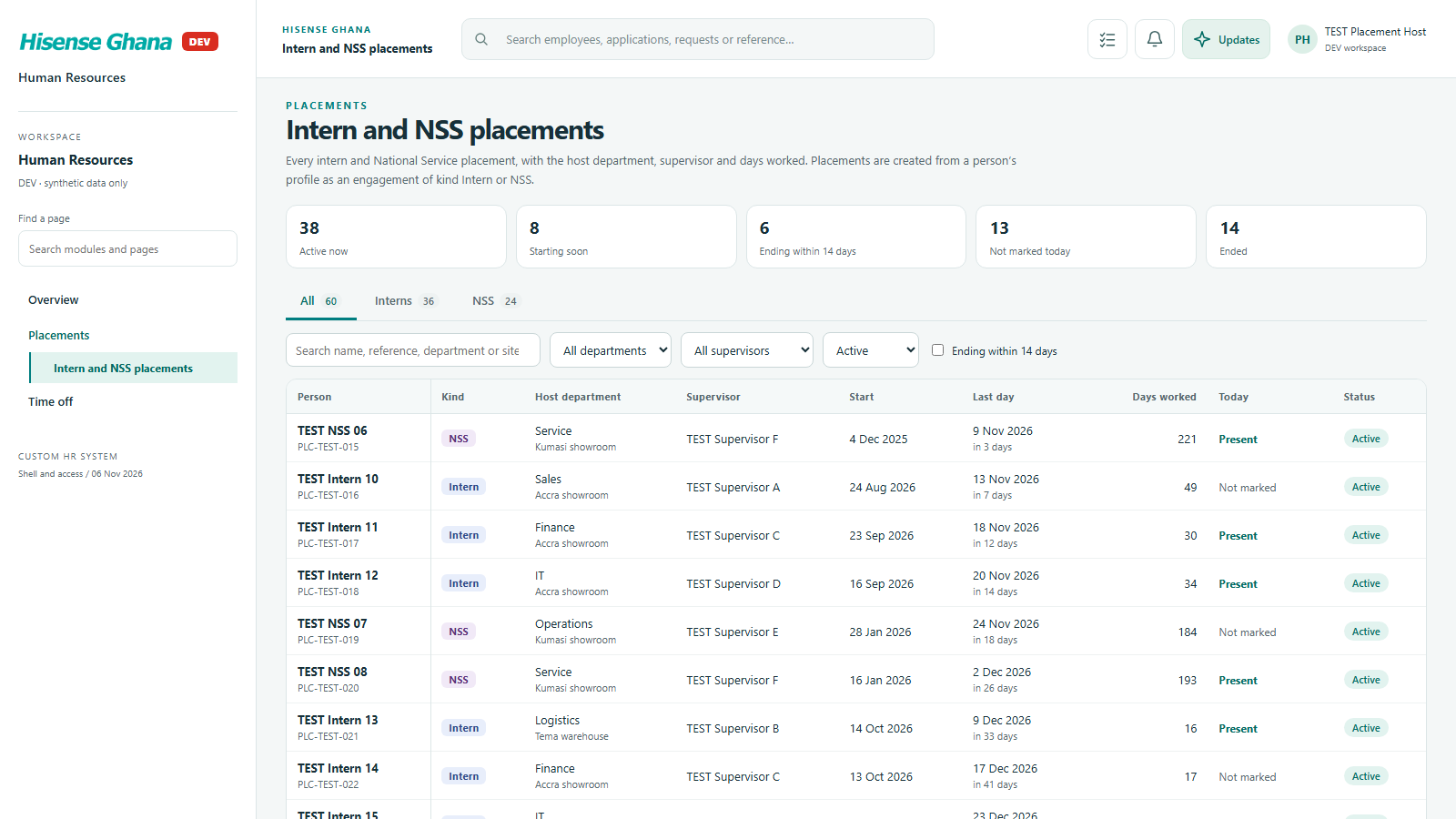
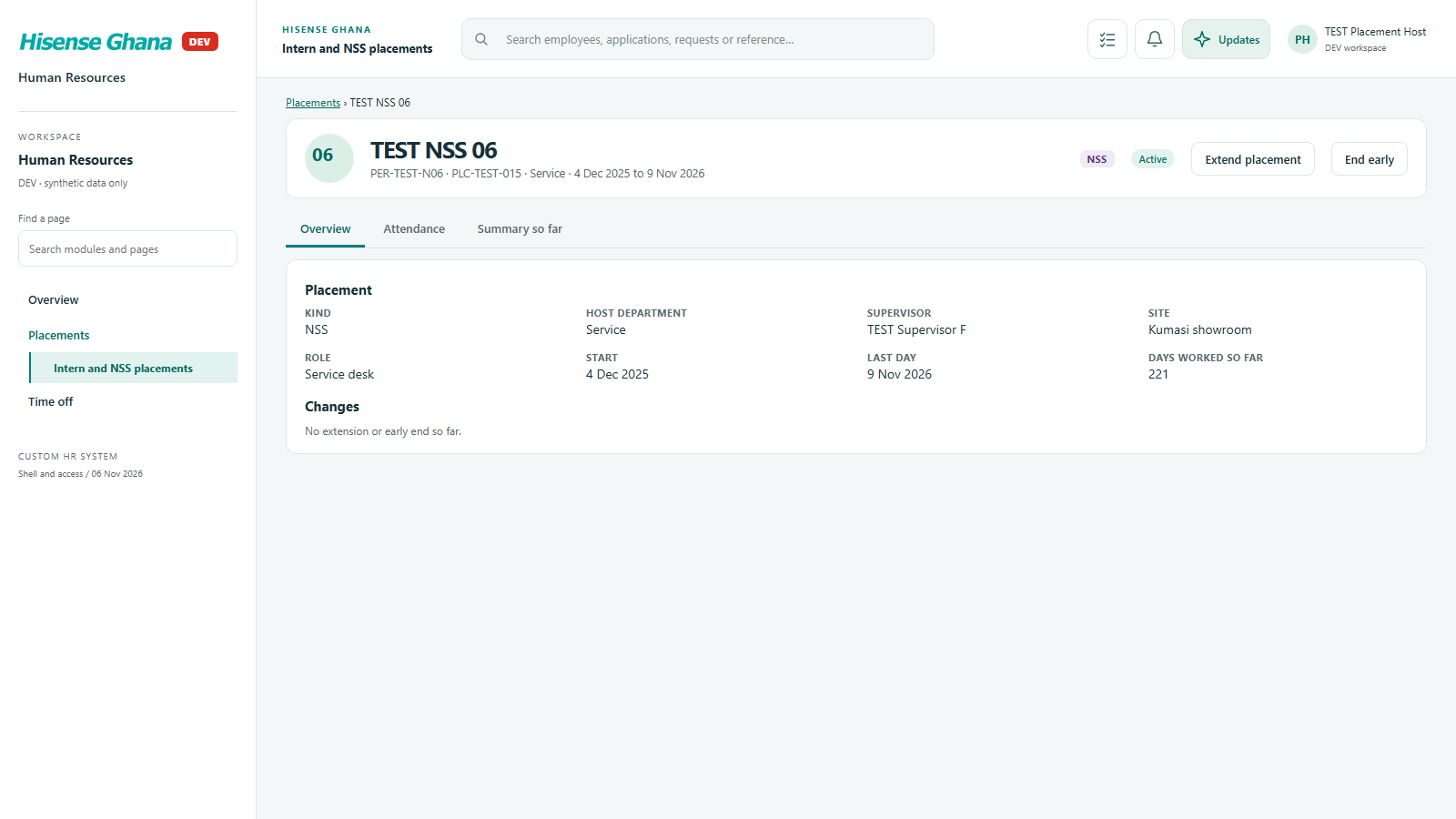
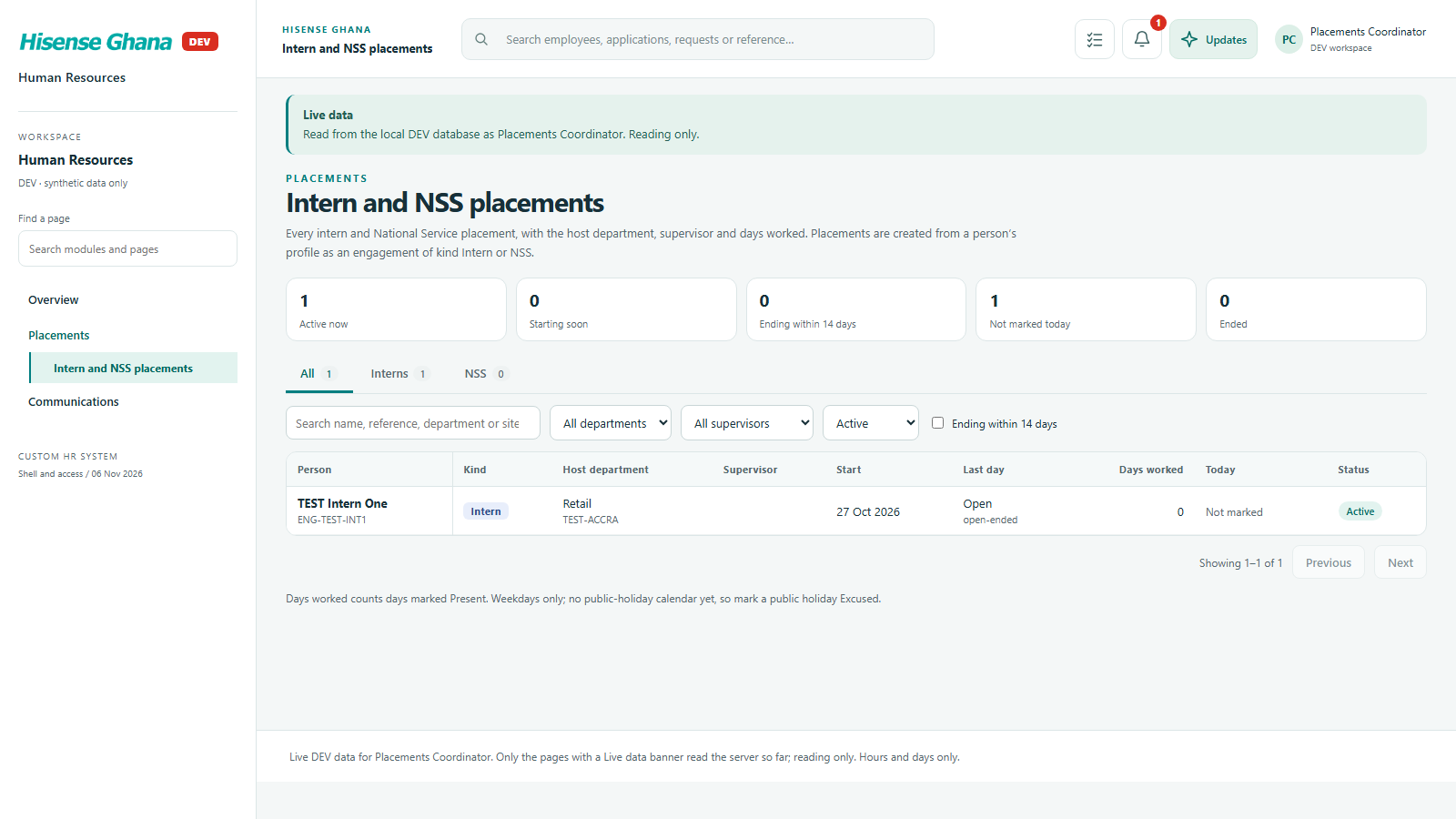
Intern and National Service placements: host department, supervisor, daily days-worked sheet, end-of-placement summary.

Open live as Placement host
Placements: Intern and NSS placements
Intern and NSS placementsas Placement host · open live
Placements: A placement profile
A placement profileas Placement host · open live

Recruitment

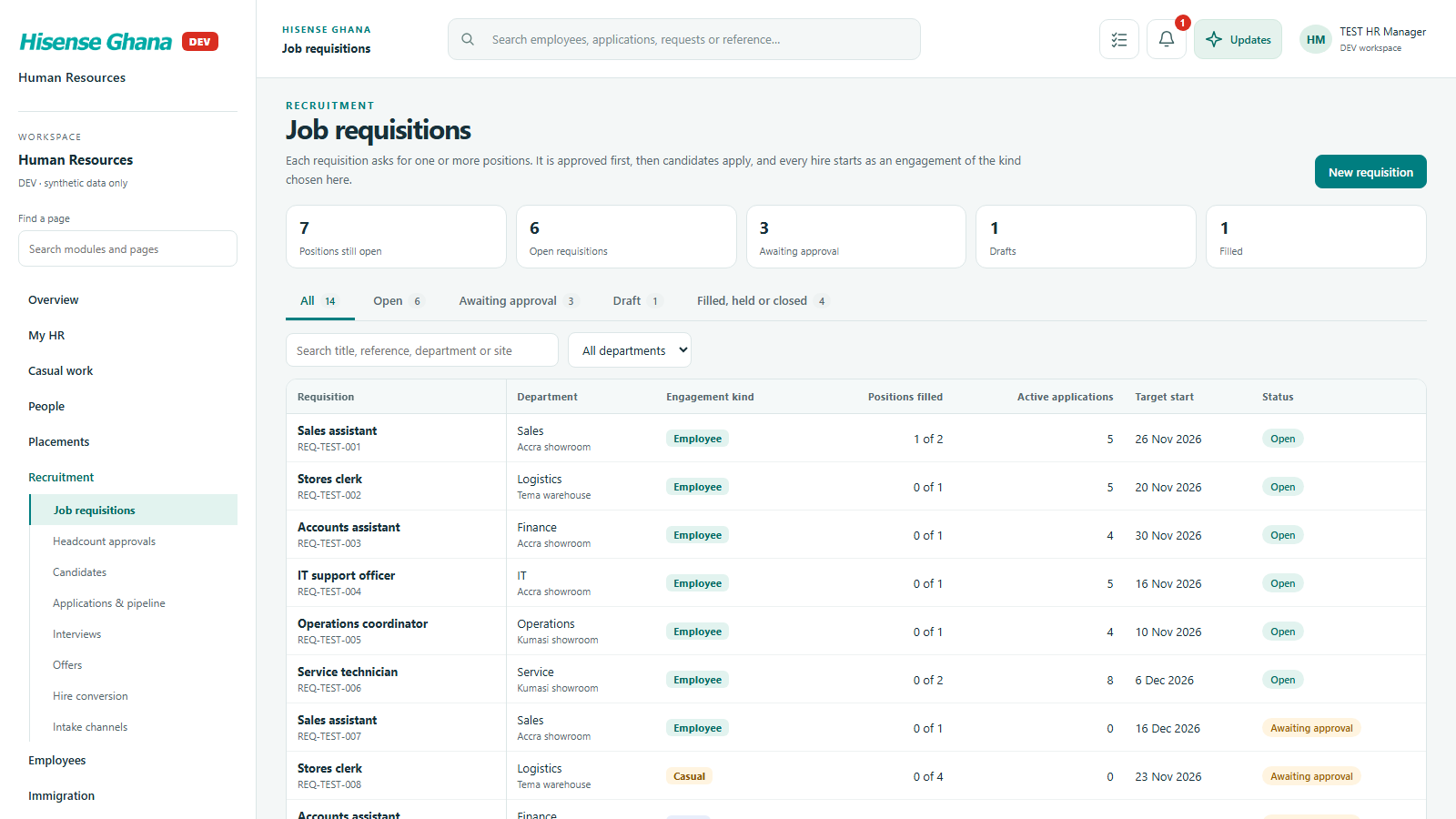
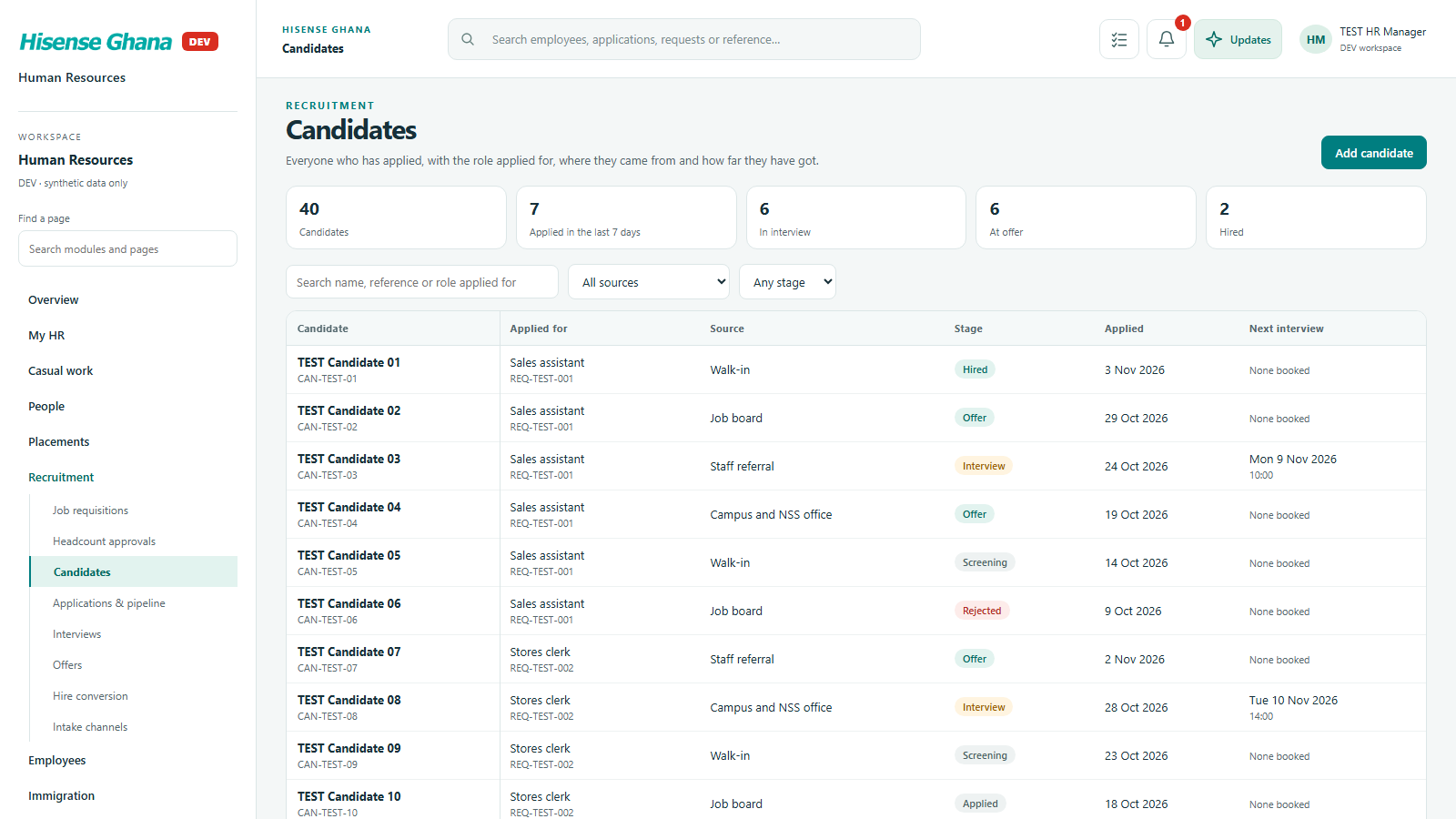
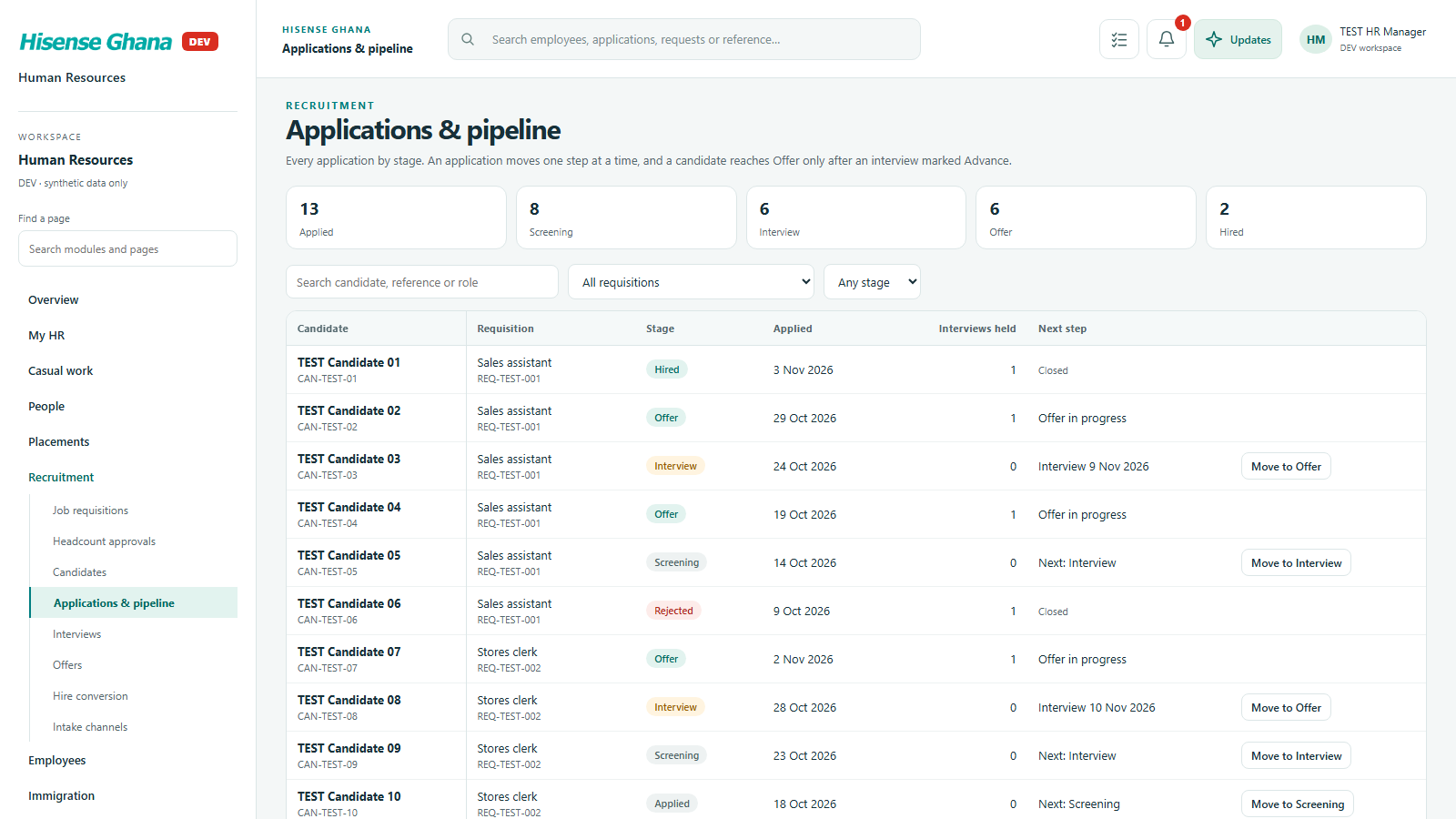
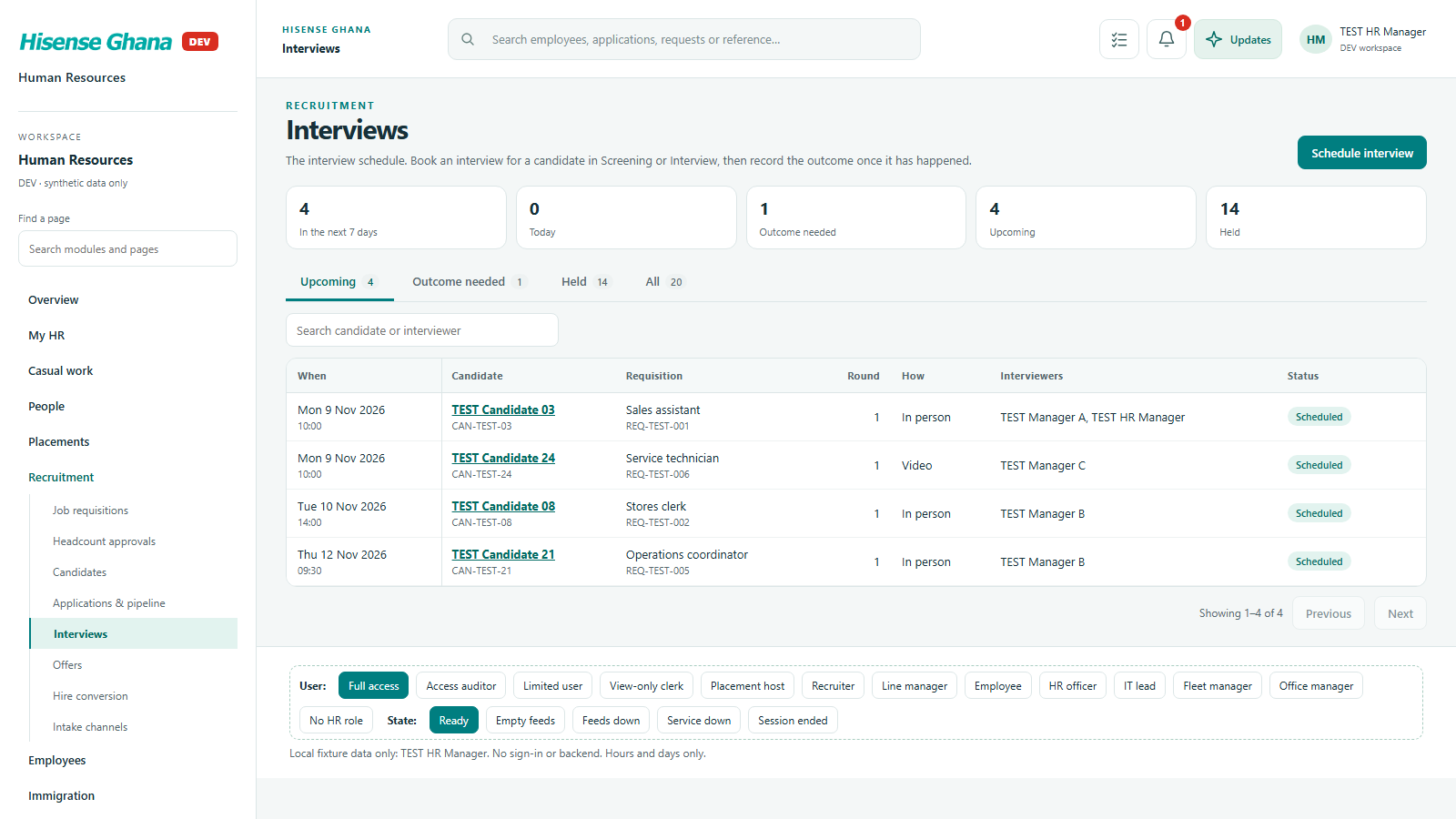
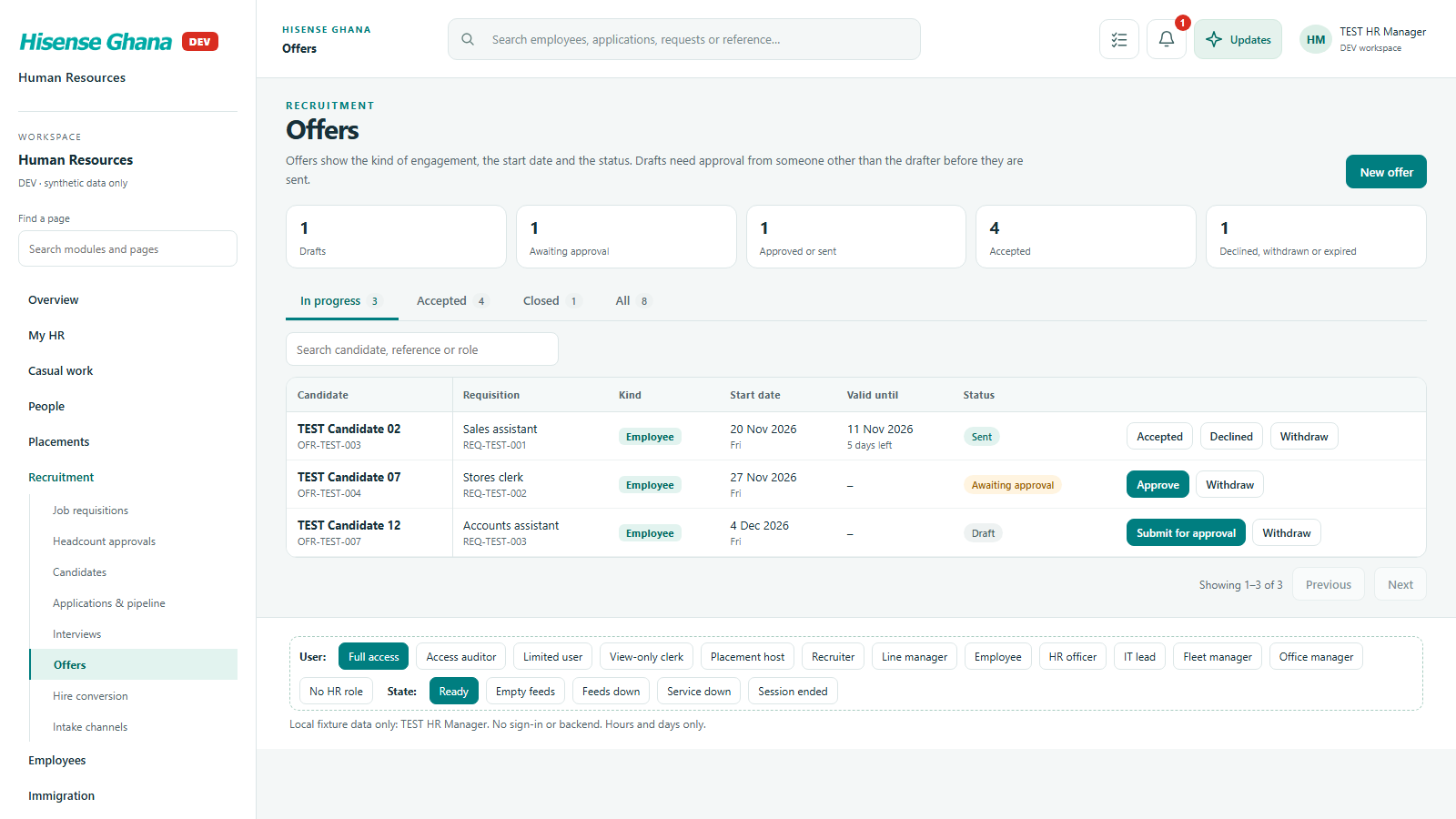
From job requisition to hire: candidates, pipeline stages, interviews, offers and hire conversion.

Open live as HR manager (full access)
Recruitment: Job requisitions
Job requisitionsas HR manager (full access) · open live
Recruitment: Candidates
Candidatesas HR manager (full access) · open live
Recruitment: Applications & pipeline
Applications & pipelineas HR manager (full access) · open live
Recruitment: Interviews
Interviewsas HR manager (full access) · open live
Recruitment: Offers
Offersas HR manager (full access) · open live

Employees

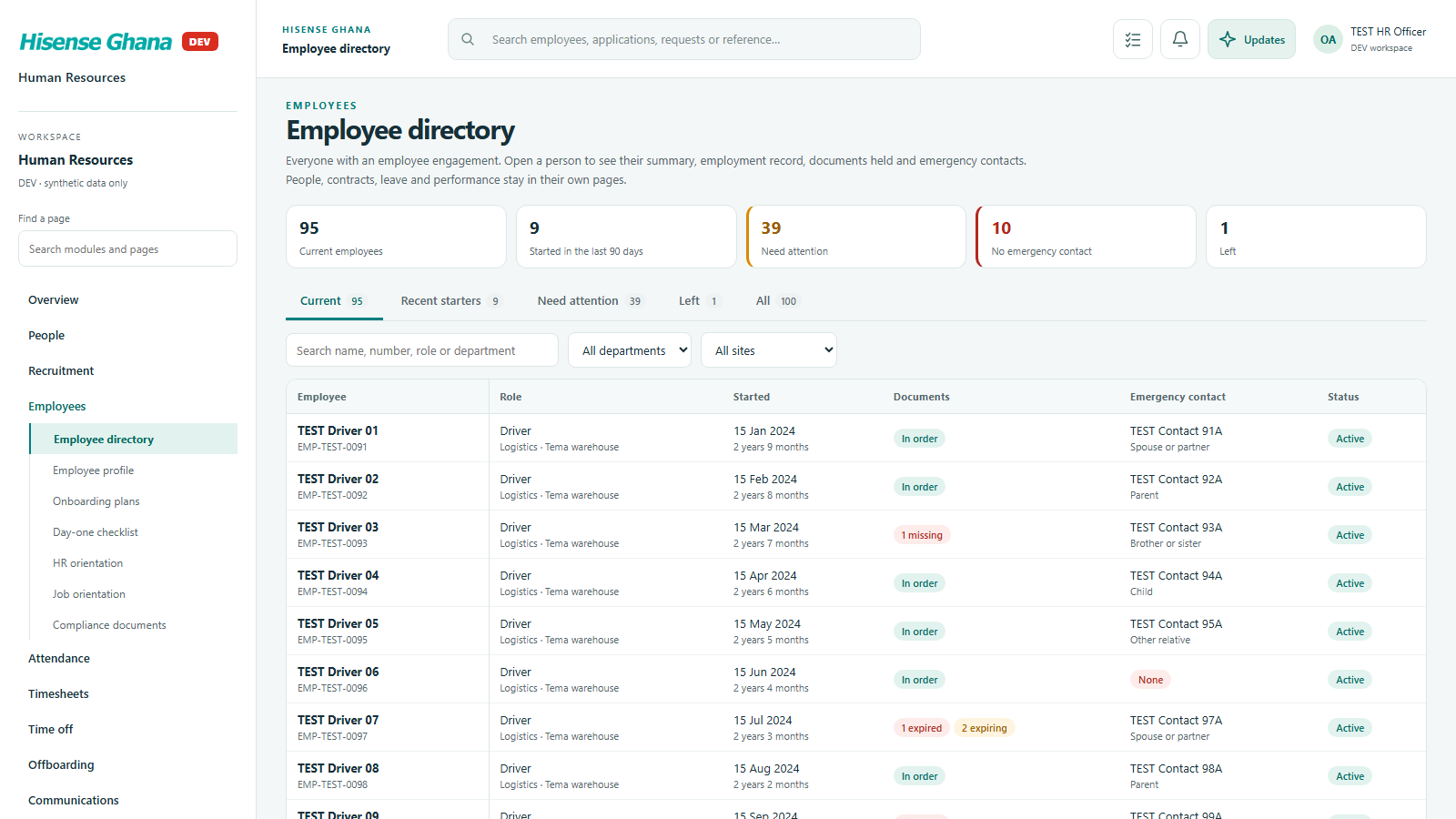
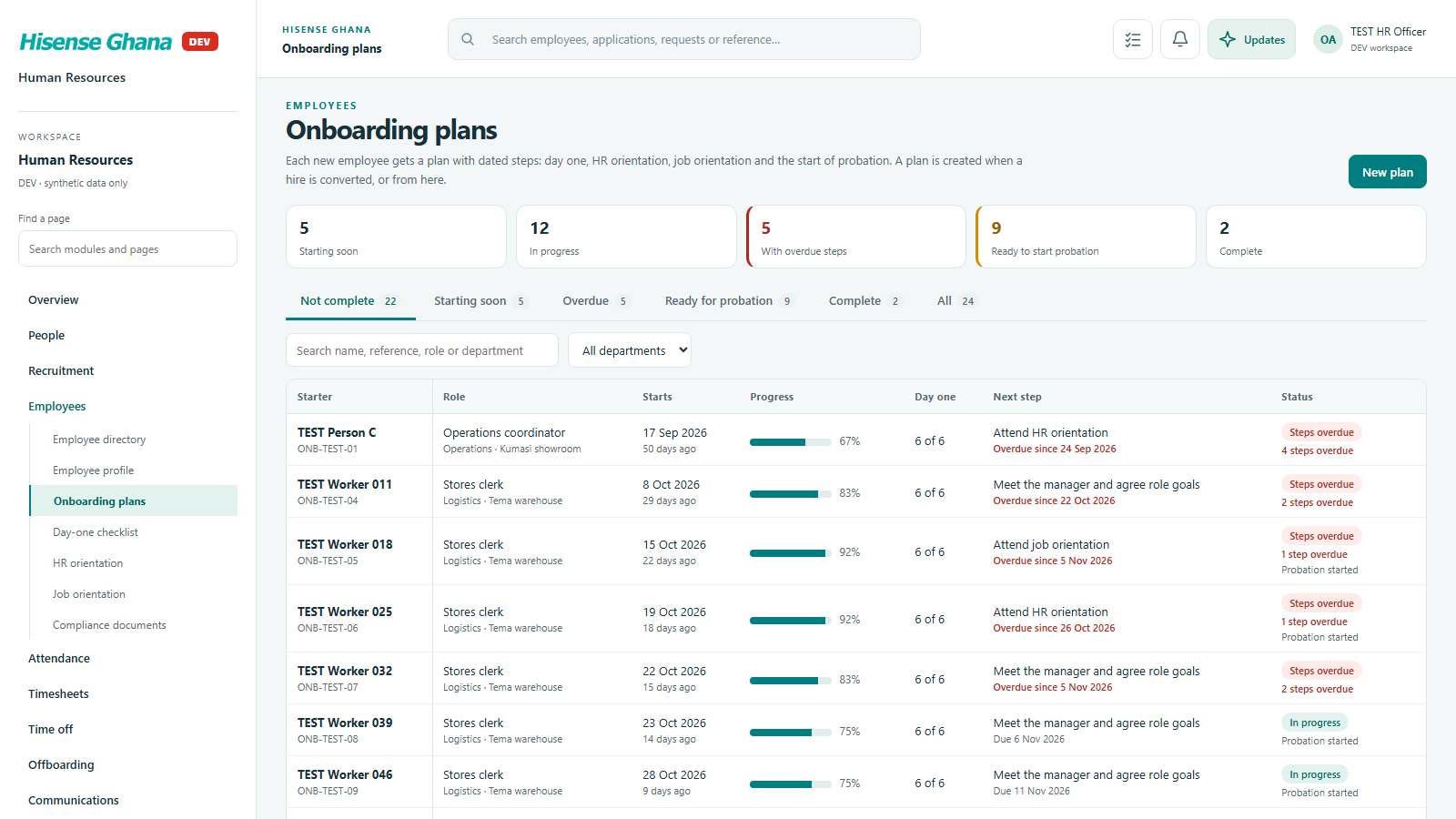
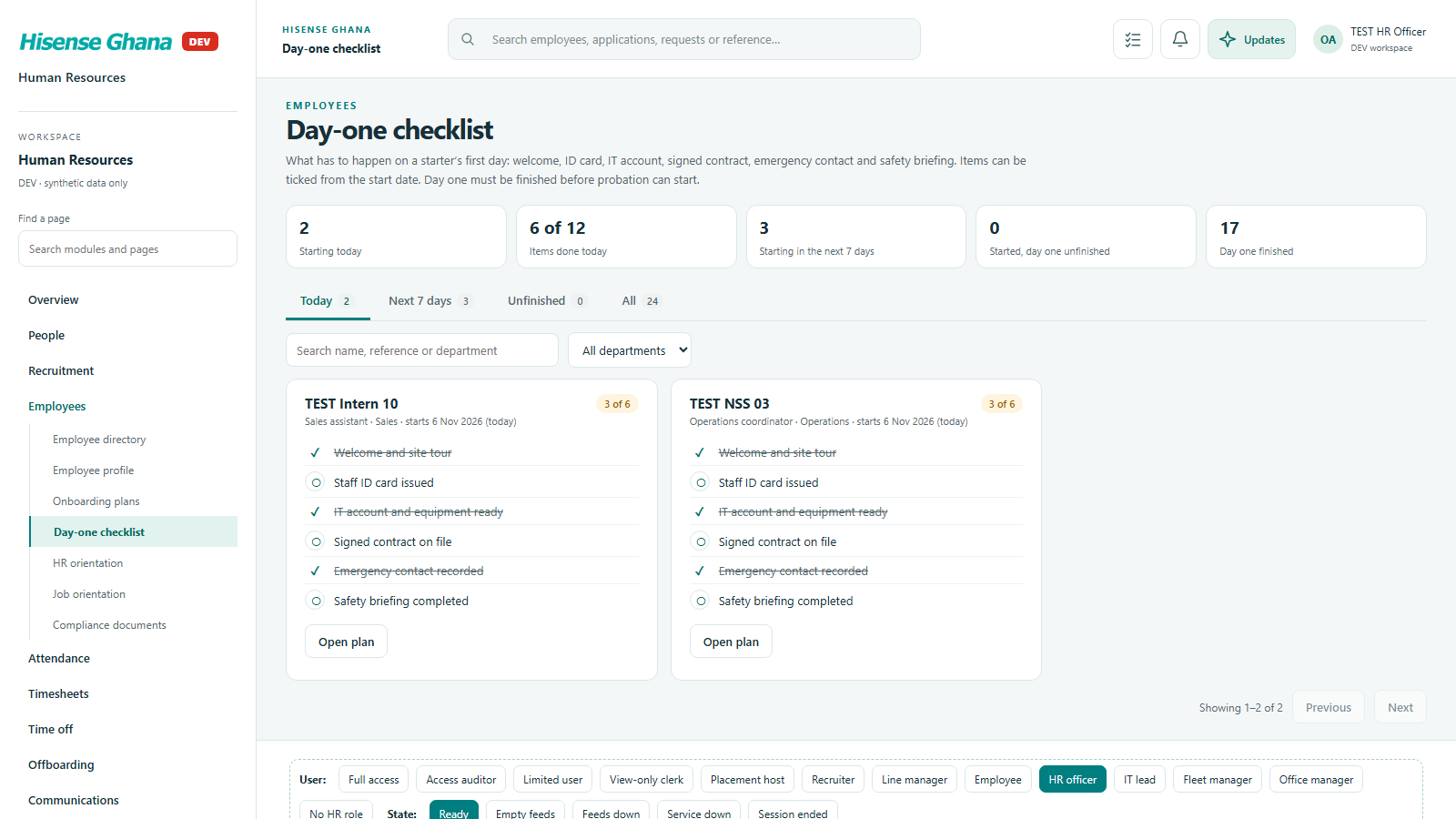
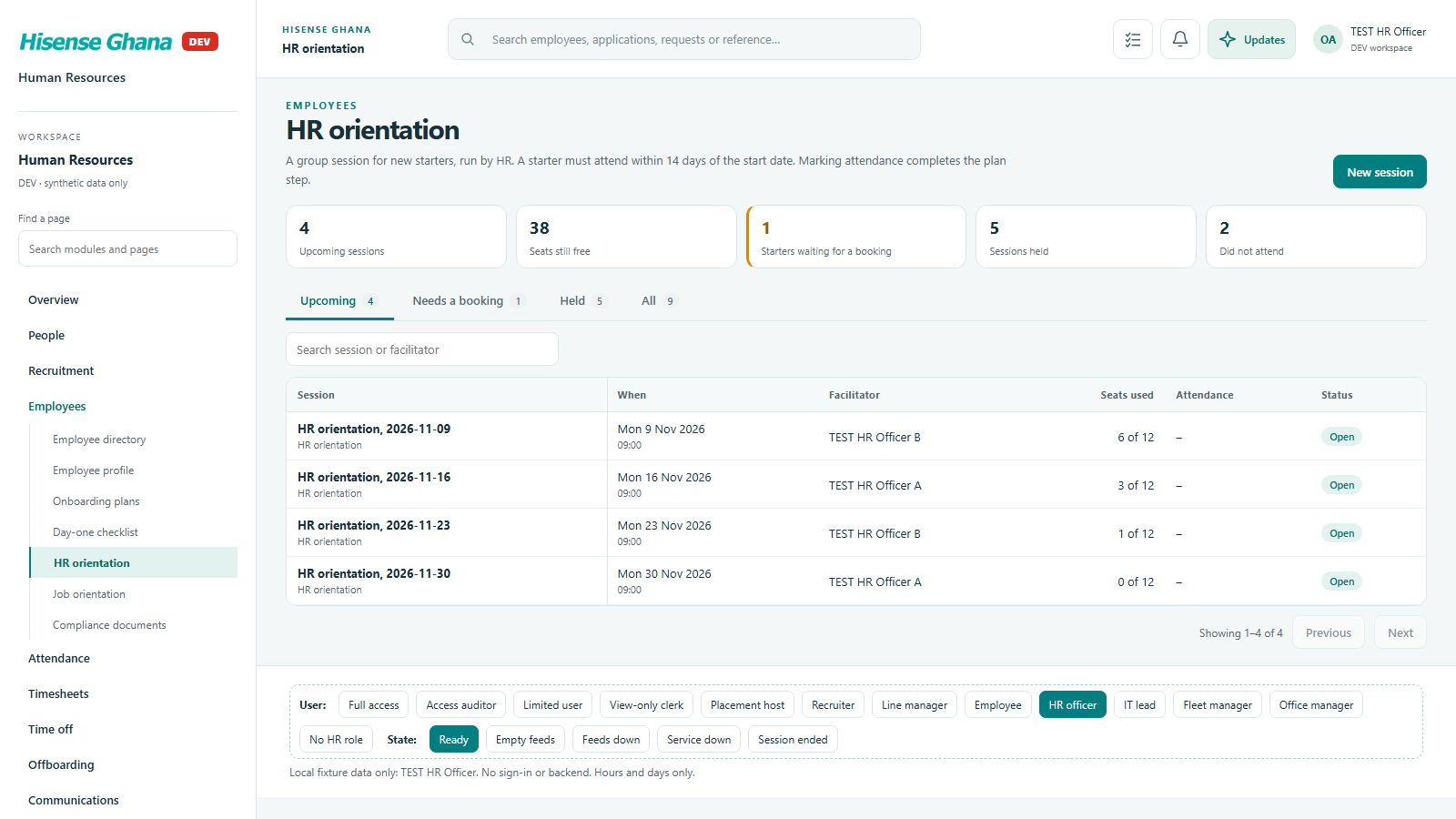
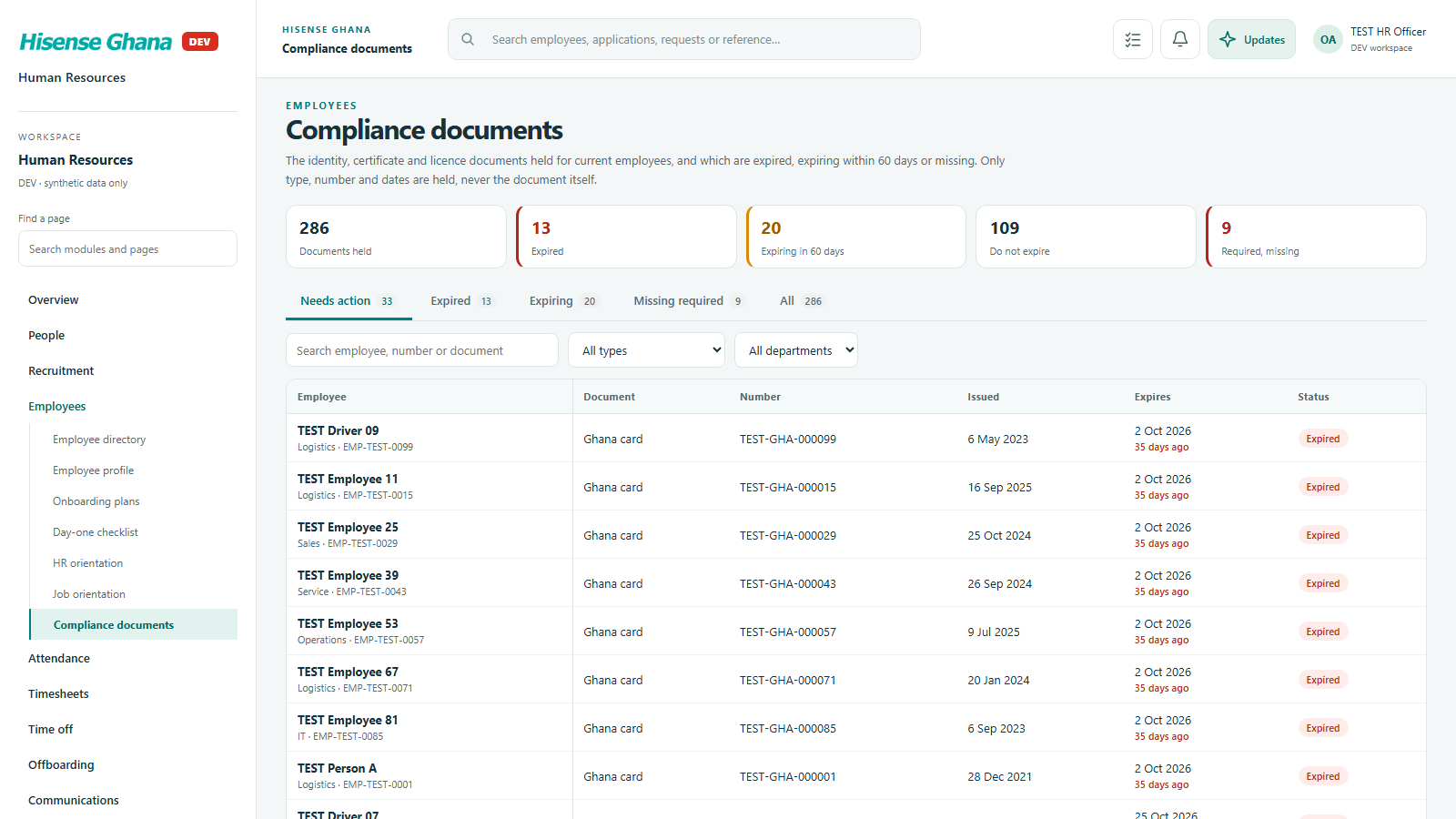
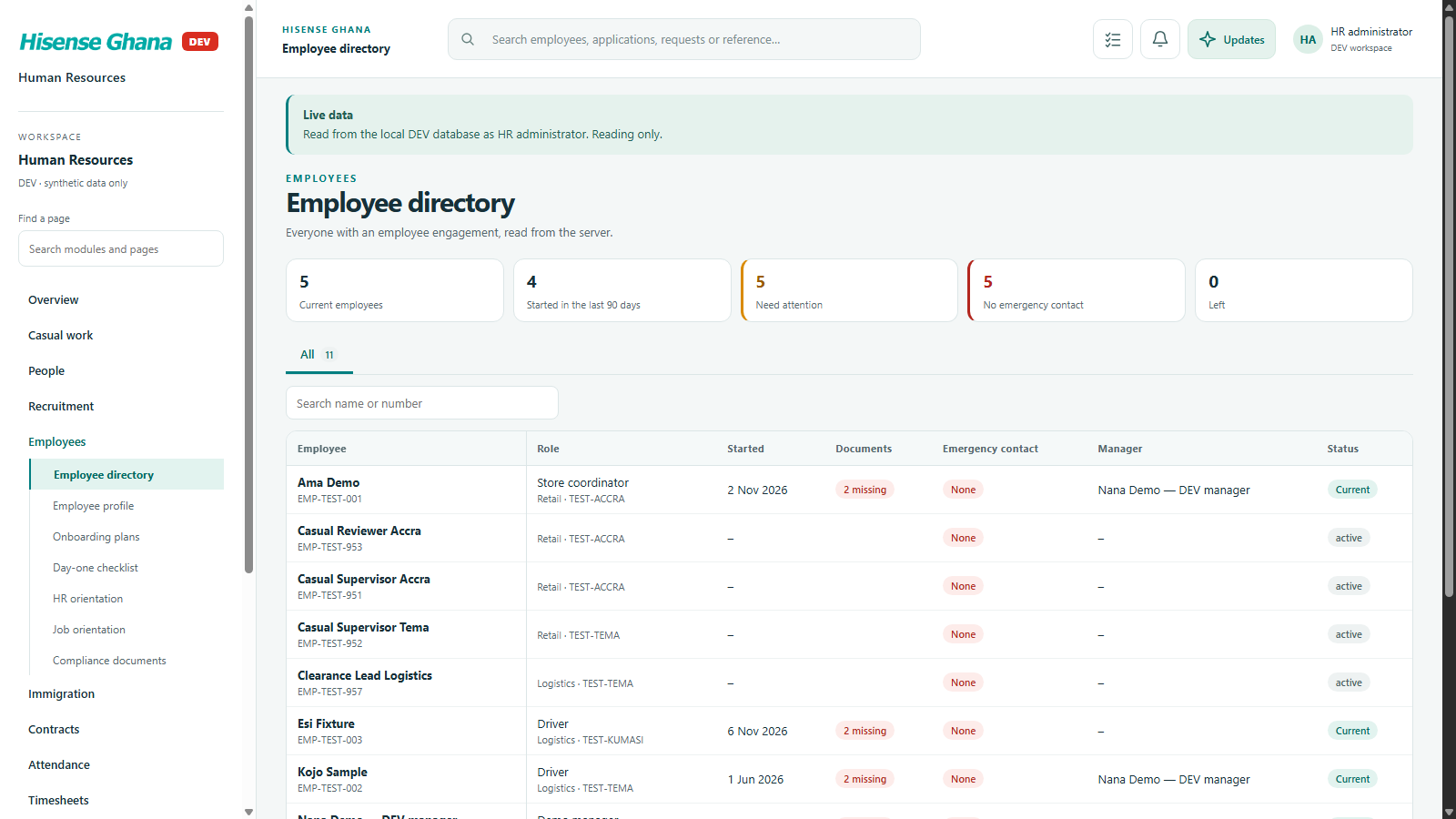
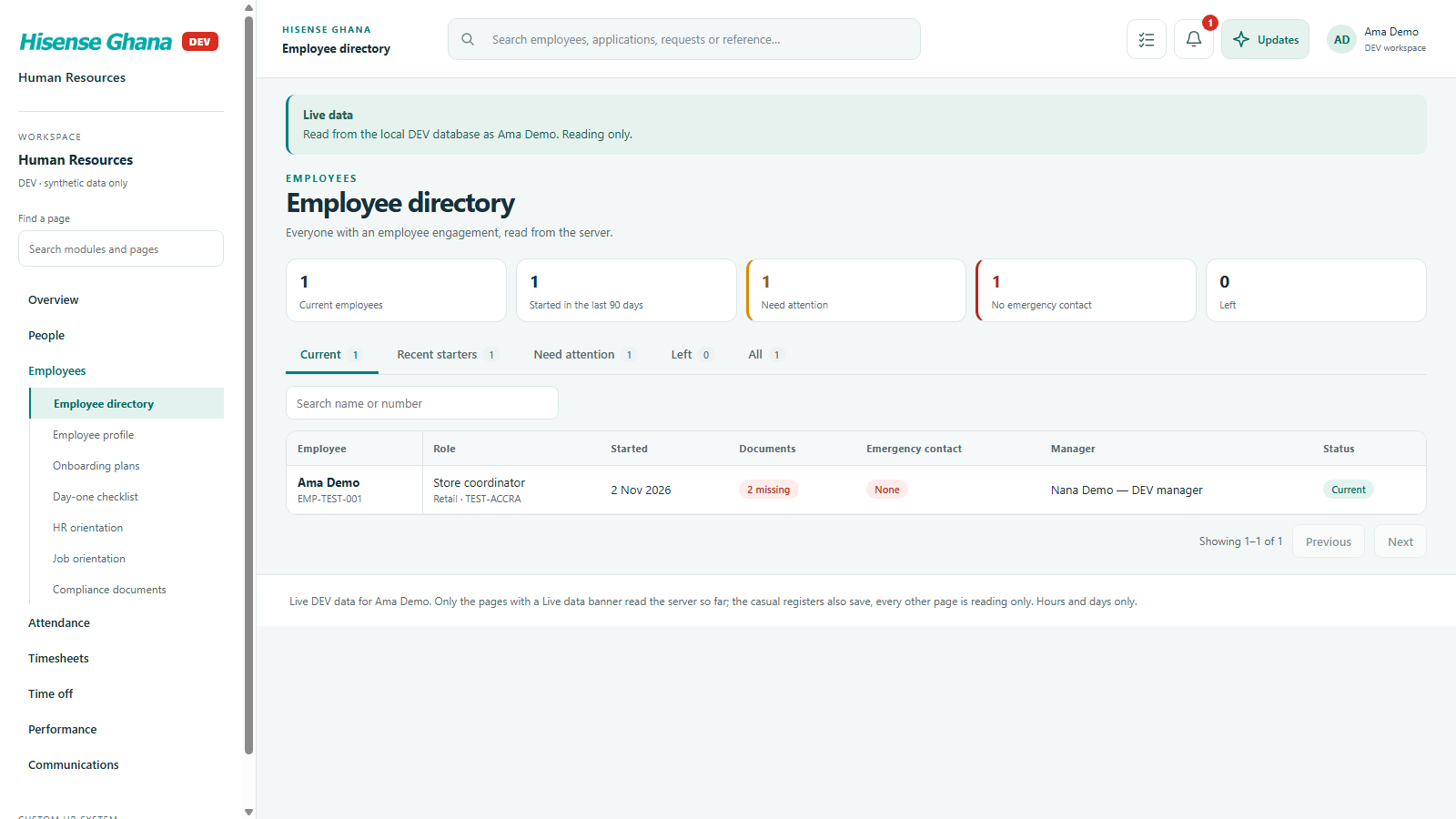
The employee directory and profile, plus onboarding: plans, day-one checklist, orientation and compliance documents.

Open live as HR officer
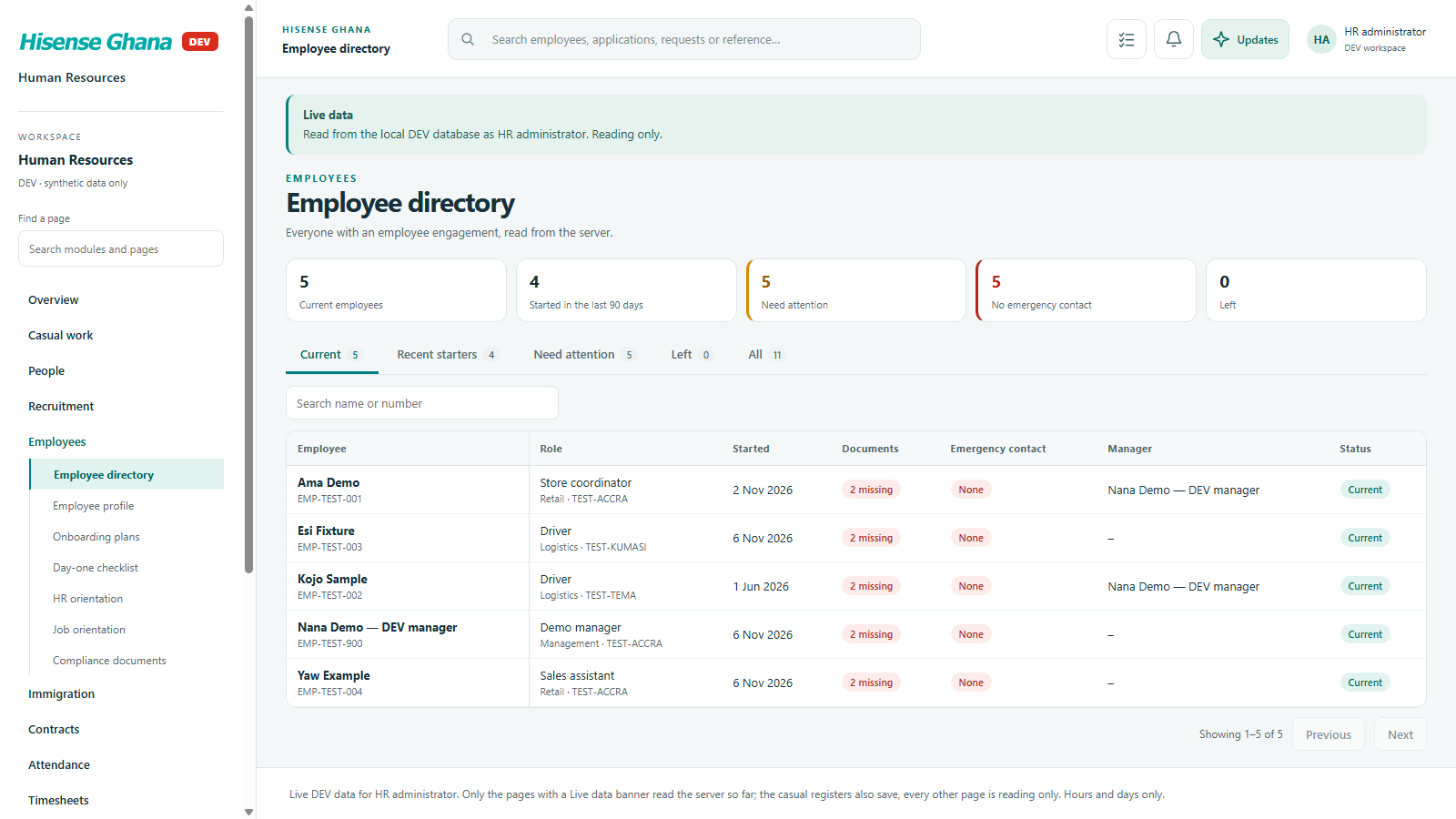
Employees: Employee directory
Employee directoryas HR officer · open live
Employees: Onboarding plans
Onboarding plansas HR officer · open live
Employees: Day-one checklist
Day-one checklistas HR officer · open live
Employees: HR orientation
HR orientationas HR officer · open live
Employees: Compliance documents
Compliance documentsas HR officer · open live

Immigration

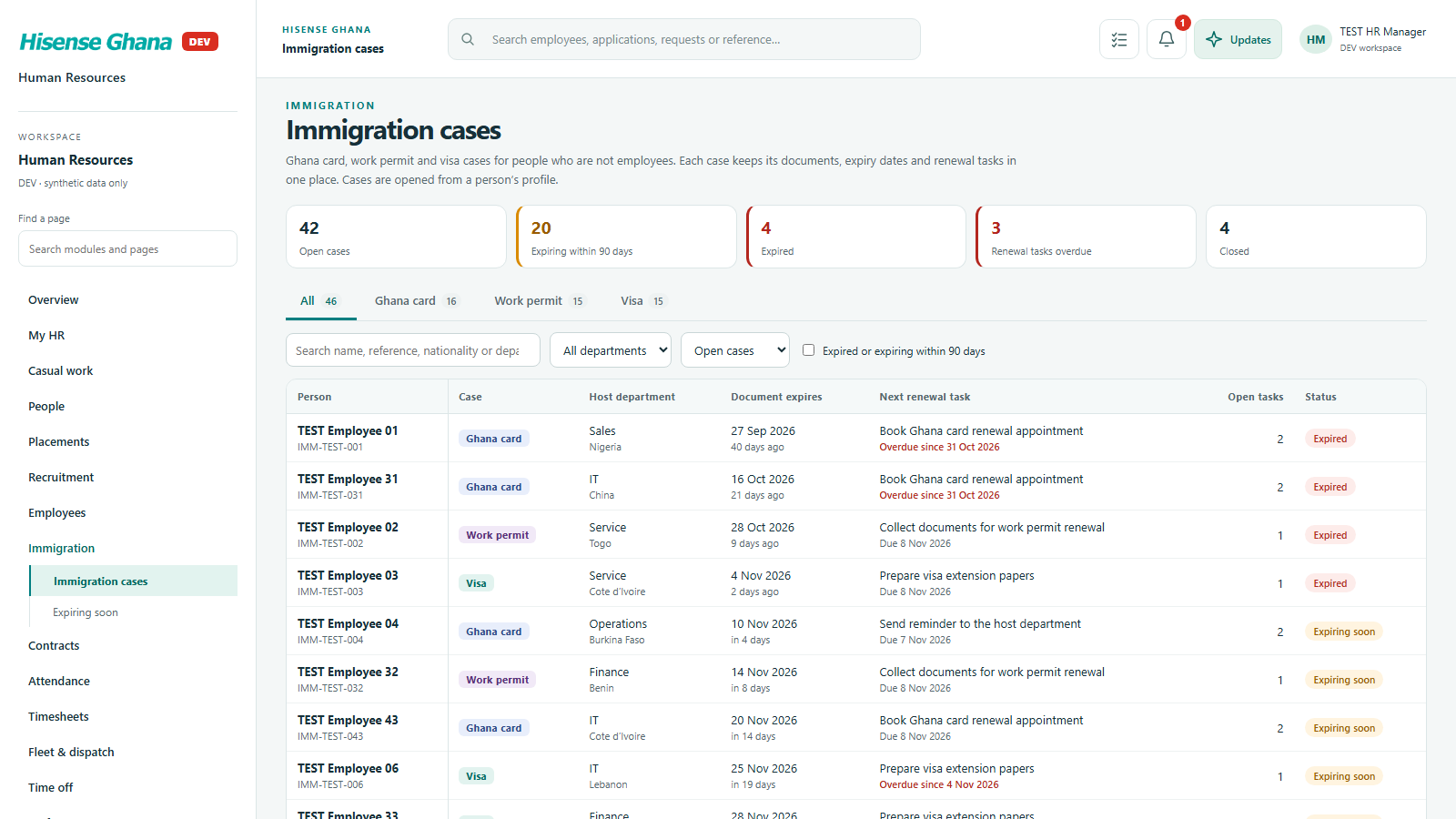
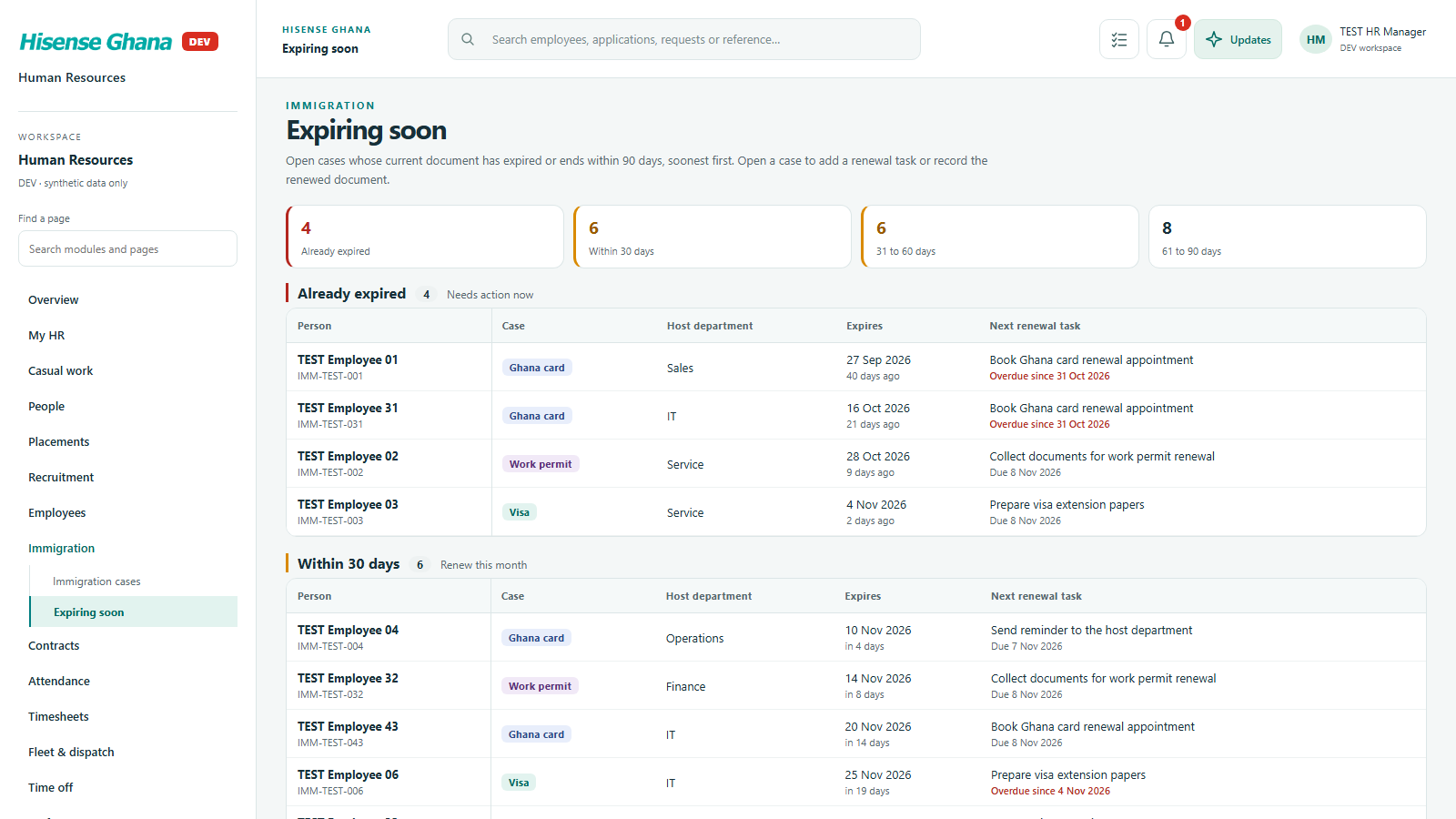
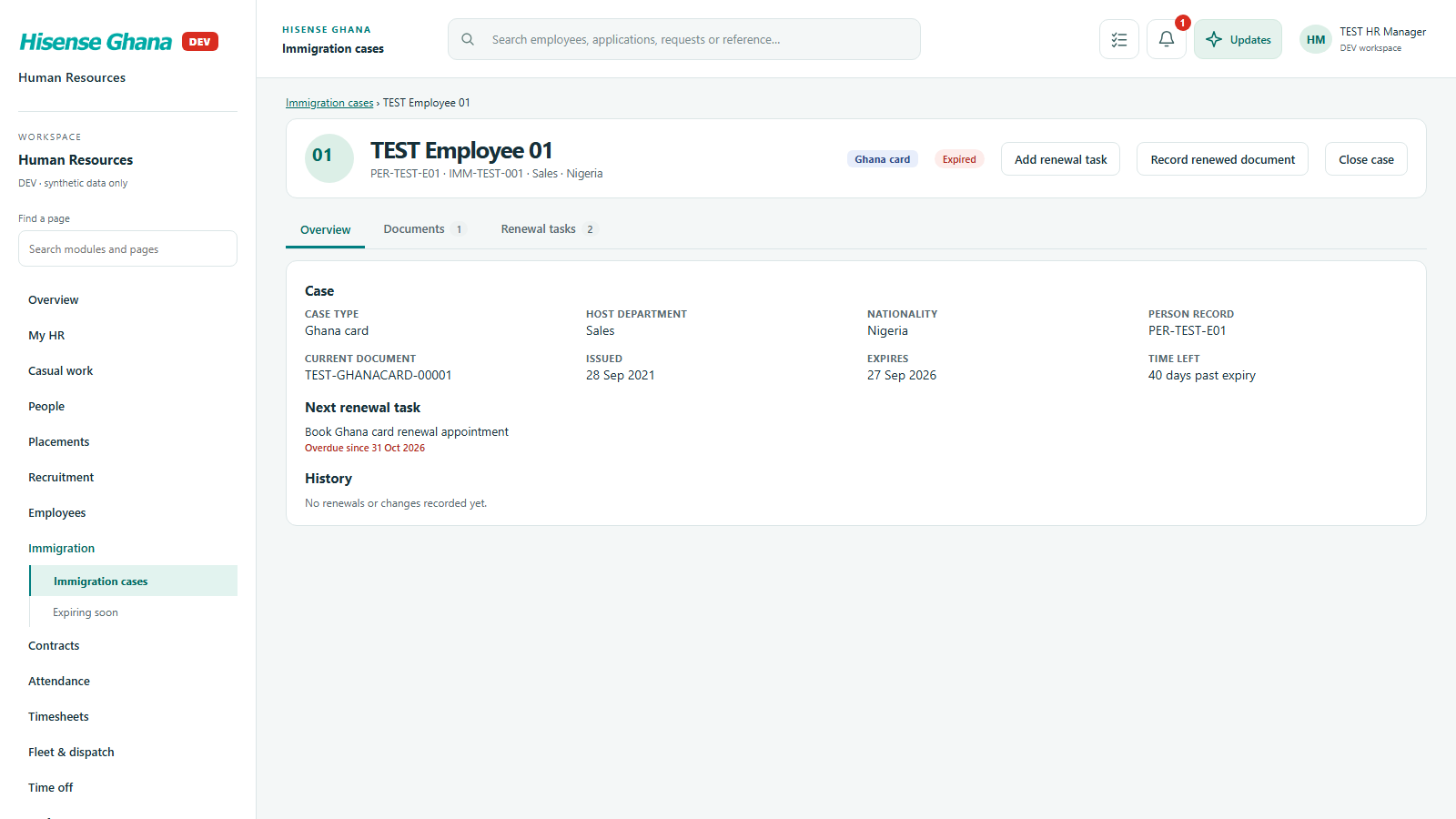
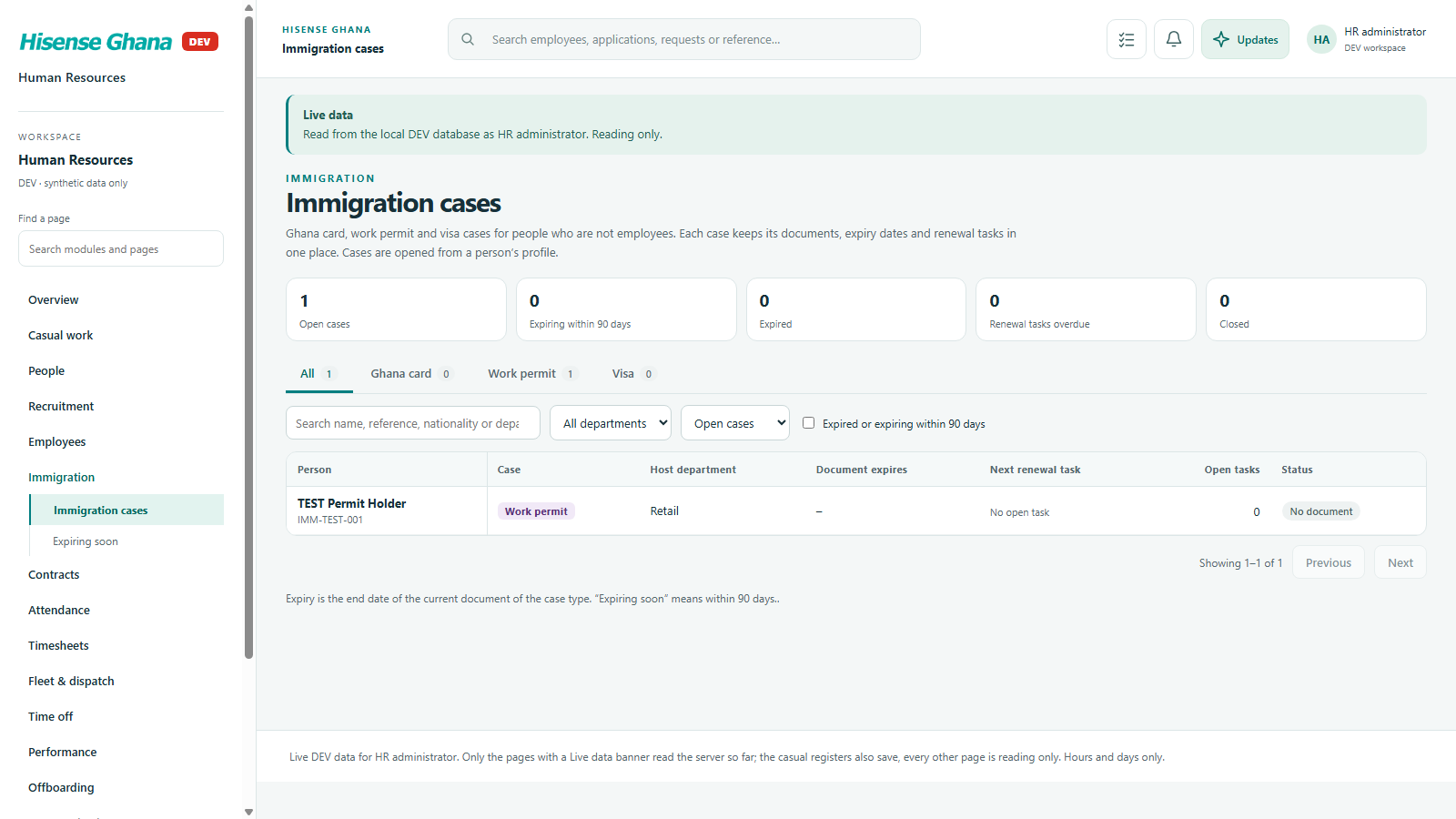
Work permit and visa cases with expiry dates, so renewals are started in time.

Open live as HR manager (full access)
Immigration: Immigration cases
Immigration casesas HR manager (full access) · open live
Immigration: Expiring soon
Expiring soonas HR manager (full access) · open live
Immigration: A case
A caseas HR manager (full access) · open live

Contracts

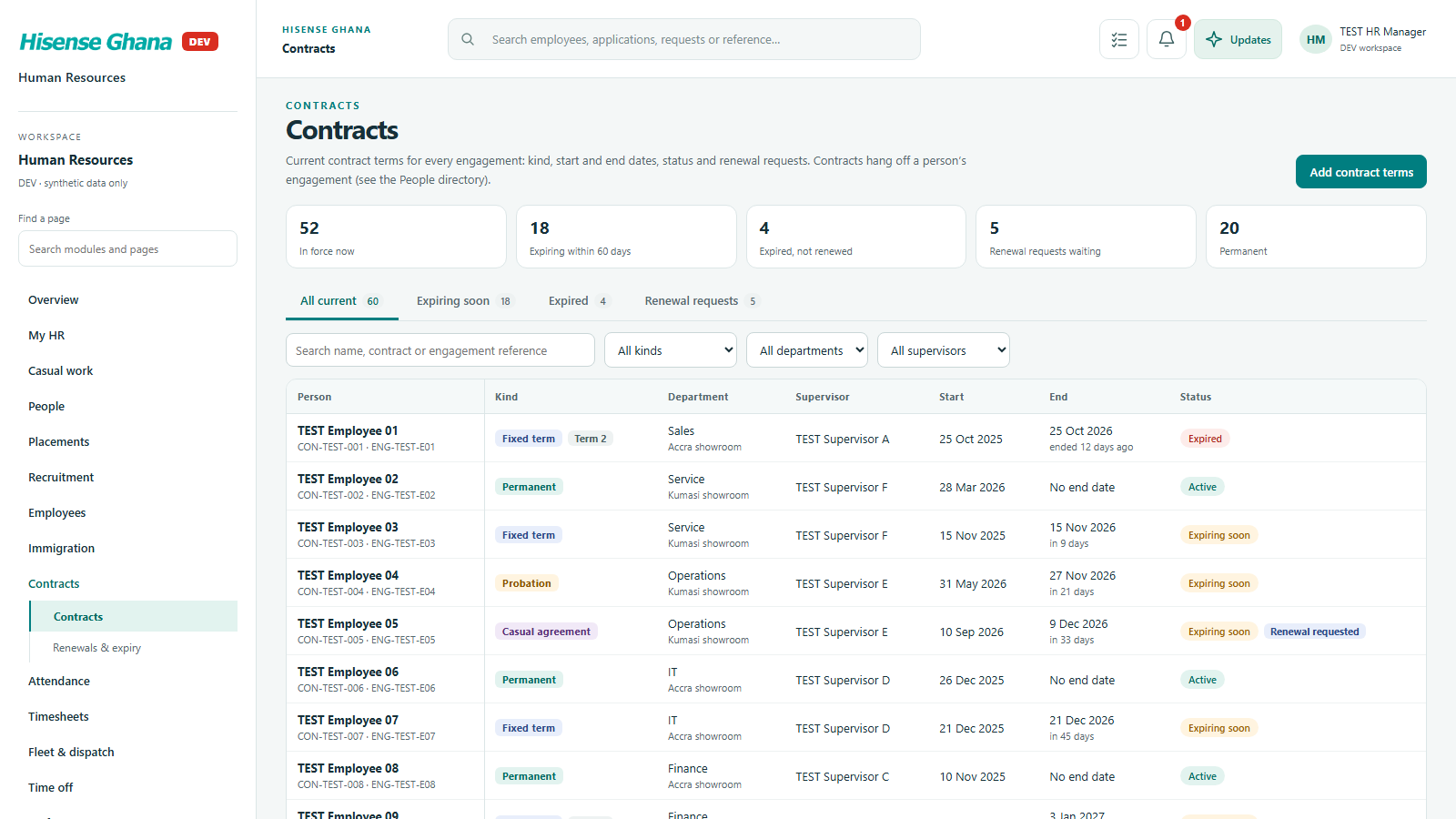
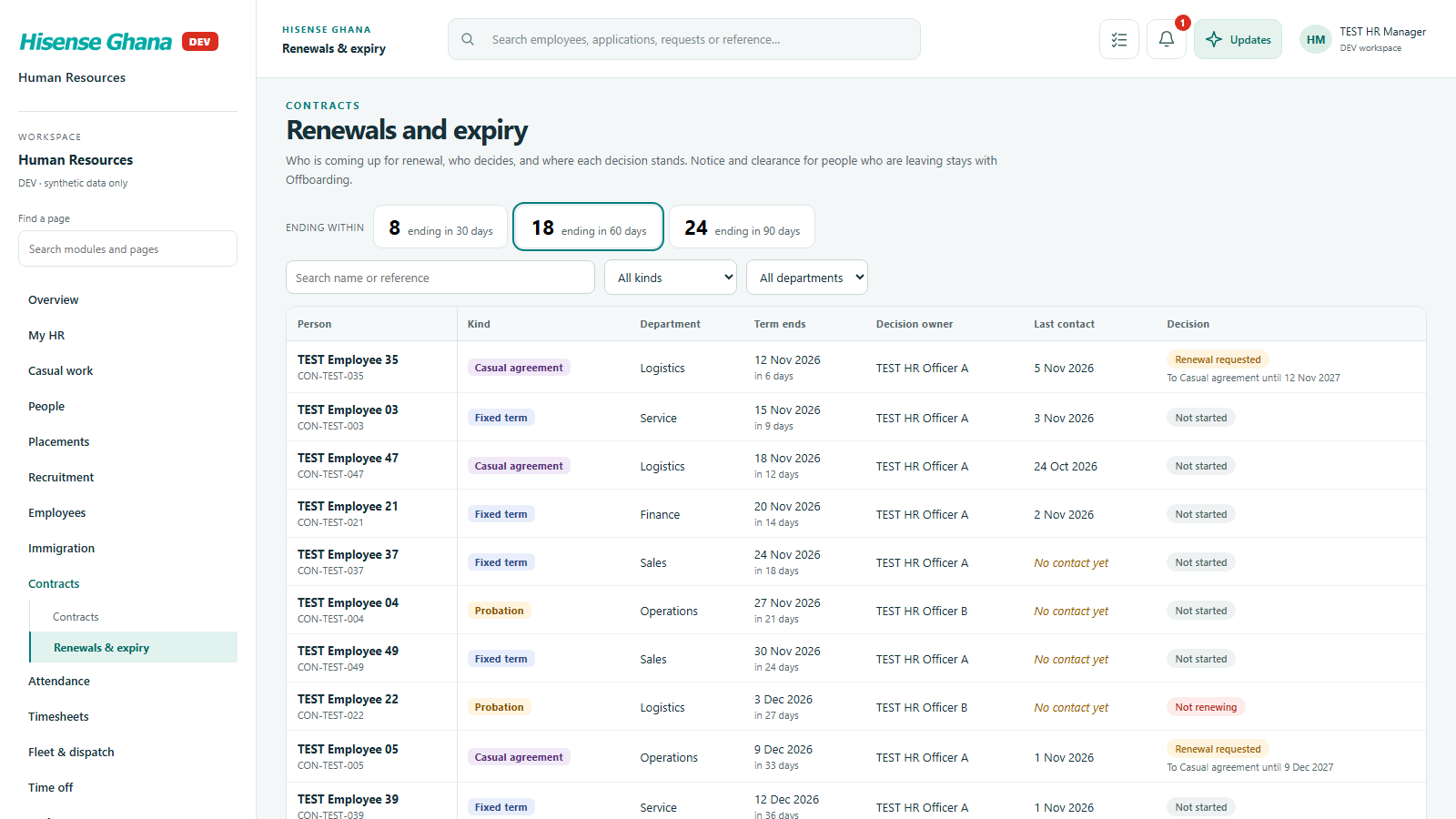
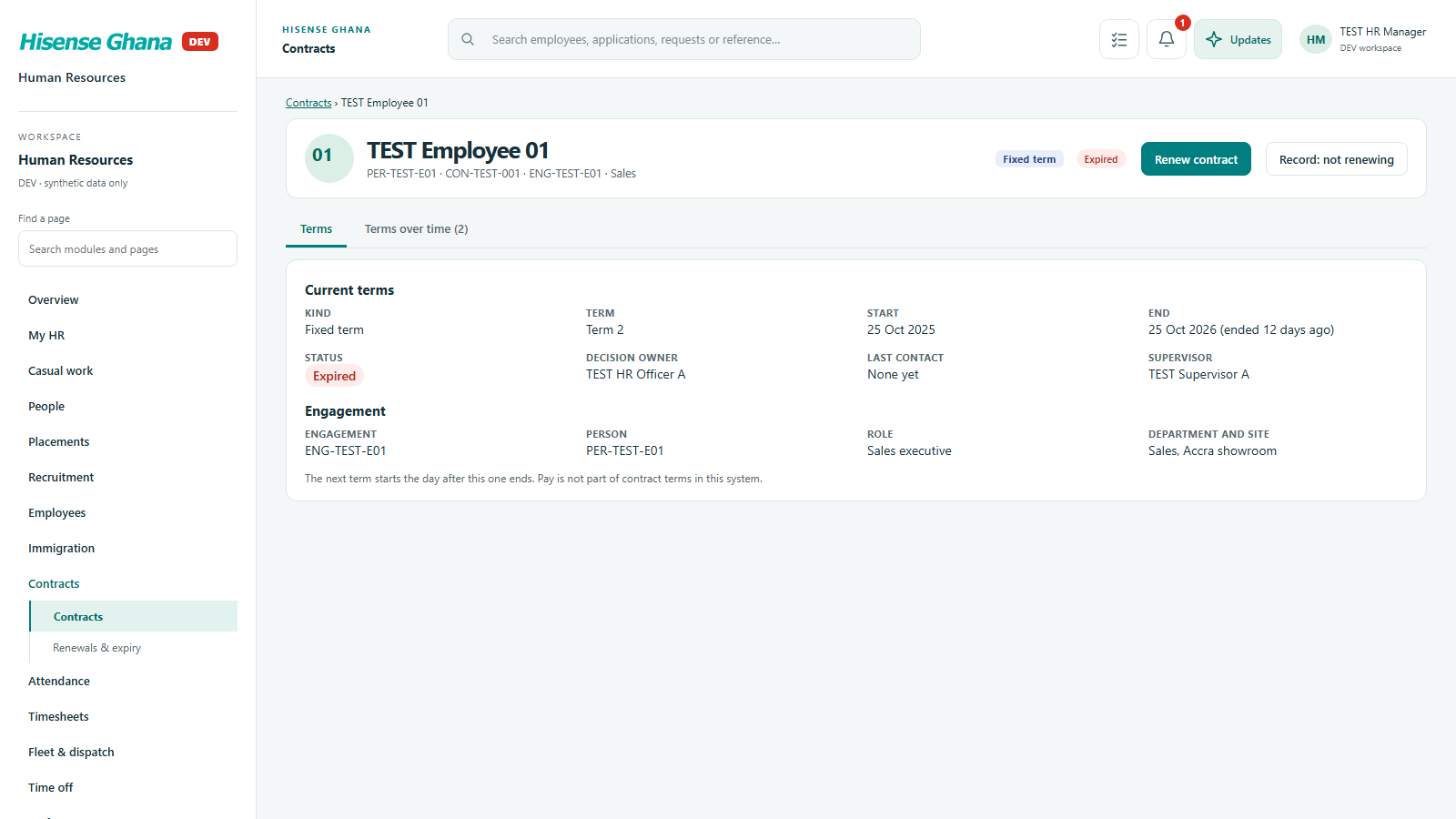
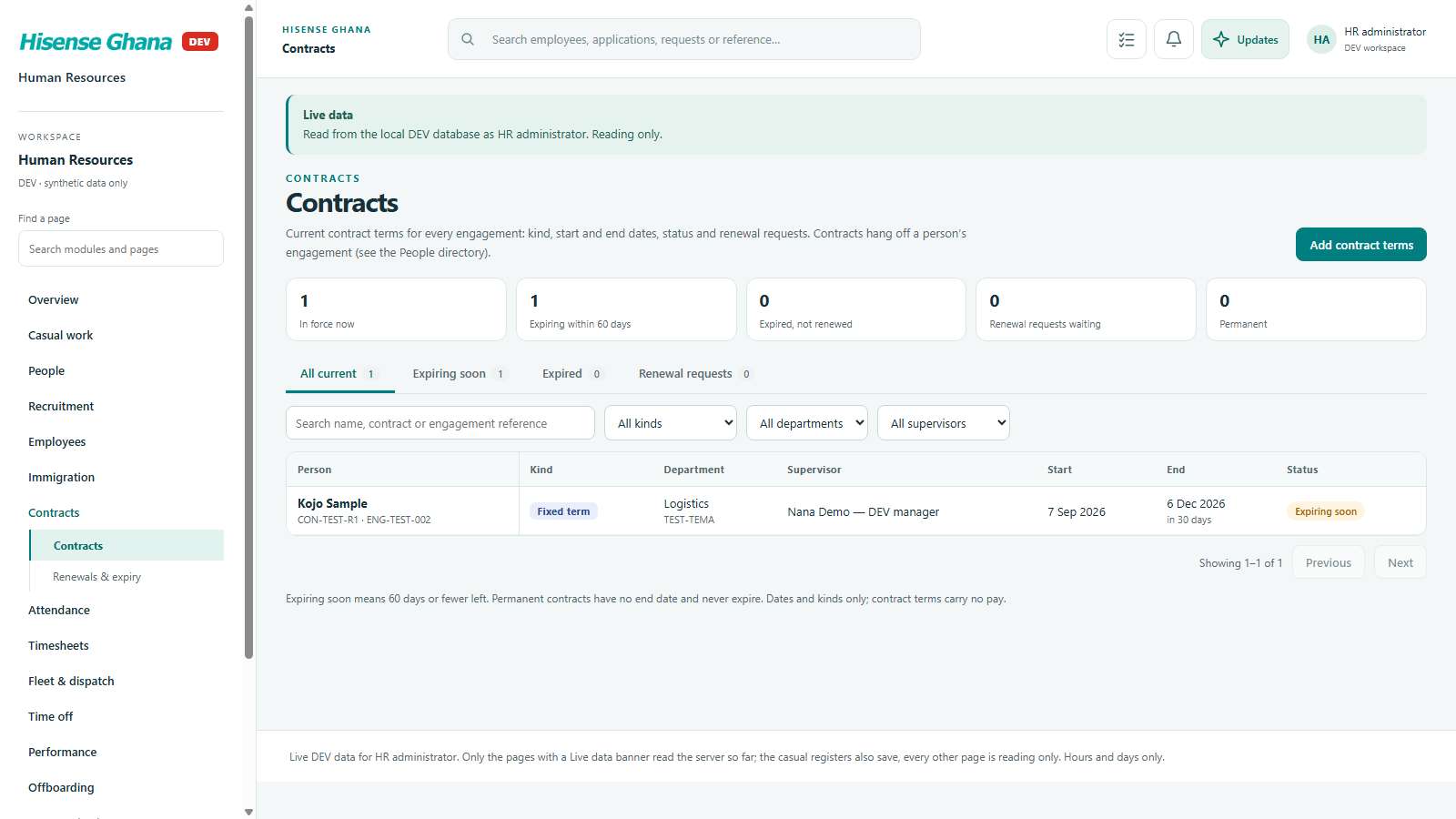
Employment contracts, renewals and expiry, with approval of each renewal decision.

Open live as HR manager (full access)
Contracts: Contracts
Contractsas HR manager (full access) · open live
Contracts: Renewals & expiry
Renewals & expiryas HR manager (full access) · open live
Contracts: A contract
A contractas HR manager (full access) · open live

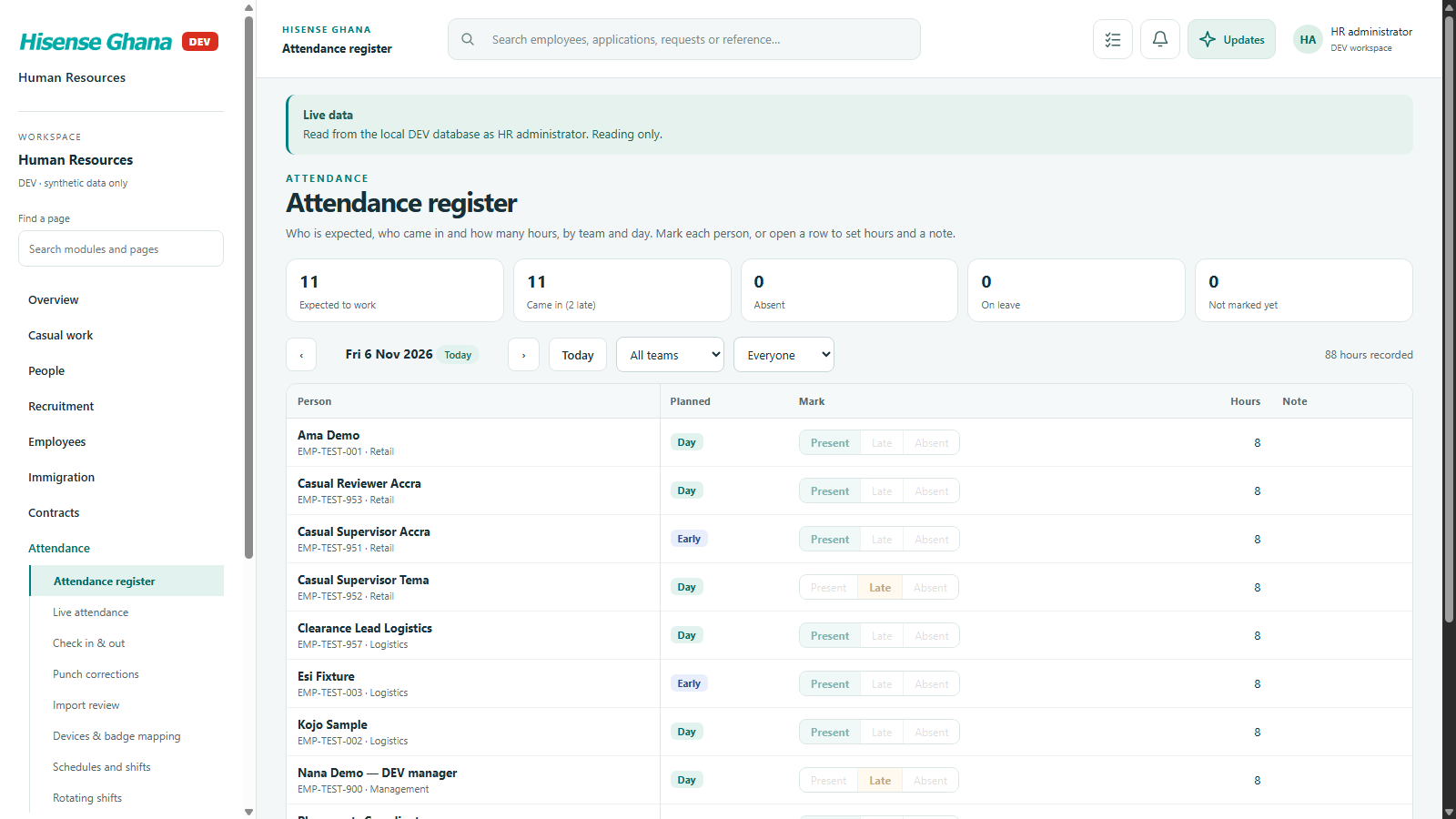
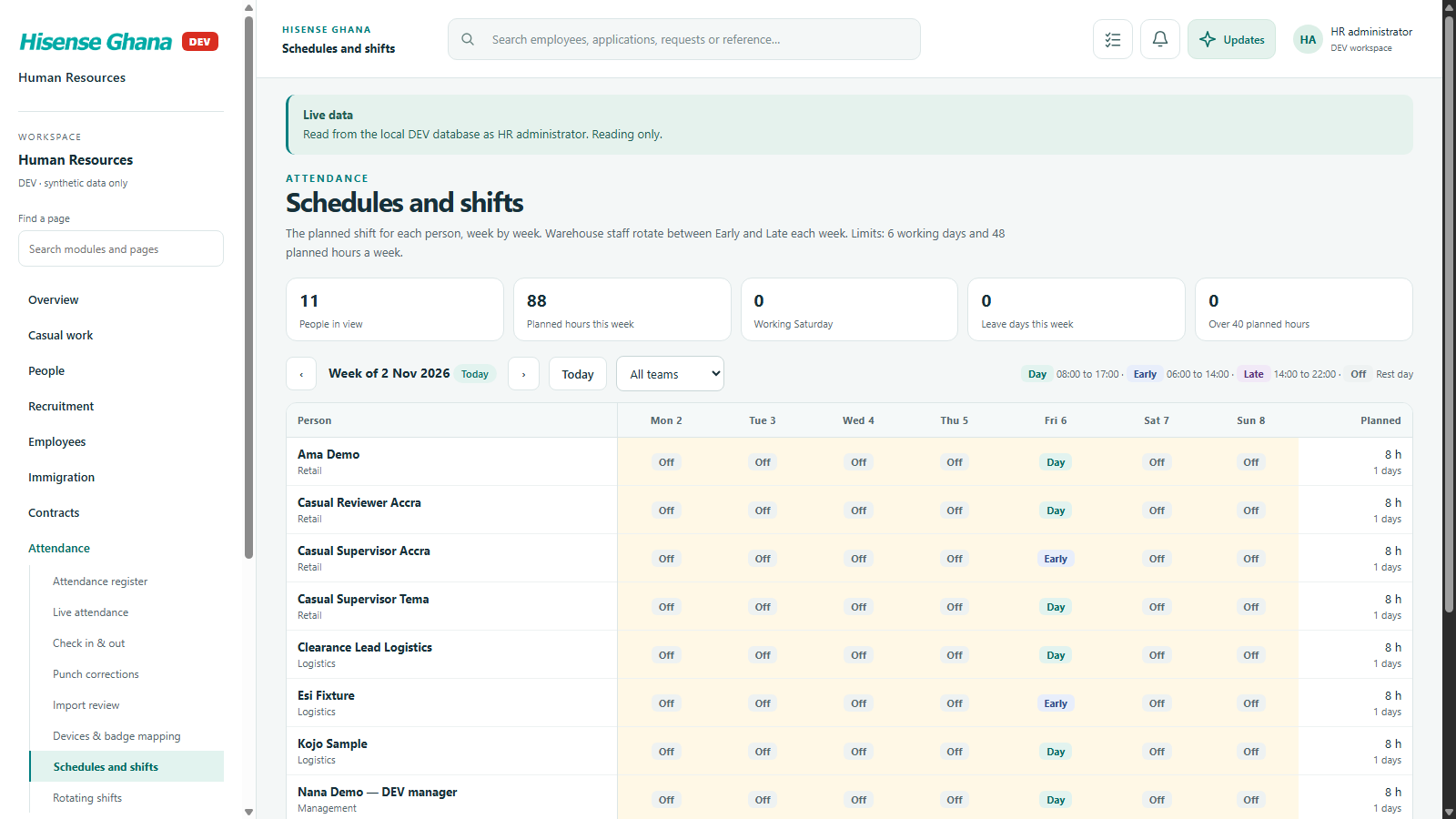
Attendance

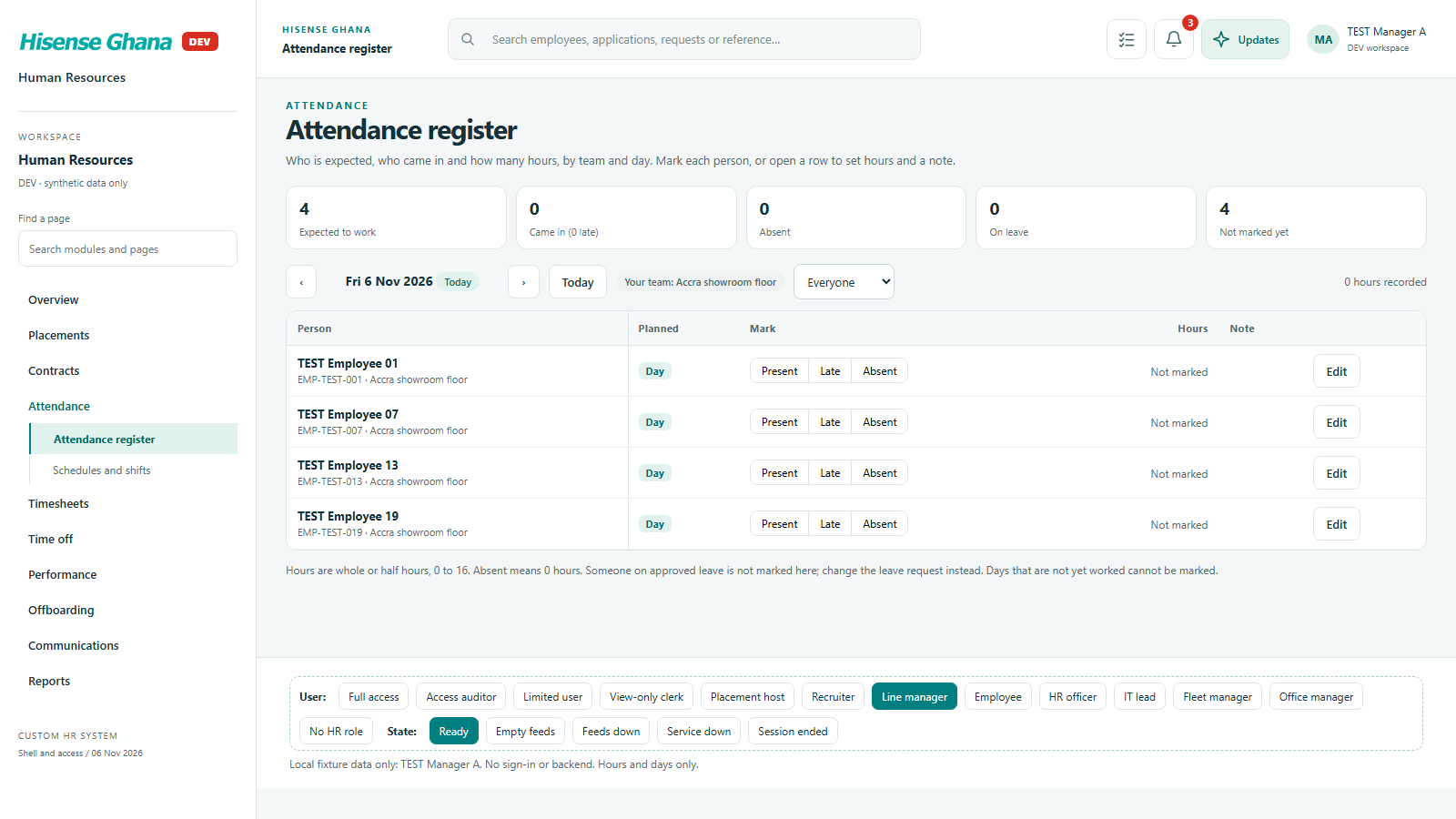
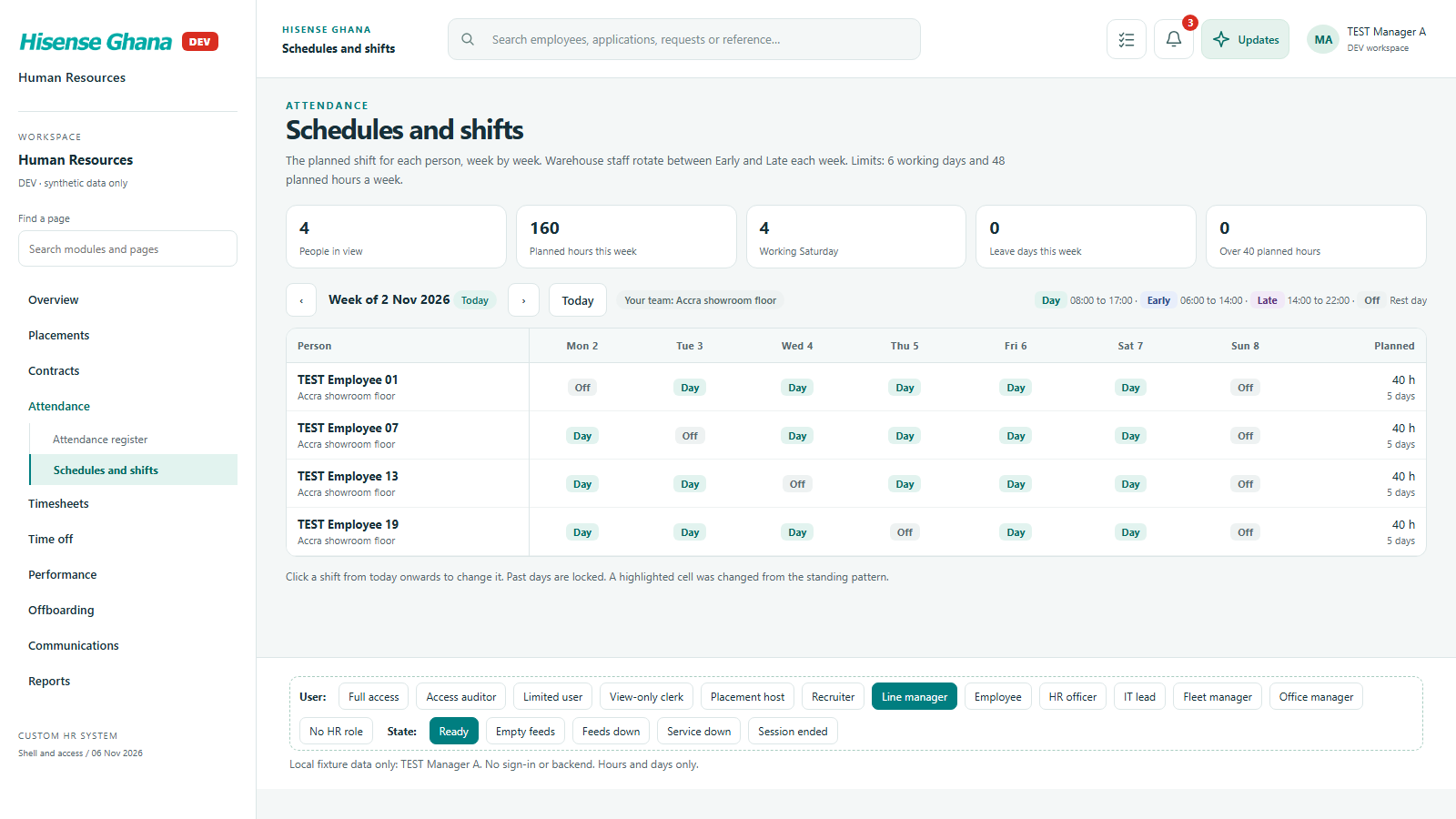
Who is expected and who came in, by team and day, and the weekly shift schedule with hours limits.

Open live as Line manager
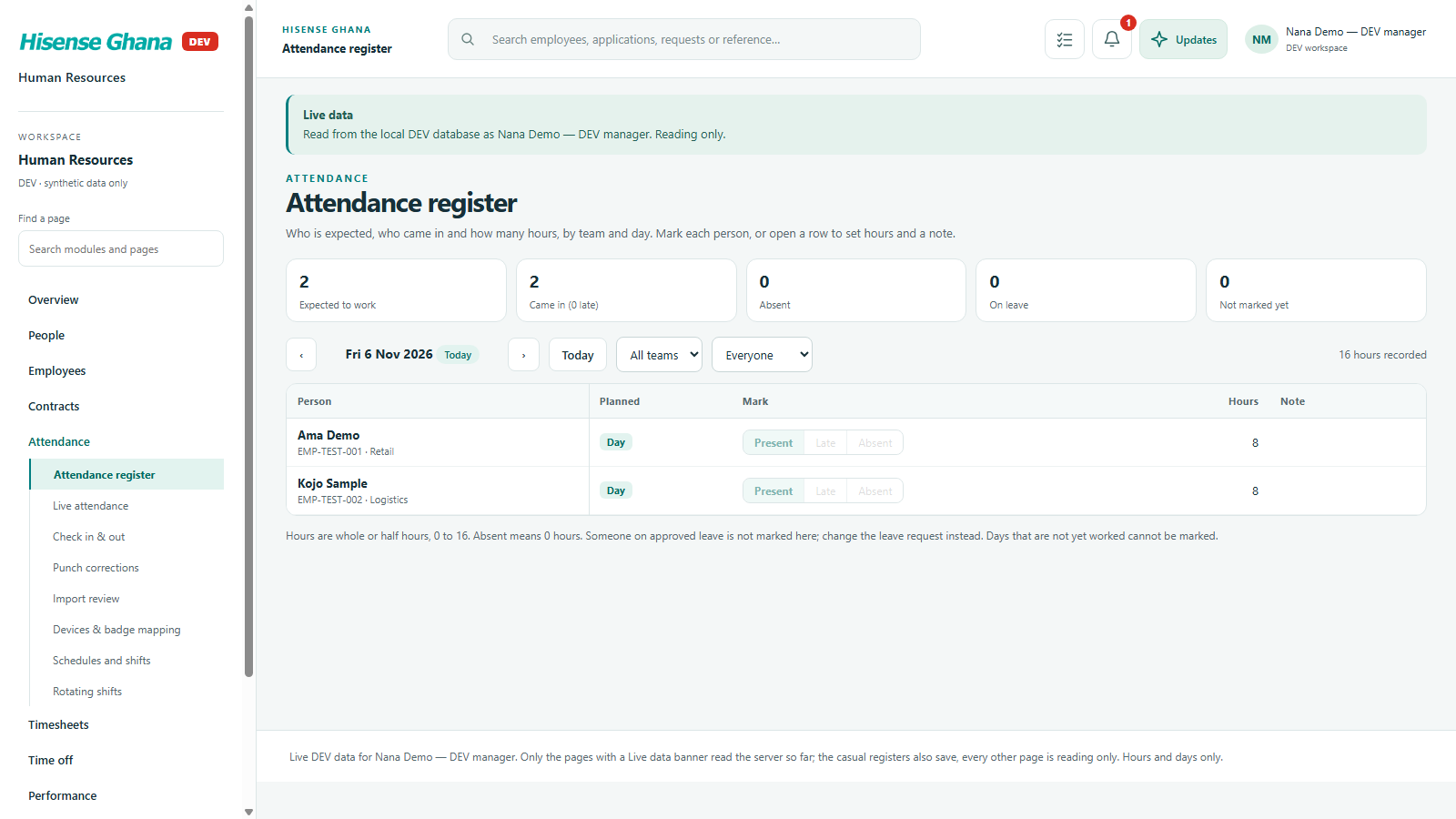
Attendance: Attendance register
Attendance registeras Line manager · open live
Attendance: Schedules and shifts
Schedules and shiftsas Line manager · open live

Timesheets

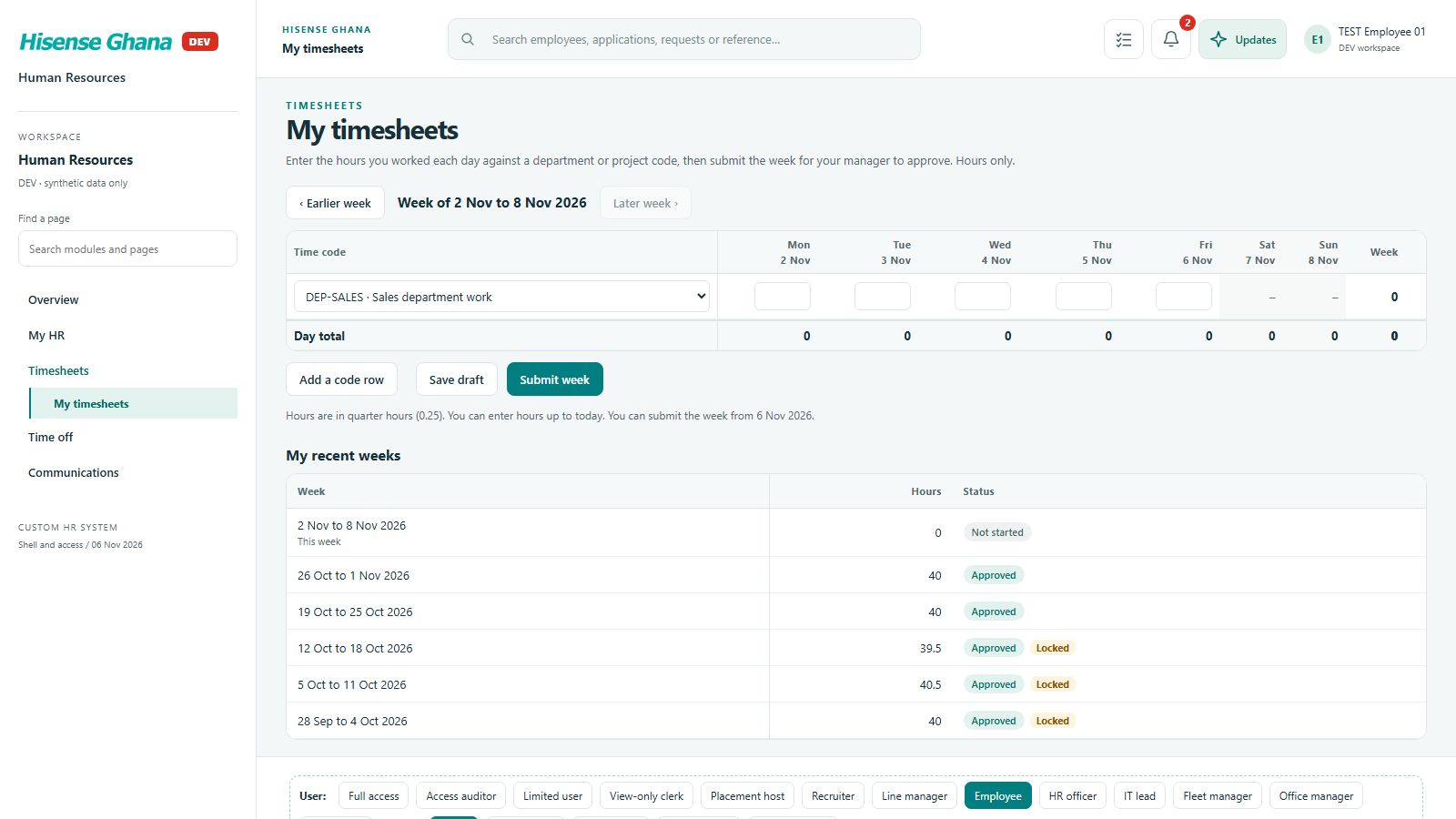
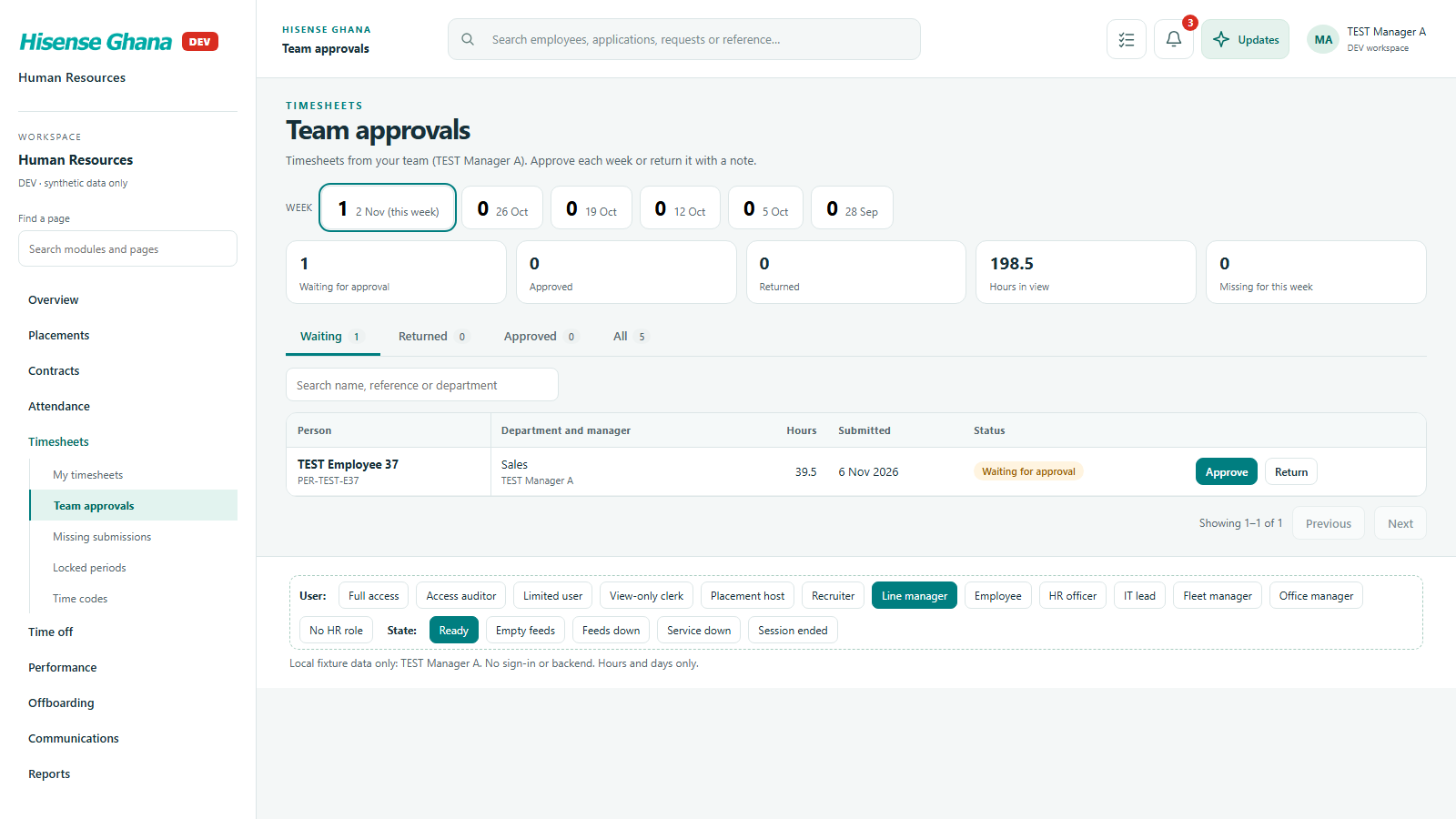
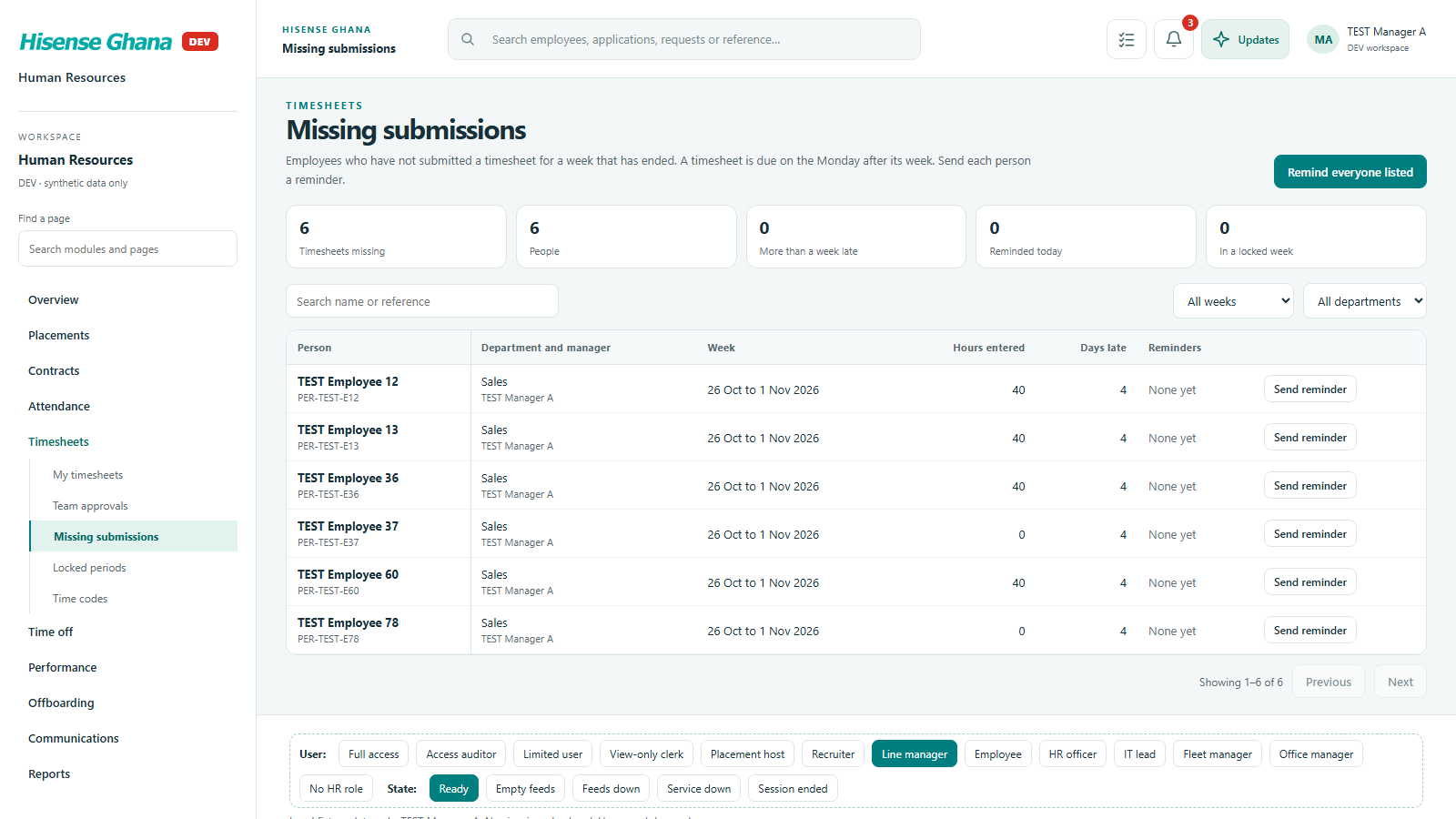
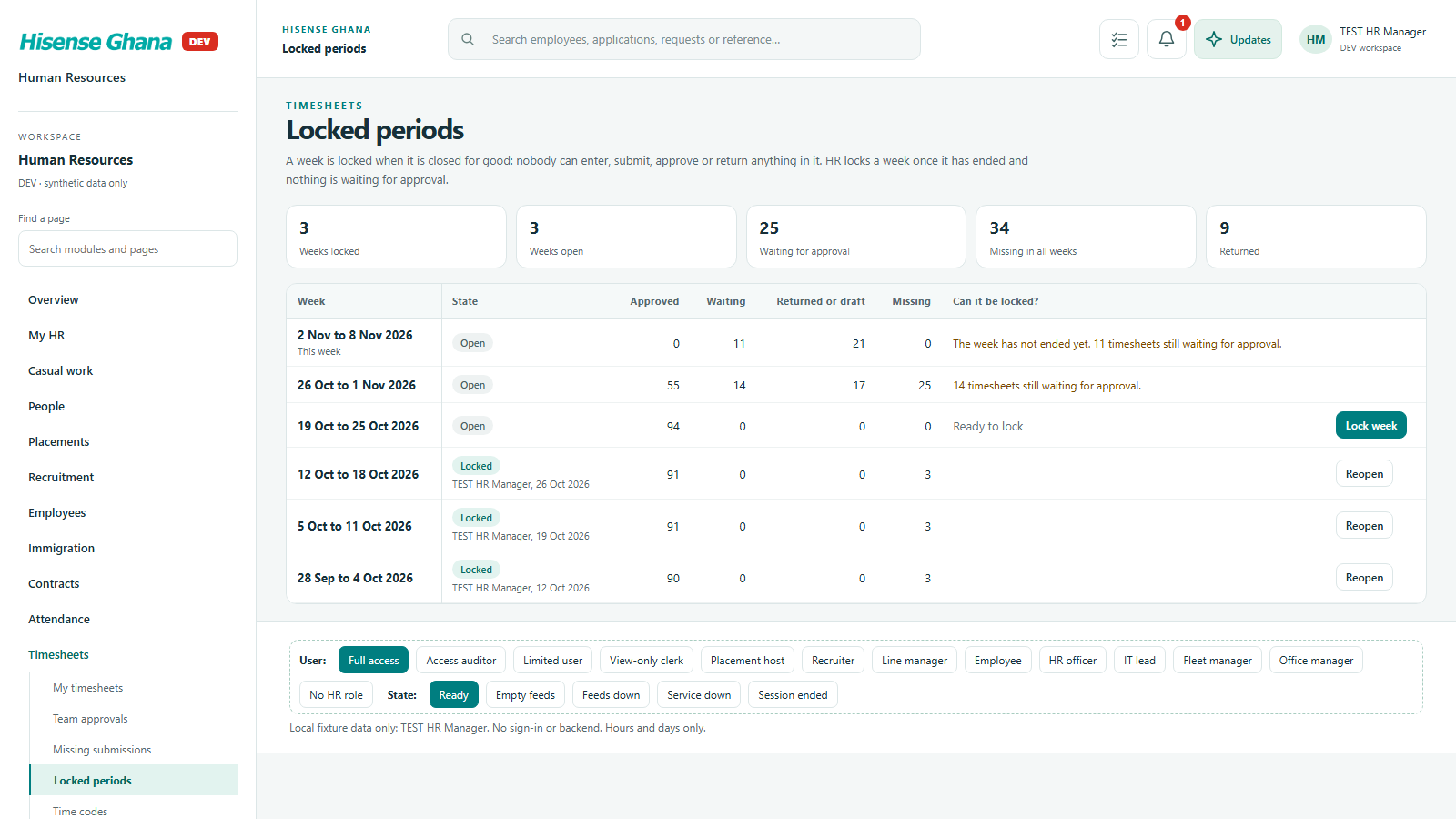
Weekly timesheets: submit, approve by the team lead, chase missing ones, lock periods, manage time codes.

Open live as Line manager
Timesheets: My timesheets
My timesheetsas Employee · open live
Timesheets: Team approvals
Team approvalsas Line manager · open live
Timesheets: Missing submissions
Missing submissionsas Line manager · open live
Timesheets: Locked periods
Locked periodsas HR manager (full access) · open live
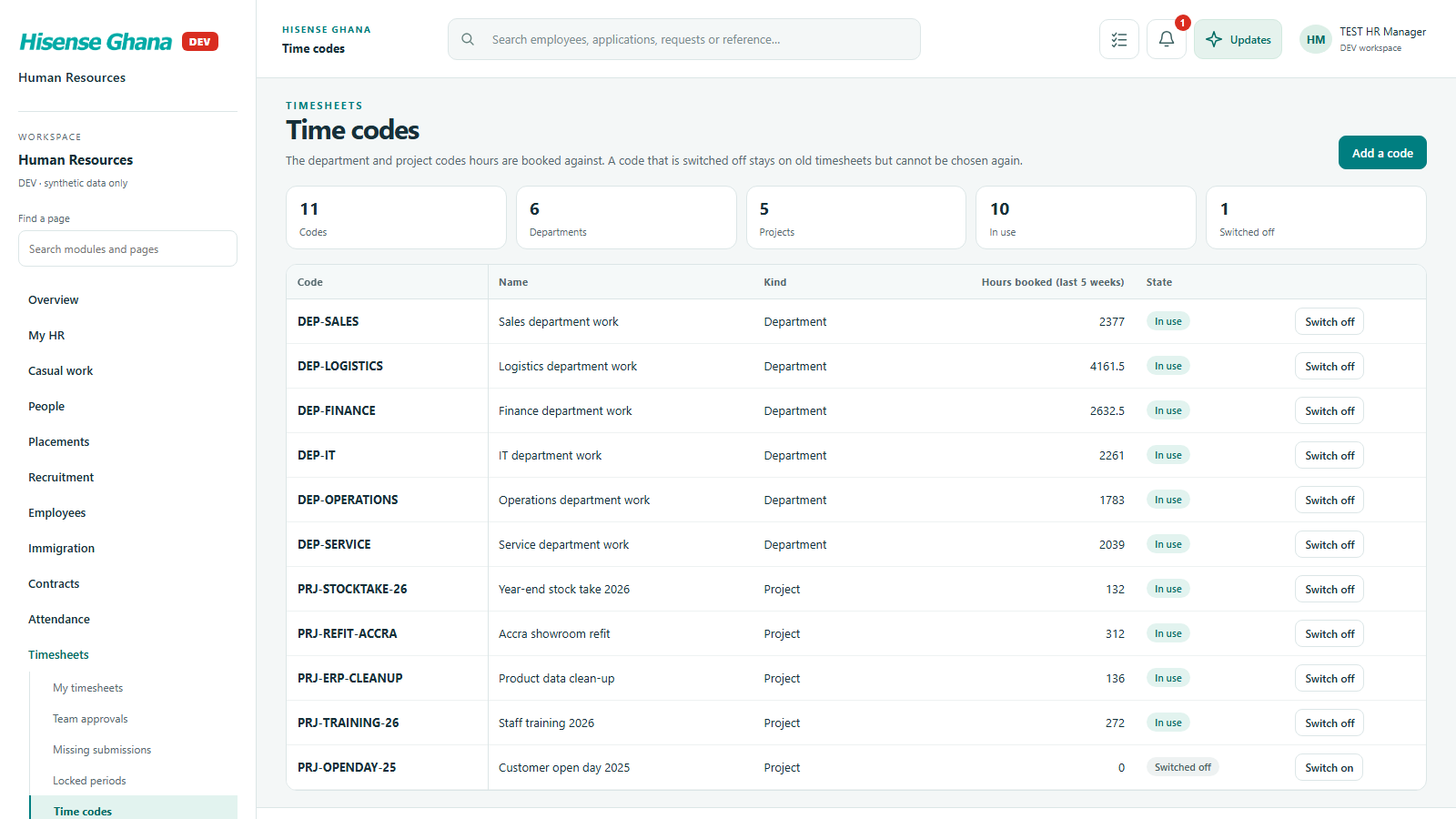
Timesheets: Time codes
Time codesas HR manager (full access) · open live

Fleet and dispatch

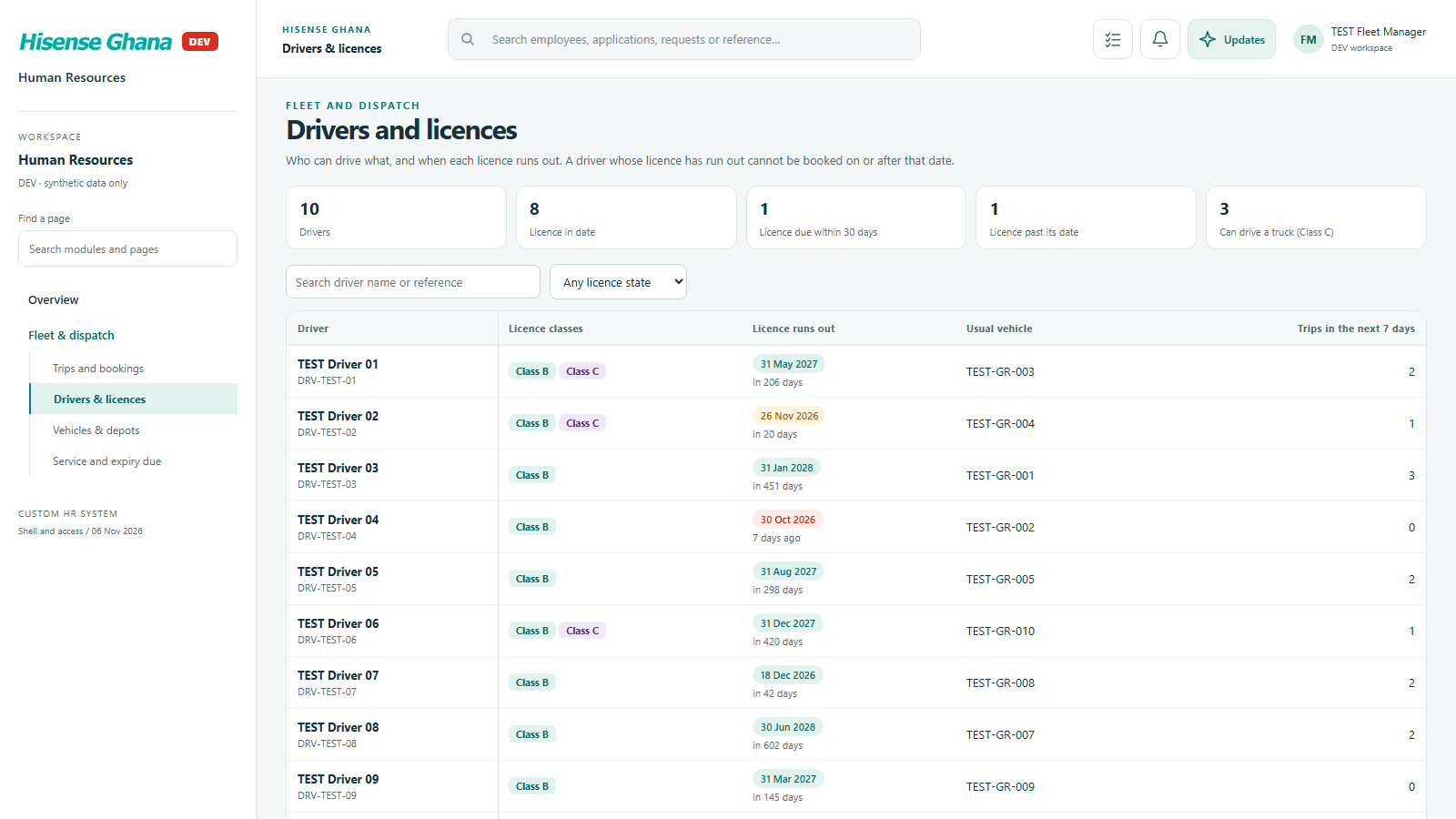
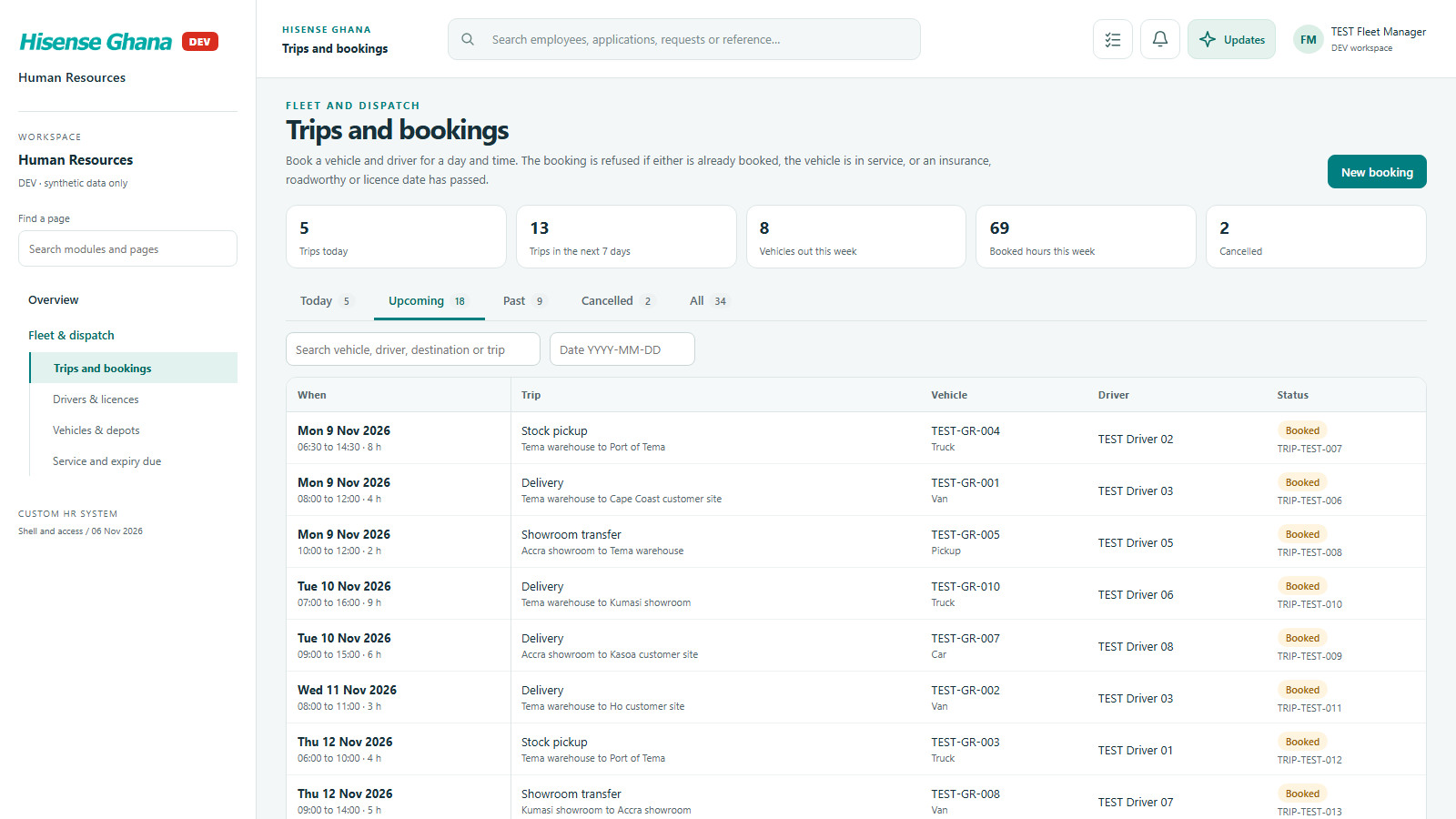
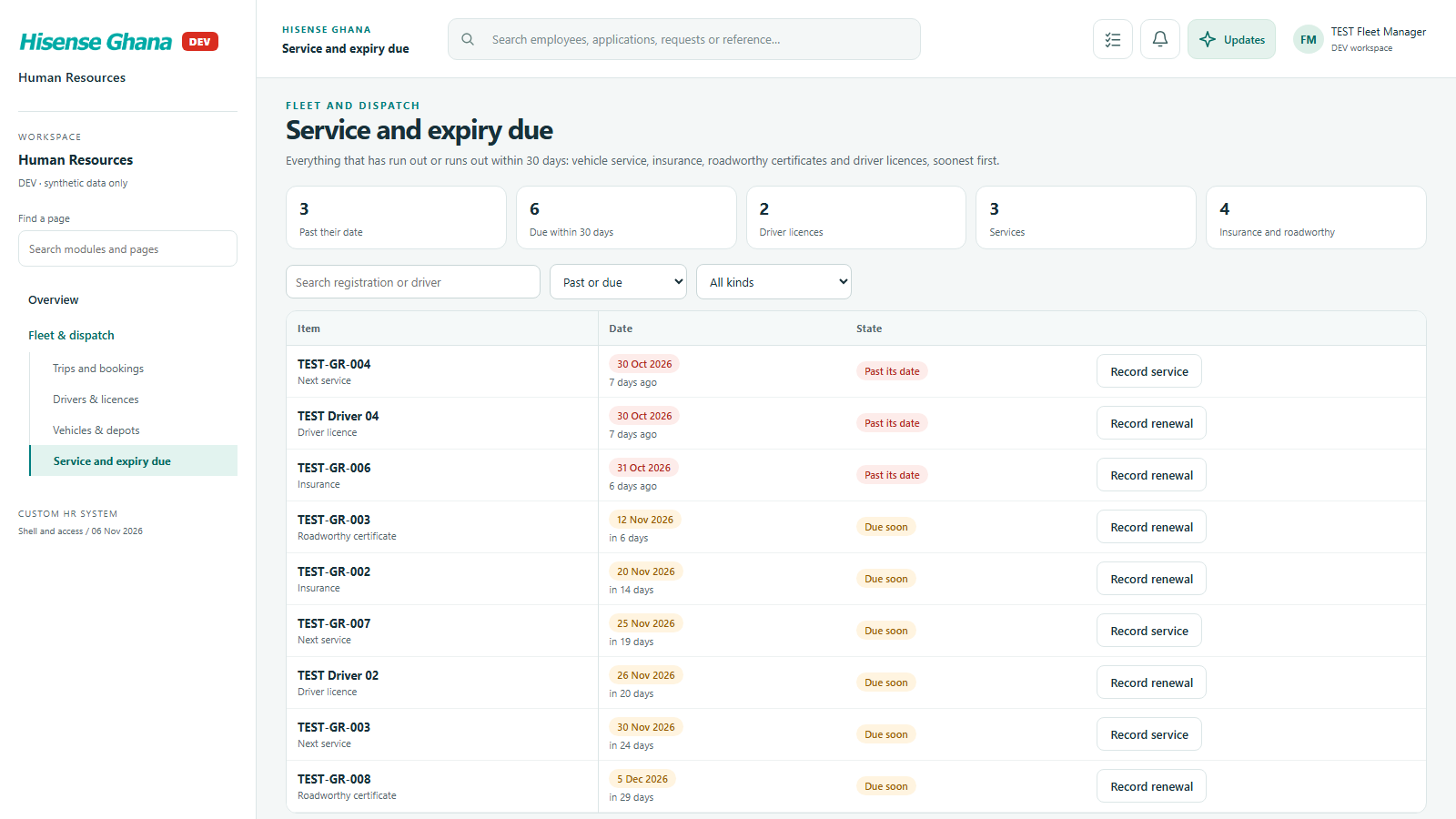
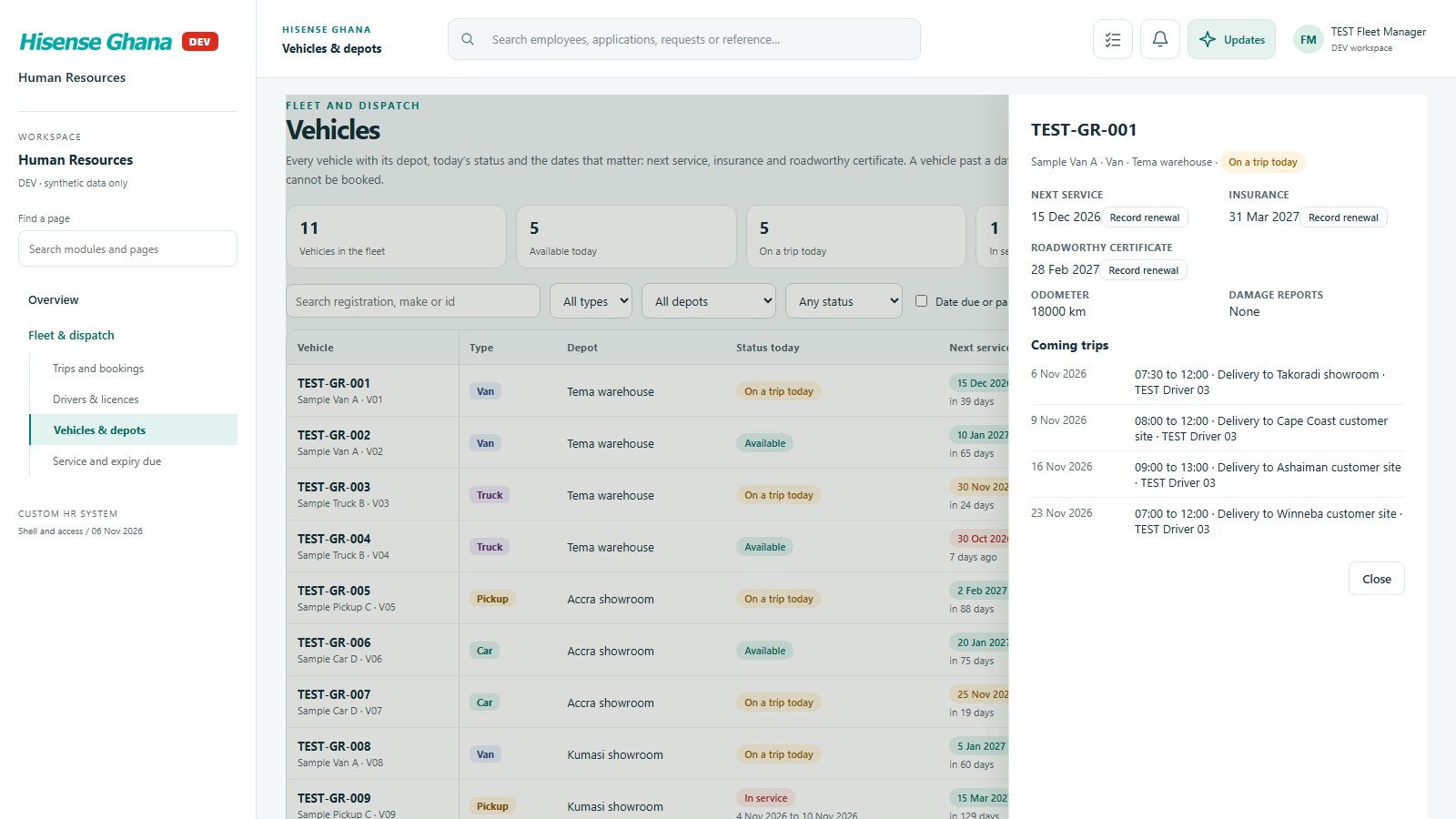
Vehicles, drivers and trip bookings with service, insurance and licence dates; double-booking is refused.

Open live as Fleet manager
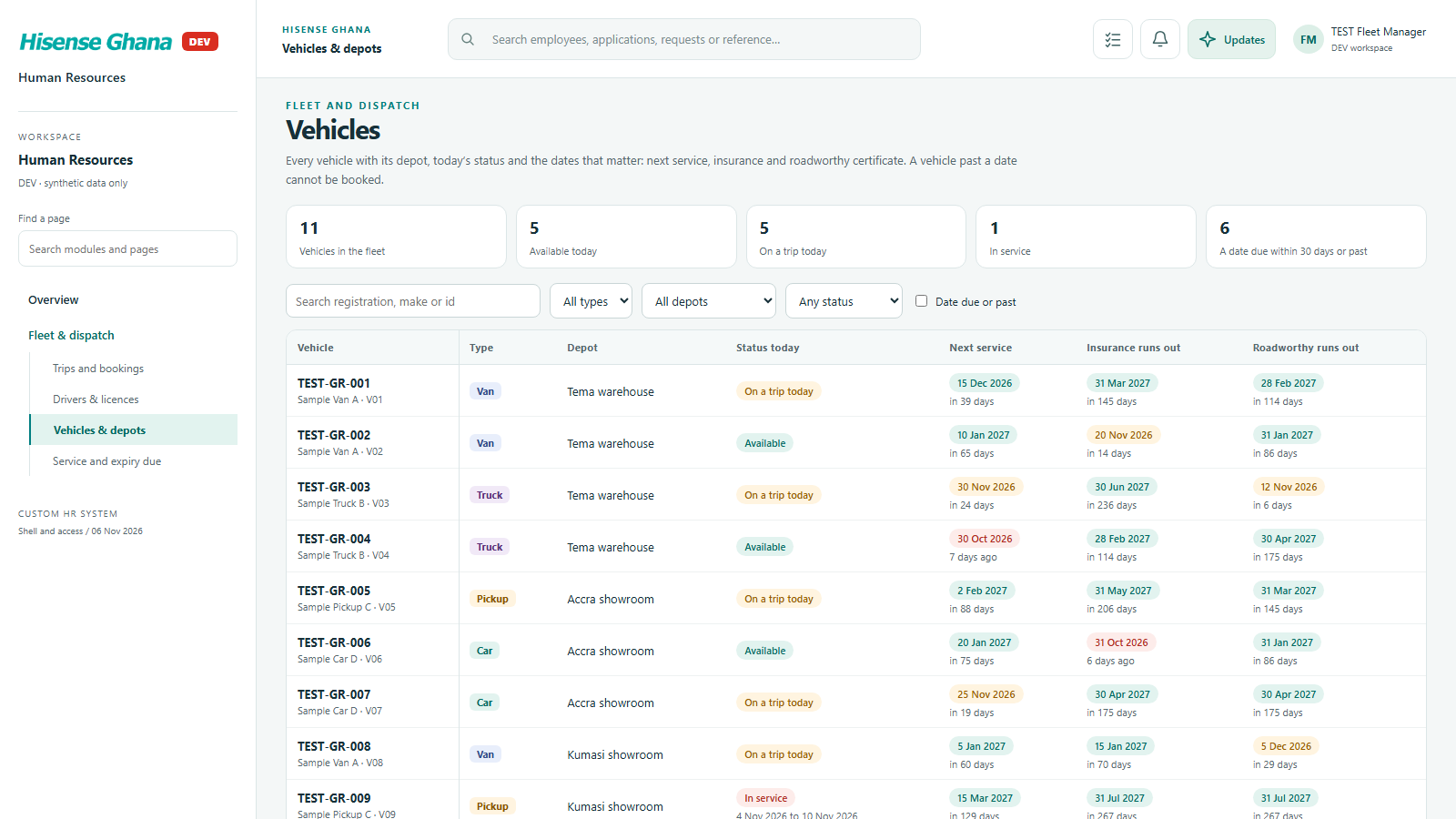
Fleet and dispatch: Vehicles & depots
Vehicles & depotsas Fleet manager · open live
Fleet and dispatch: Drivers & licences
Drivers & licencesas Fleet manager · open live
Fleet and dispatch: Trips and bookings
Trips and bookingsas Fleet manager · open live
Fleet and dispatch: Service and expiry due
Service and expiry dueas Fleet manager · open live
Fleet and dispatch: A vehicle
A vehicleas Fleet manager · open live

Time off

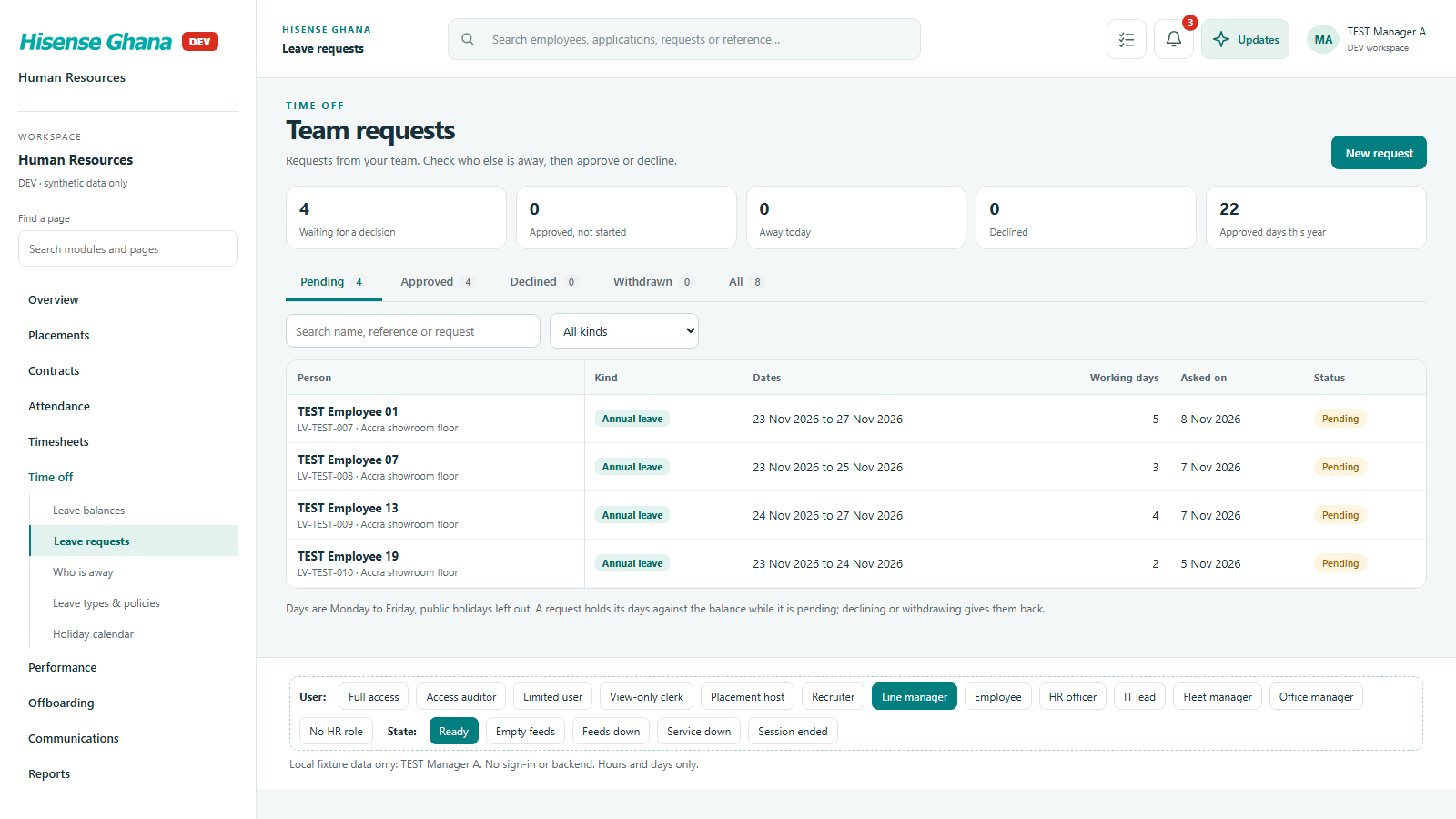
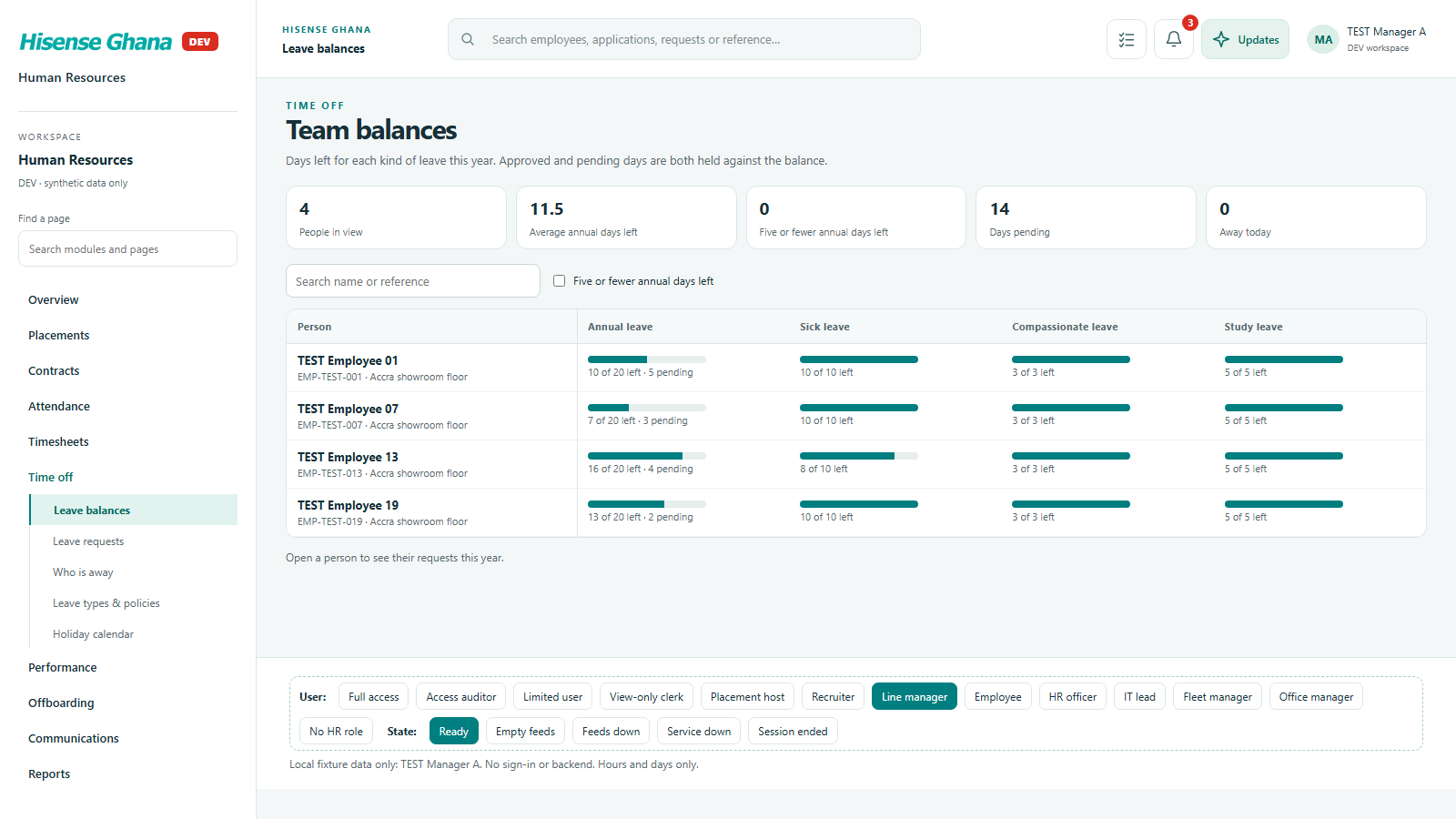
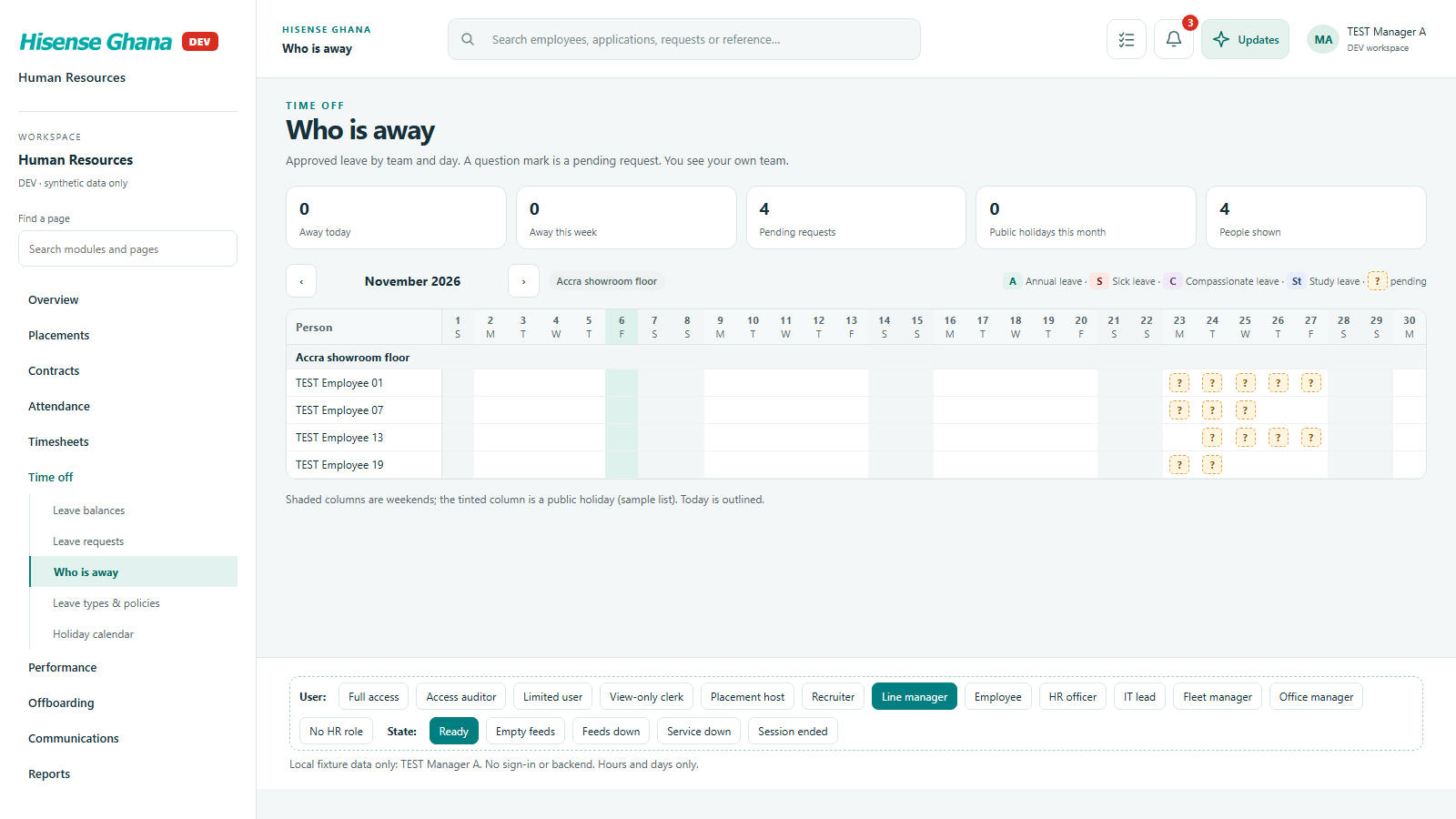
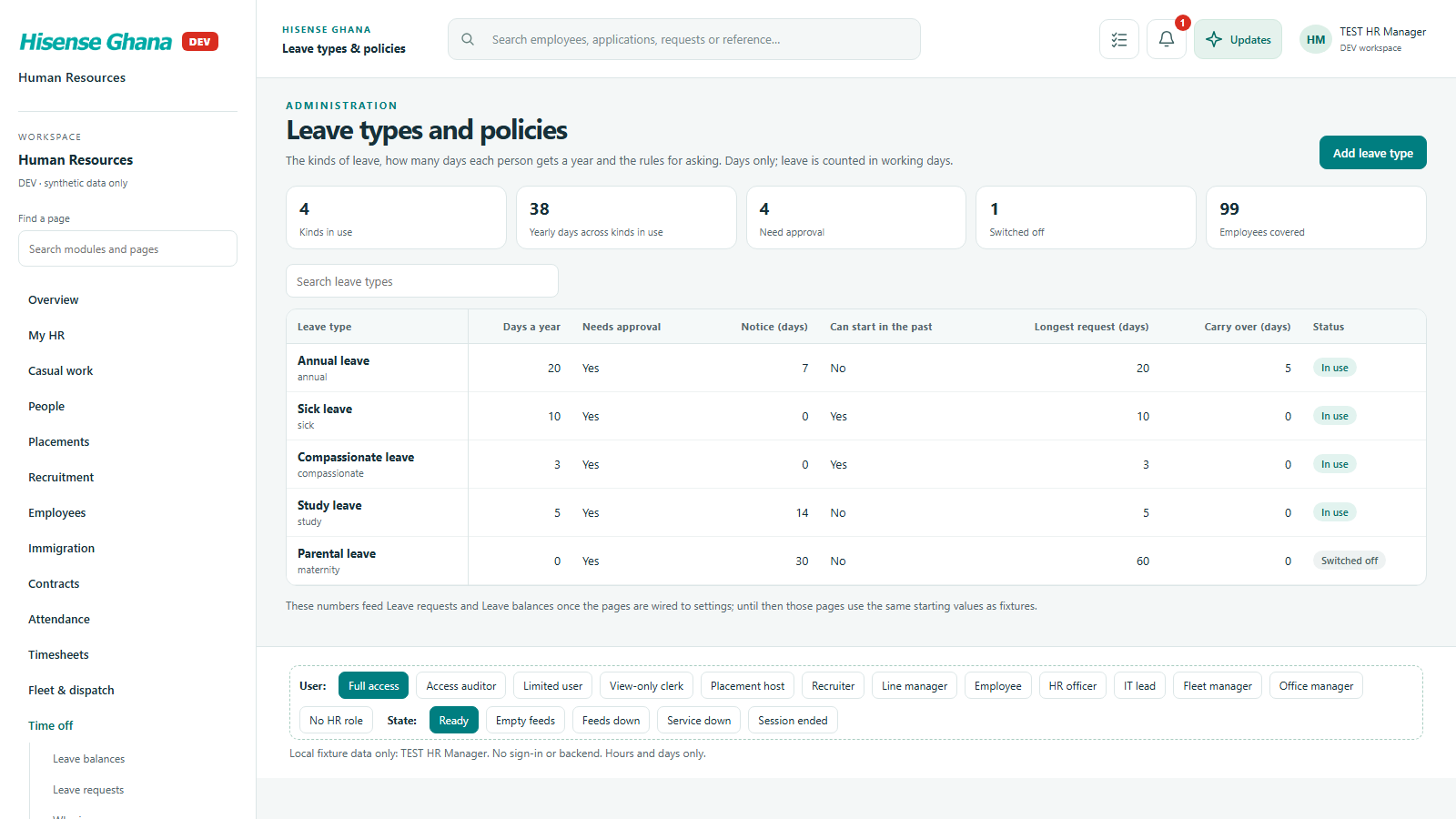
Leave requests and approvals with team cover, balances in days, who is away, leave policy and public holidays.

Open live as Line manager
Time off: Leave requests
Leave requestsas Line manager · open live
Time off: Leave balances
Leave balancesas Line manager · open live
Time off: Who is away
Who is awayas Line manager · open live
Time off: Leave types & policies
Leave types & policiesas HR manager (full access) · open live
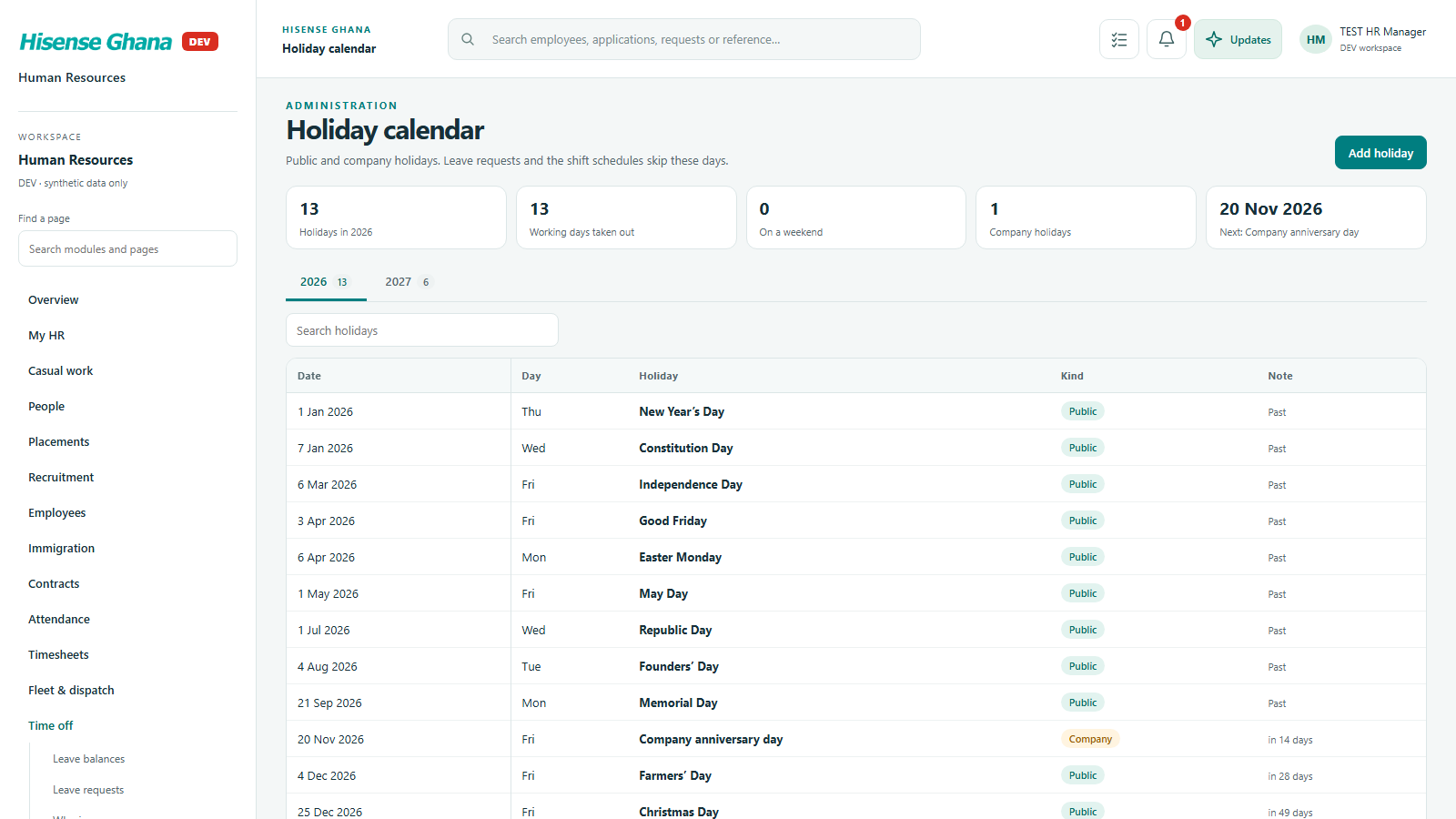
Time off: Holiday calendar
Holiday calendaras HR manager (full access) · open live

Performance

Appraisal cycles, self-assessments, manager evaluations, probation reviews and improvement plans.

Open live as HR manager (full access)
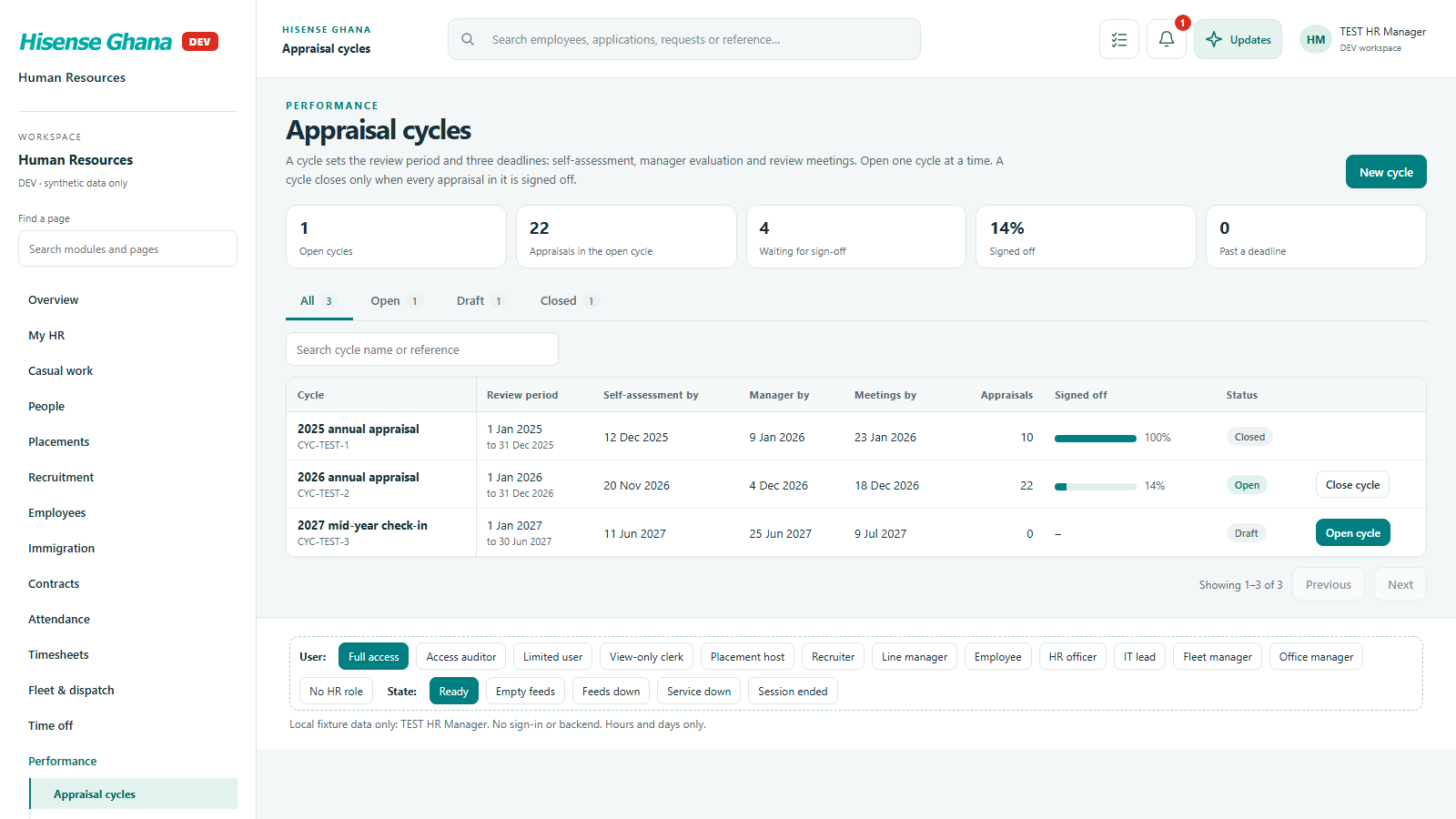
Performance: Appraisal cycles
Appraisal cyclesas HR manager (full access) · open live
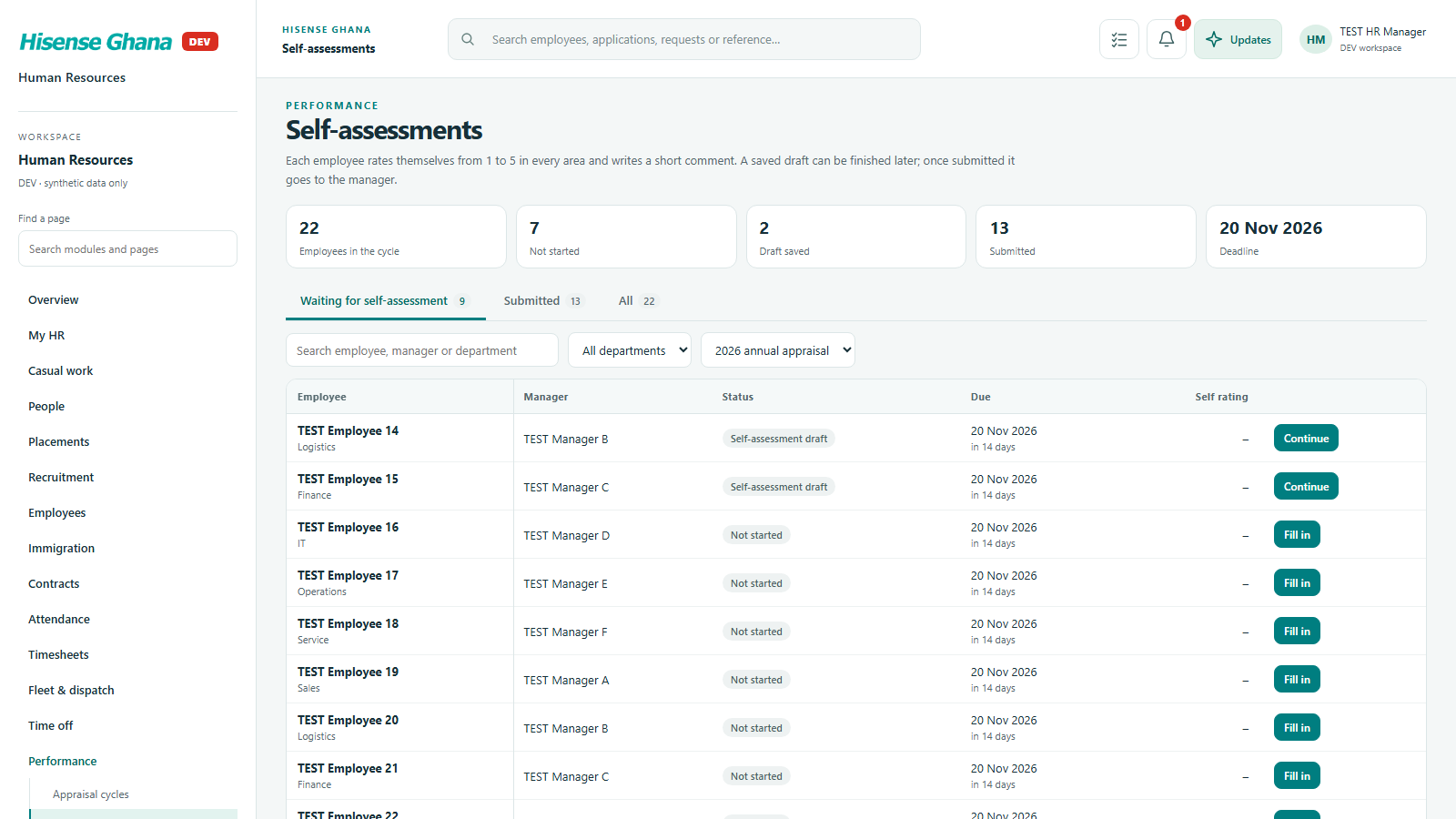
Performance: Self-assessments
Self-assessmentsas HR manager (full access) · open live
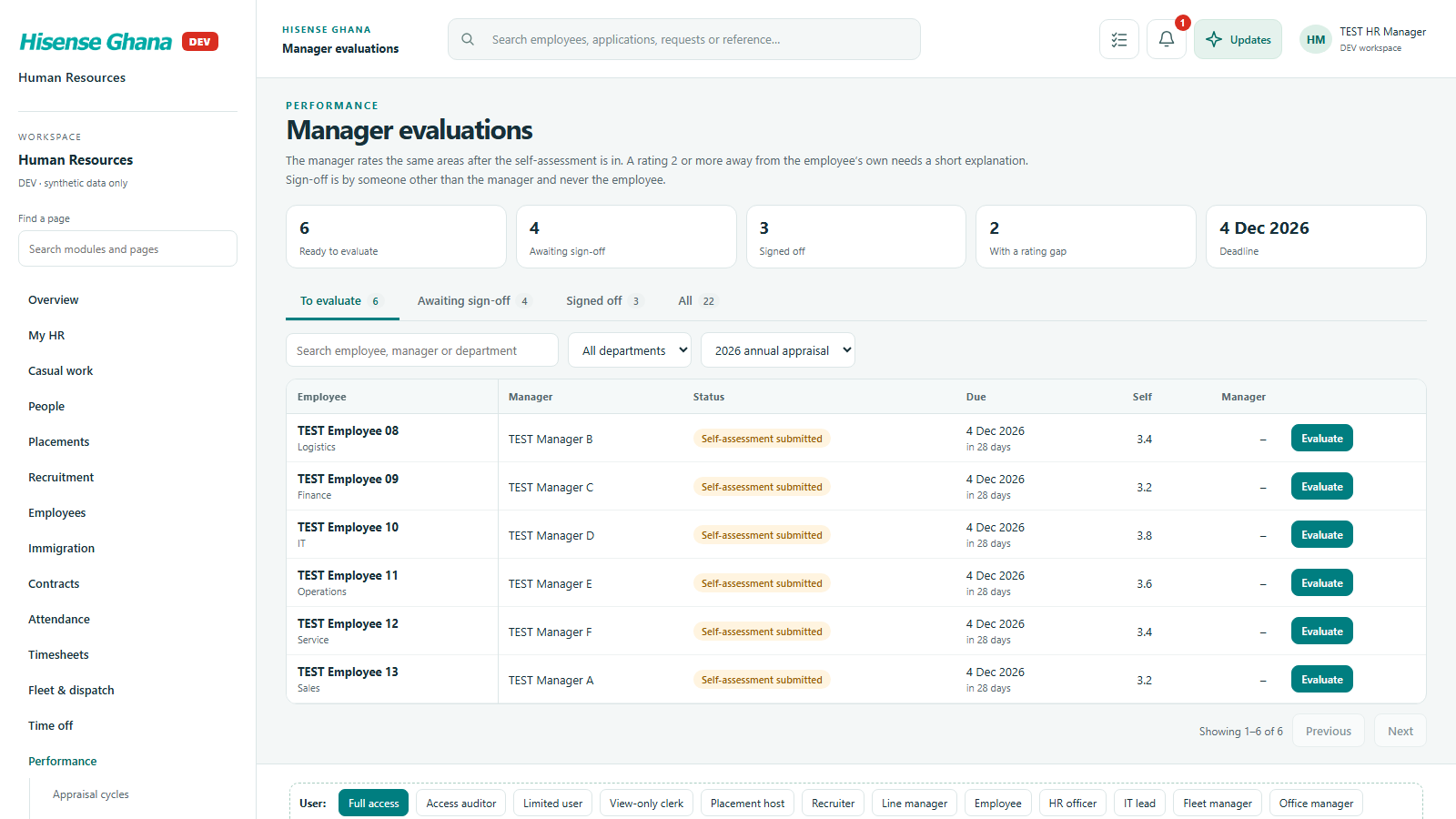
Performance: Manager evaluations
Manager evaluationsas HR manager (full access) · open live
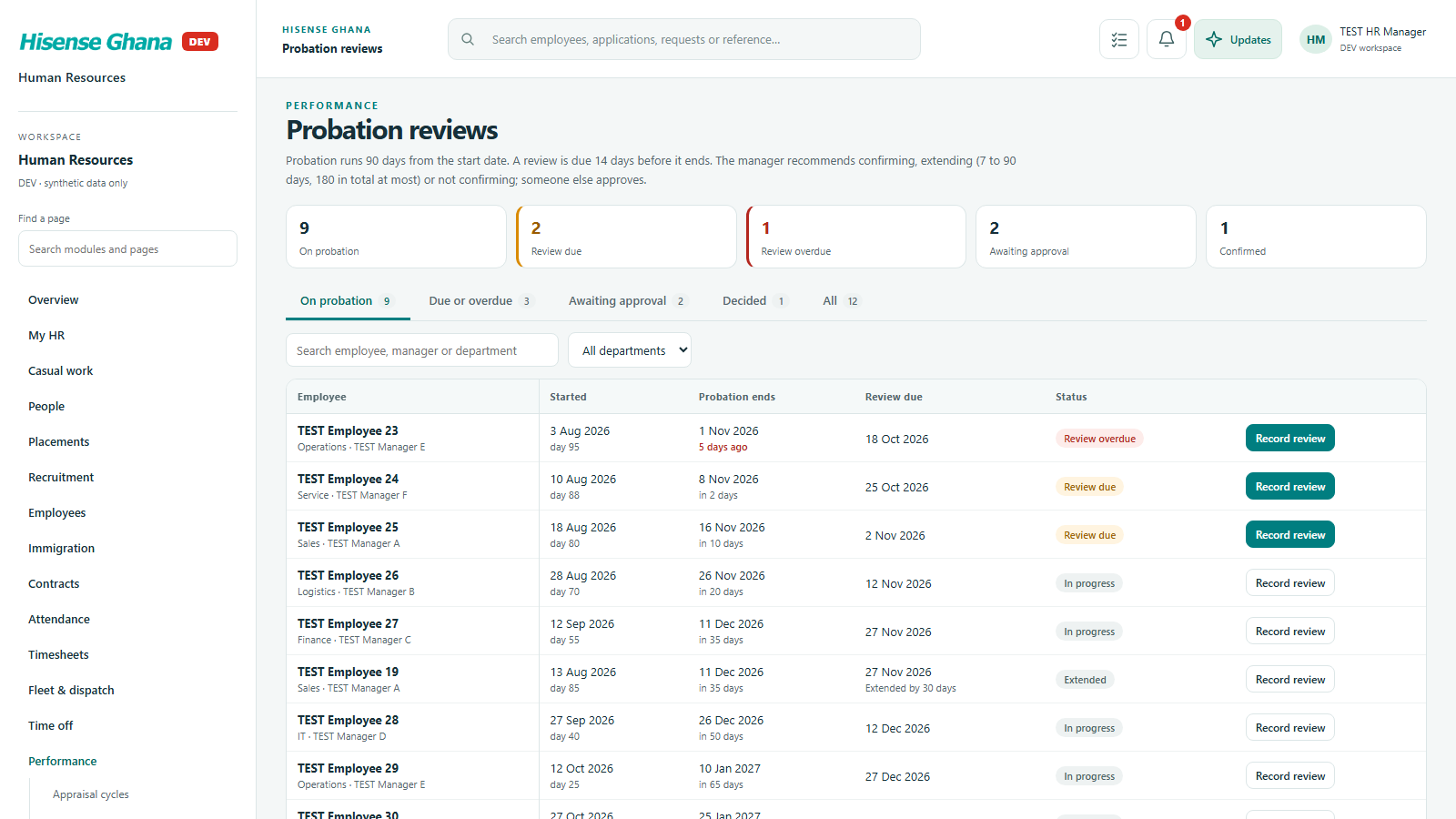
Performance: Probation reviews
Probation reviewsas HR manager (full access) · open live
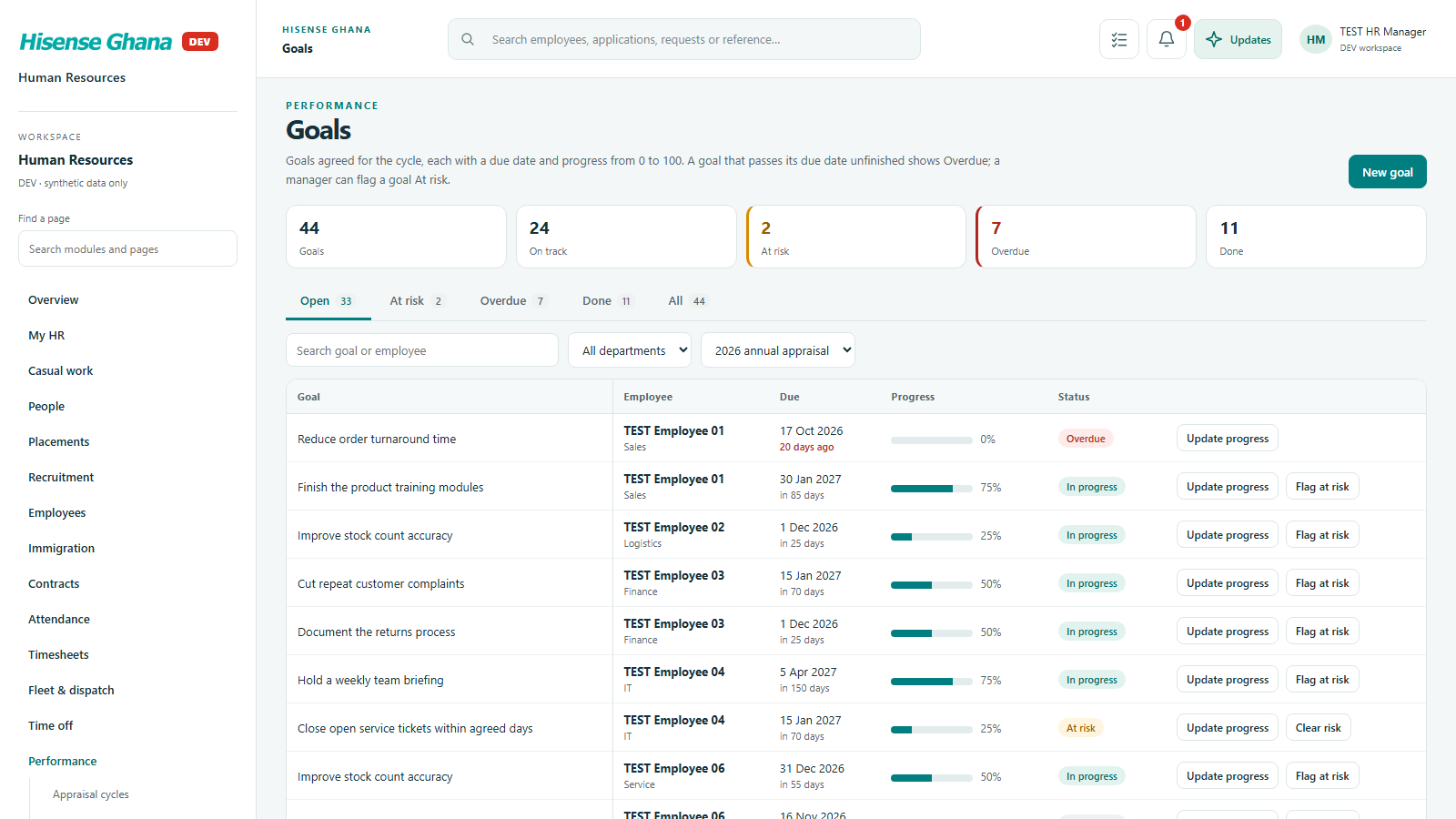
Performance: Goals
Goalsas HR manager (full access) · open live

Offboarding

Exit cases from notice to last day: department clearance checklist and exit interviews.

Open live as HR manager (full access)
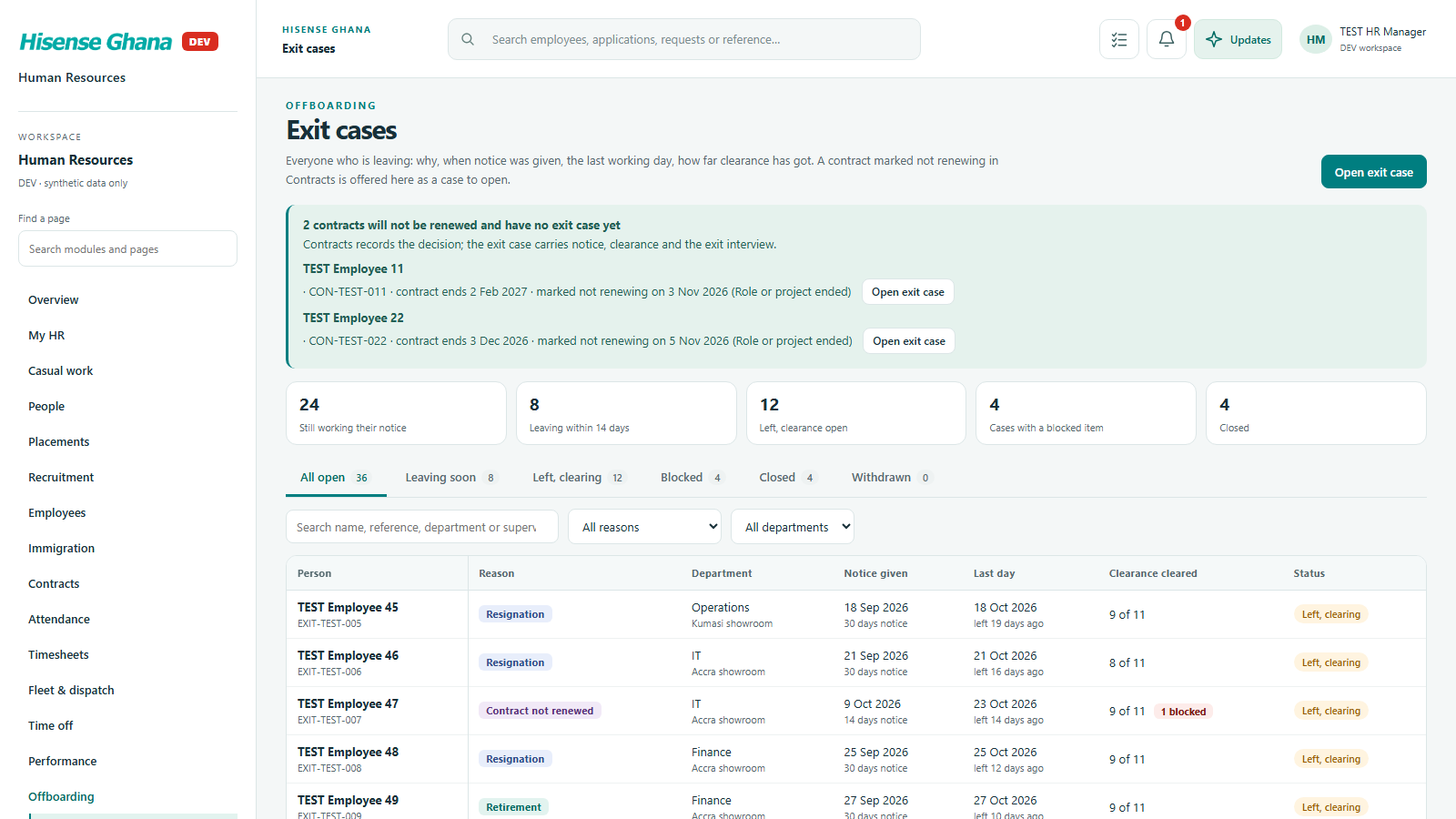
Offboarding: Exit cases
Exit casesas HR manager (full access) · open live
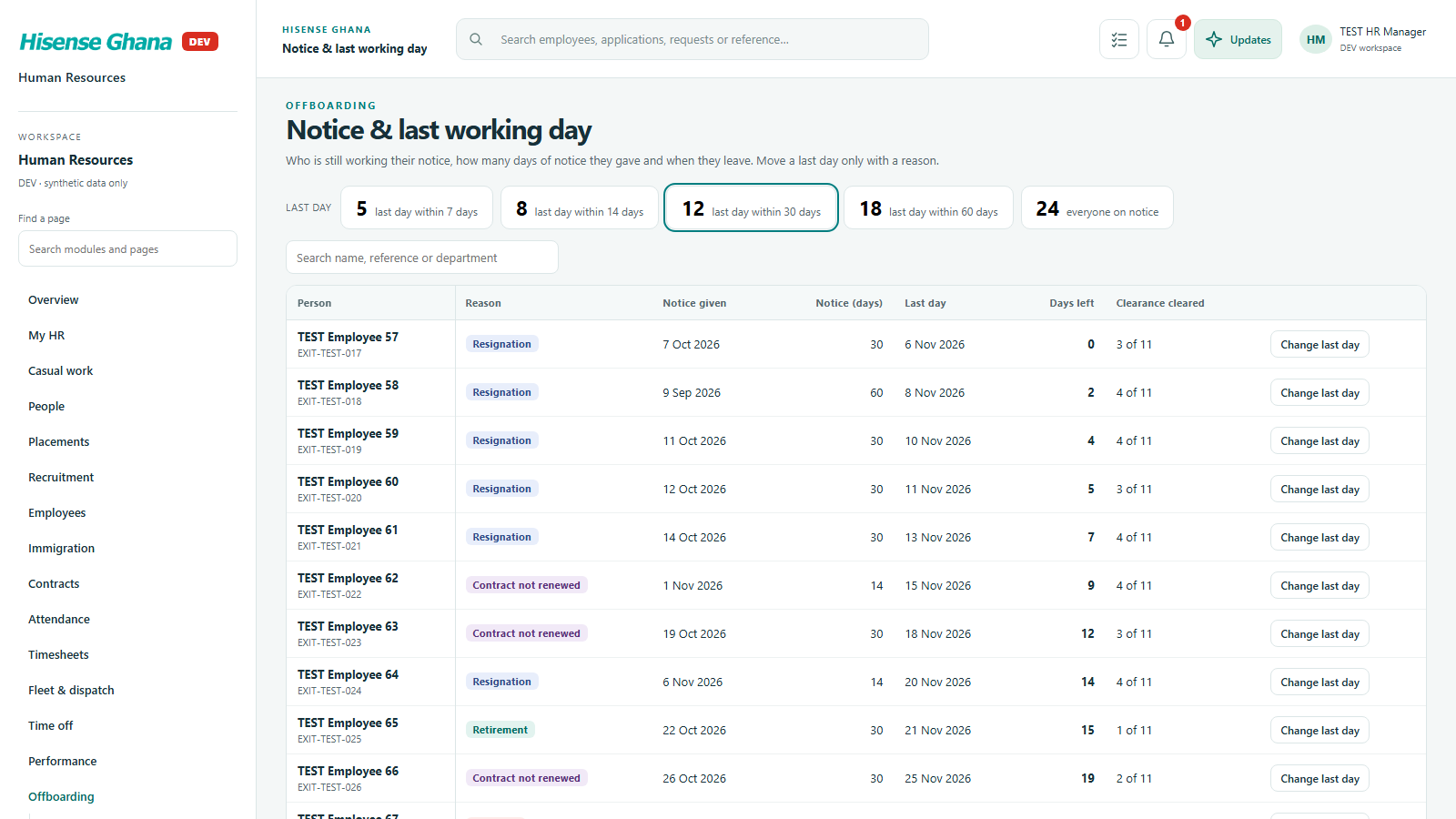
Offboarding: Notice & last working day
Notice & last working dayas HR manager (full access) · open live
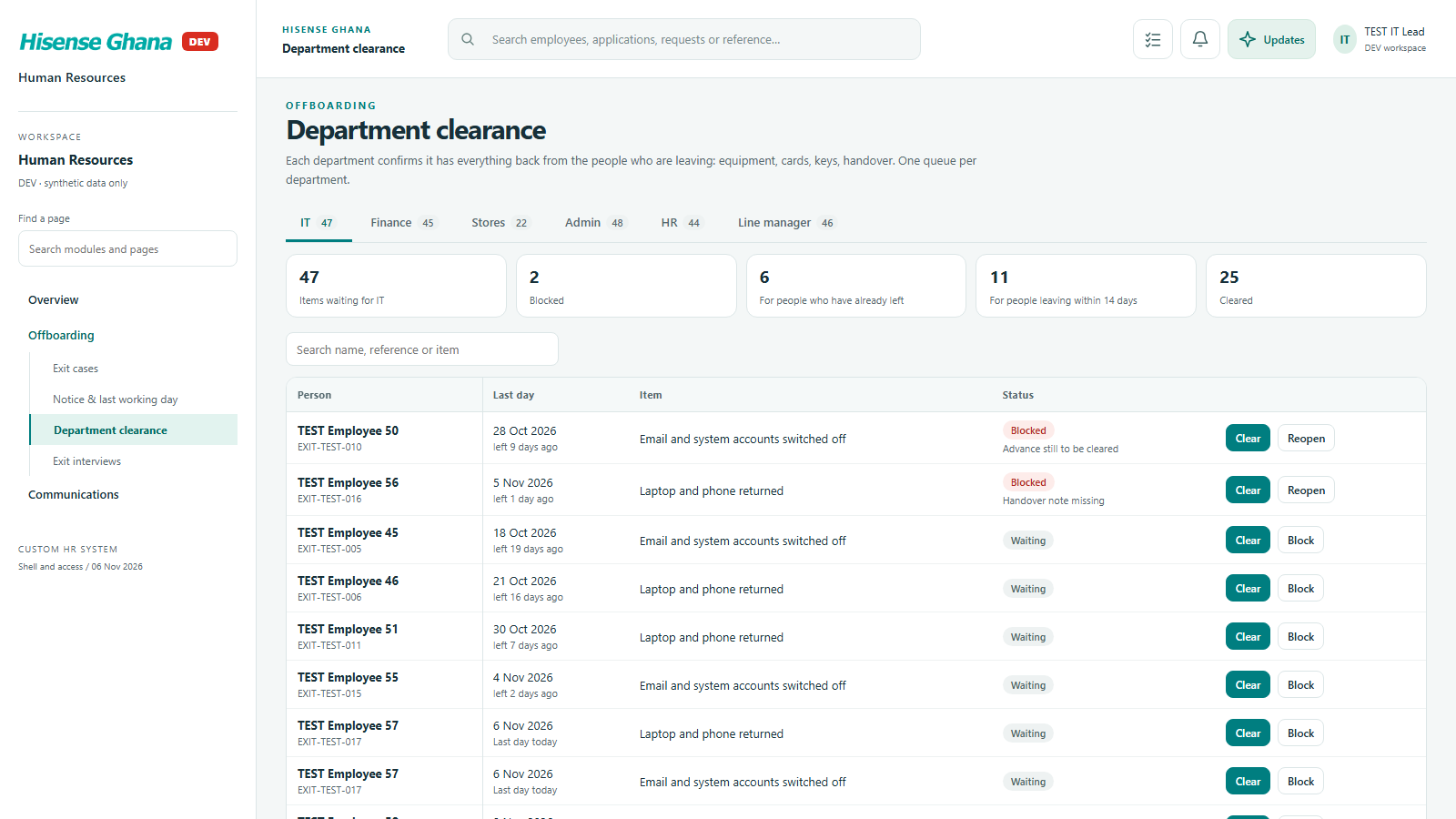
Offboarding: Clearance as the IT lead
Clearance as the IT leadas IT lead · open live
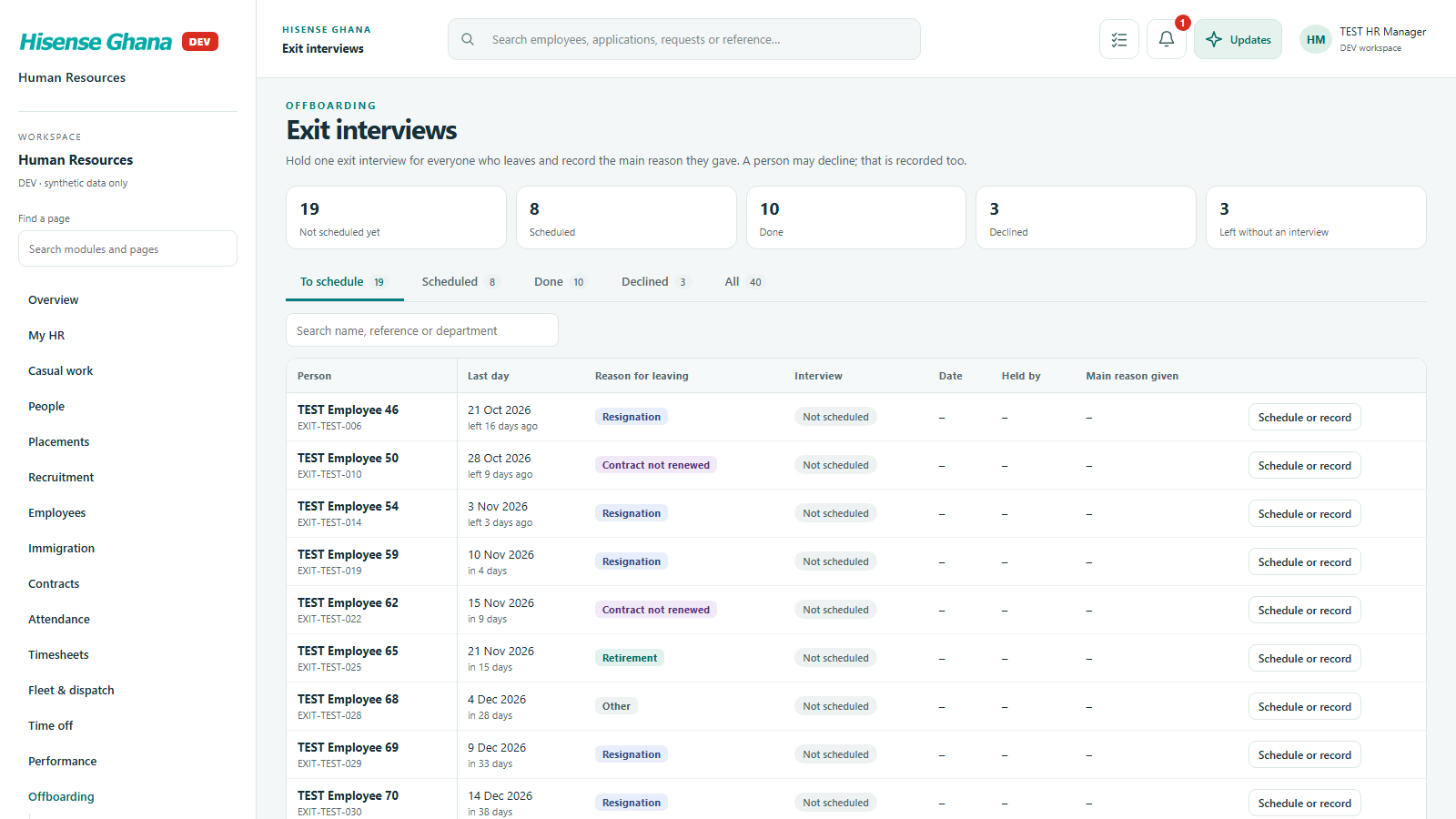
Offboarding: Exit interviews
Exit interviewsas HR manager (full access) · open live

Communications

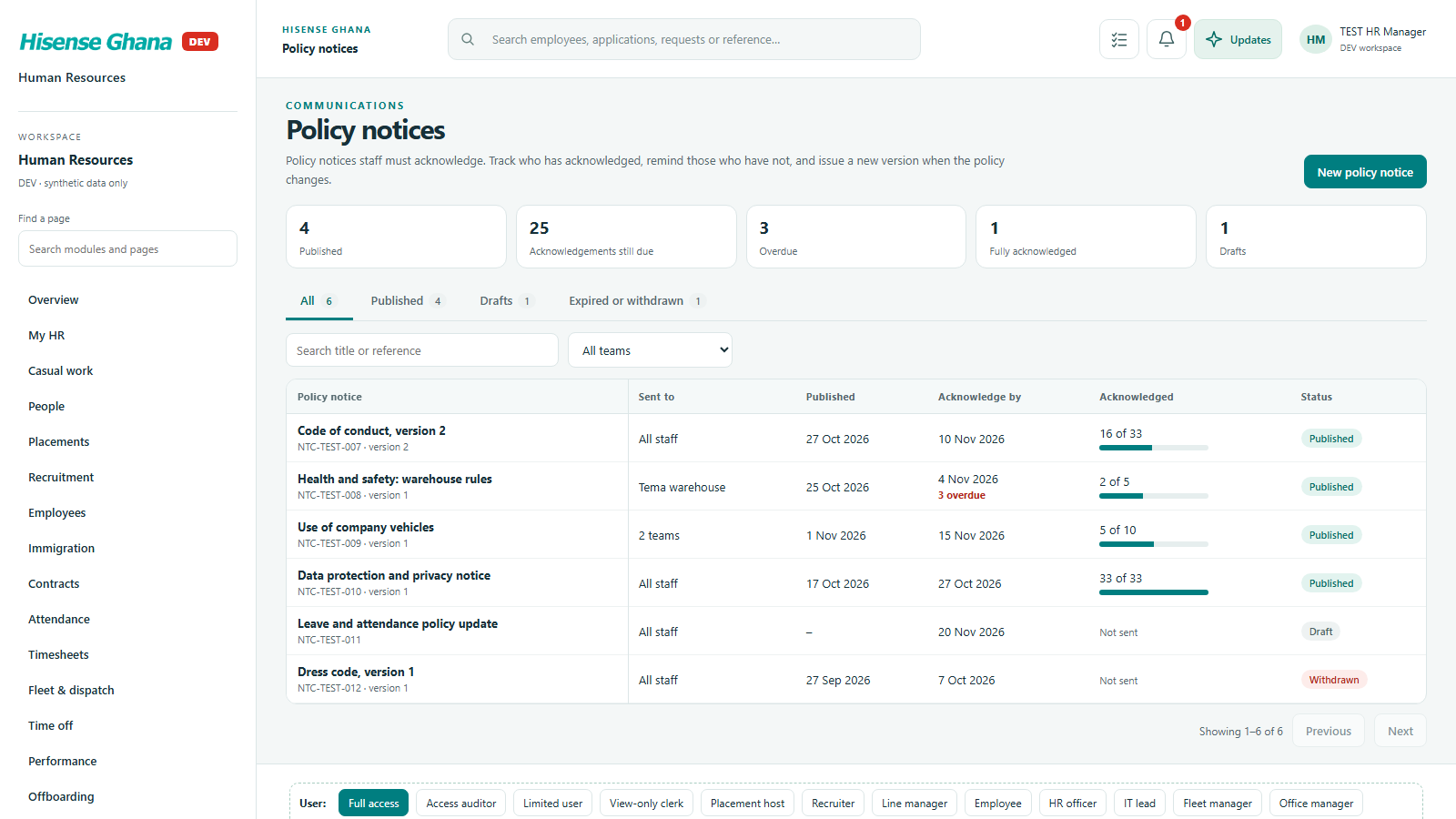
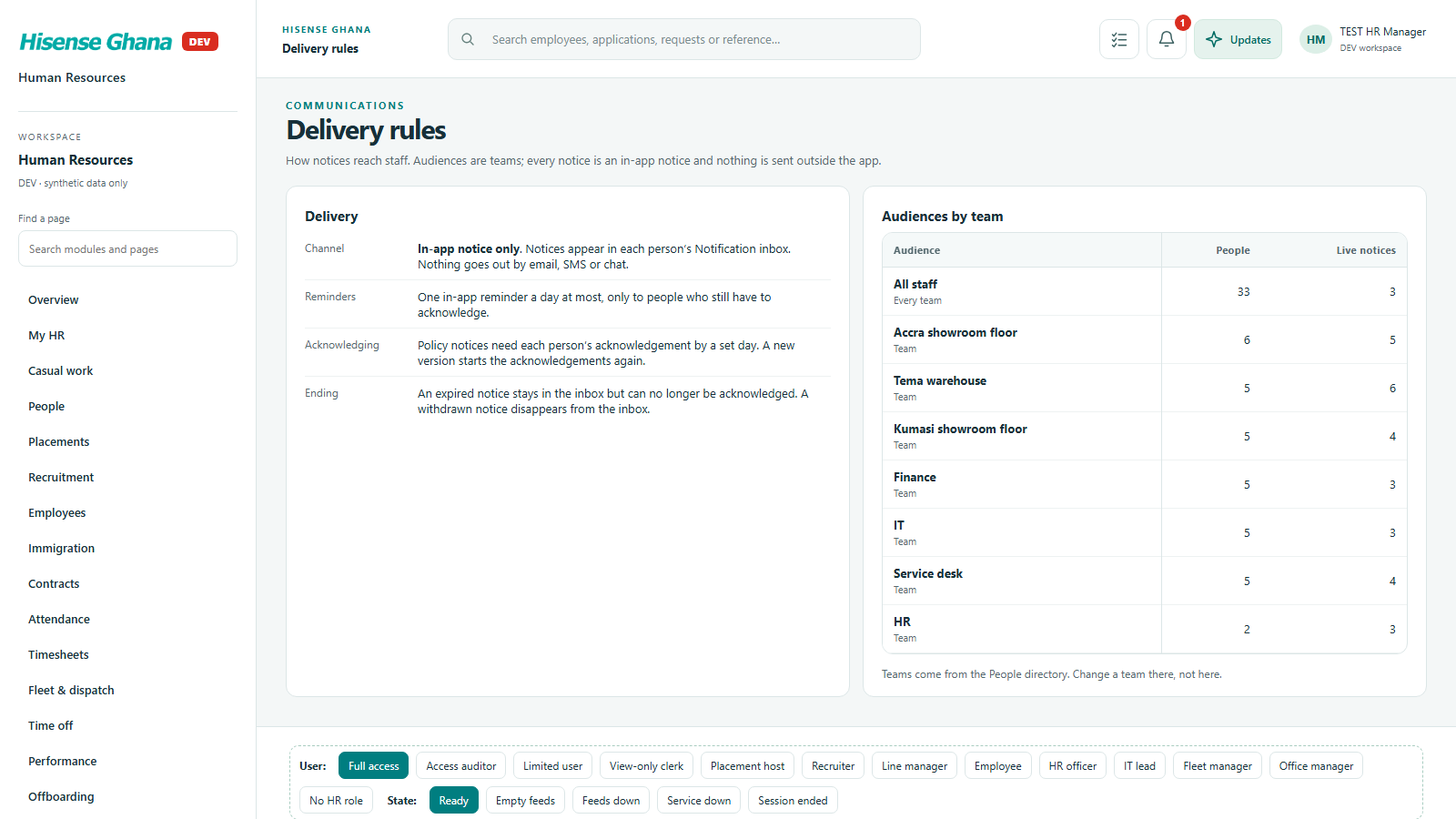
Notices to staff: inbox, announcements, policy notices with read tracking, and delivery rules.

Open live as HR manager (full access)
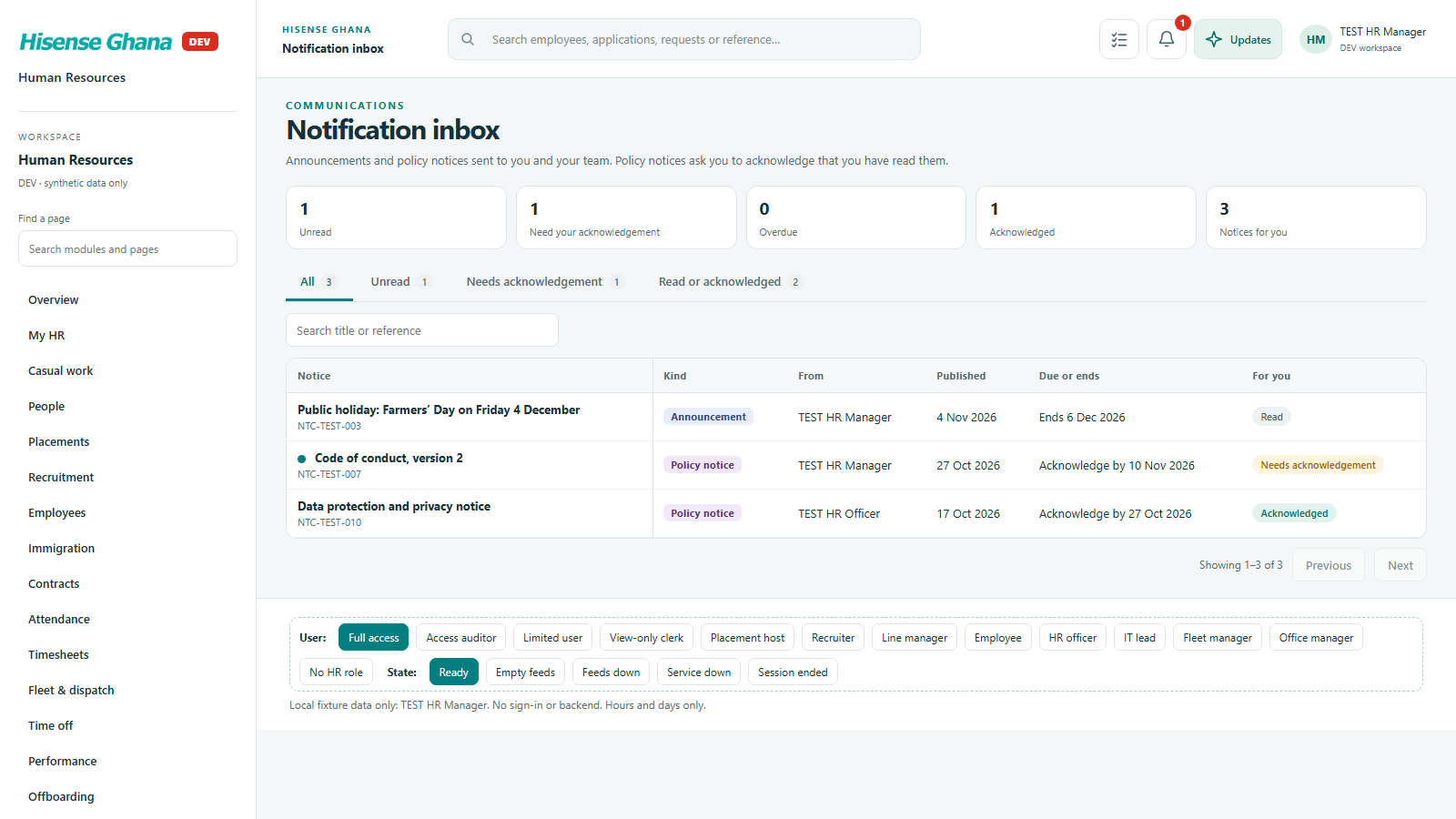
Communications: Notification inbox
Notification inboxas HR manager (full access) · open live
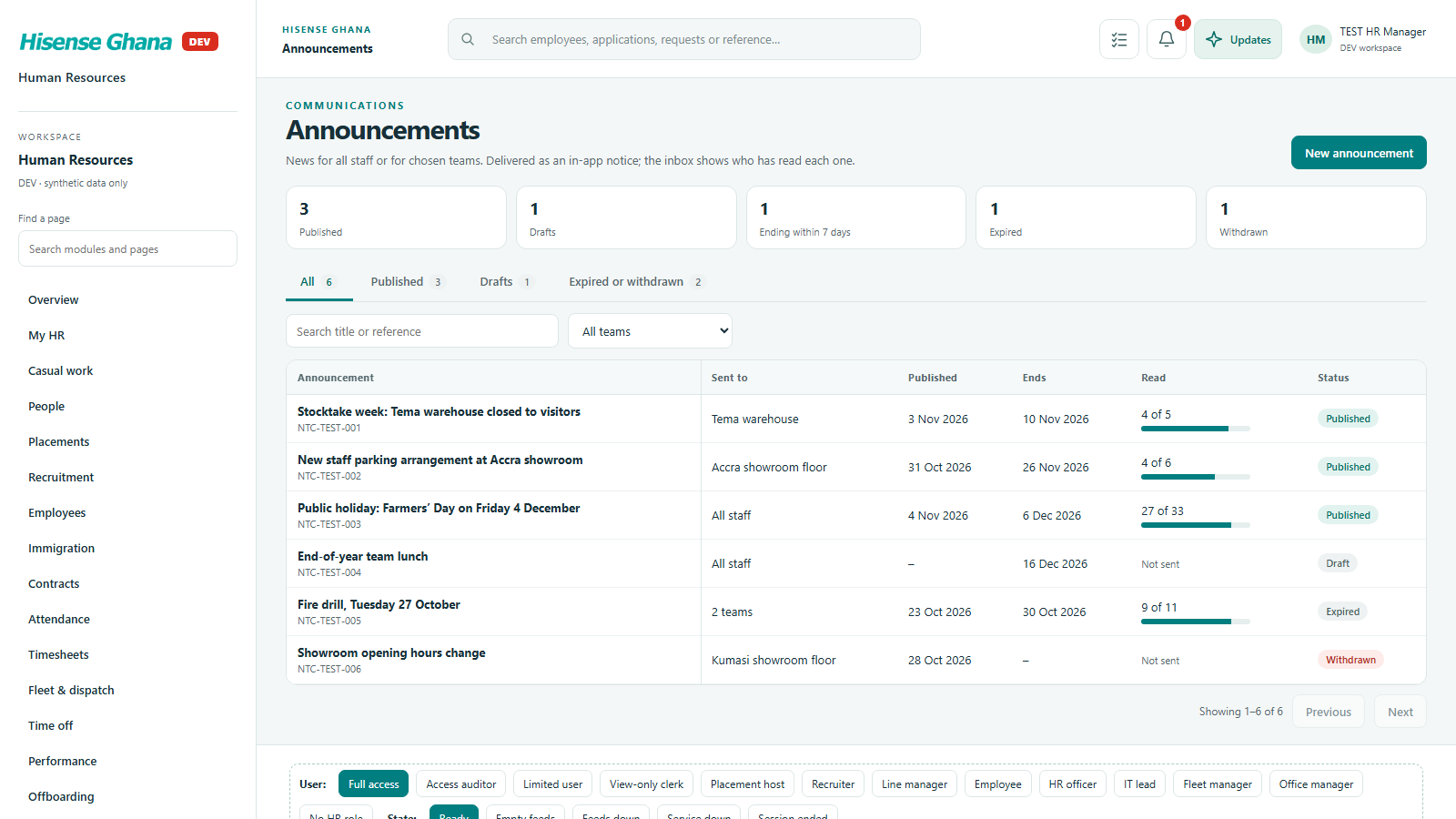
Communications: Announcements
Announcementsas HR manager (full access) · open live
Communications: Policy notices
Policy noticesas HR manager (full access) · open live
Communications: Delivery rules
Delivery rulesas HR manager (full access) · open live

Reports

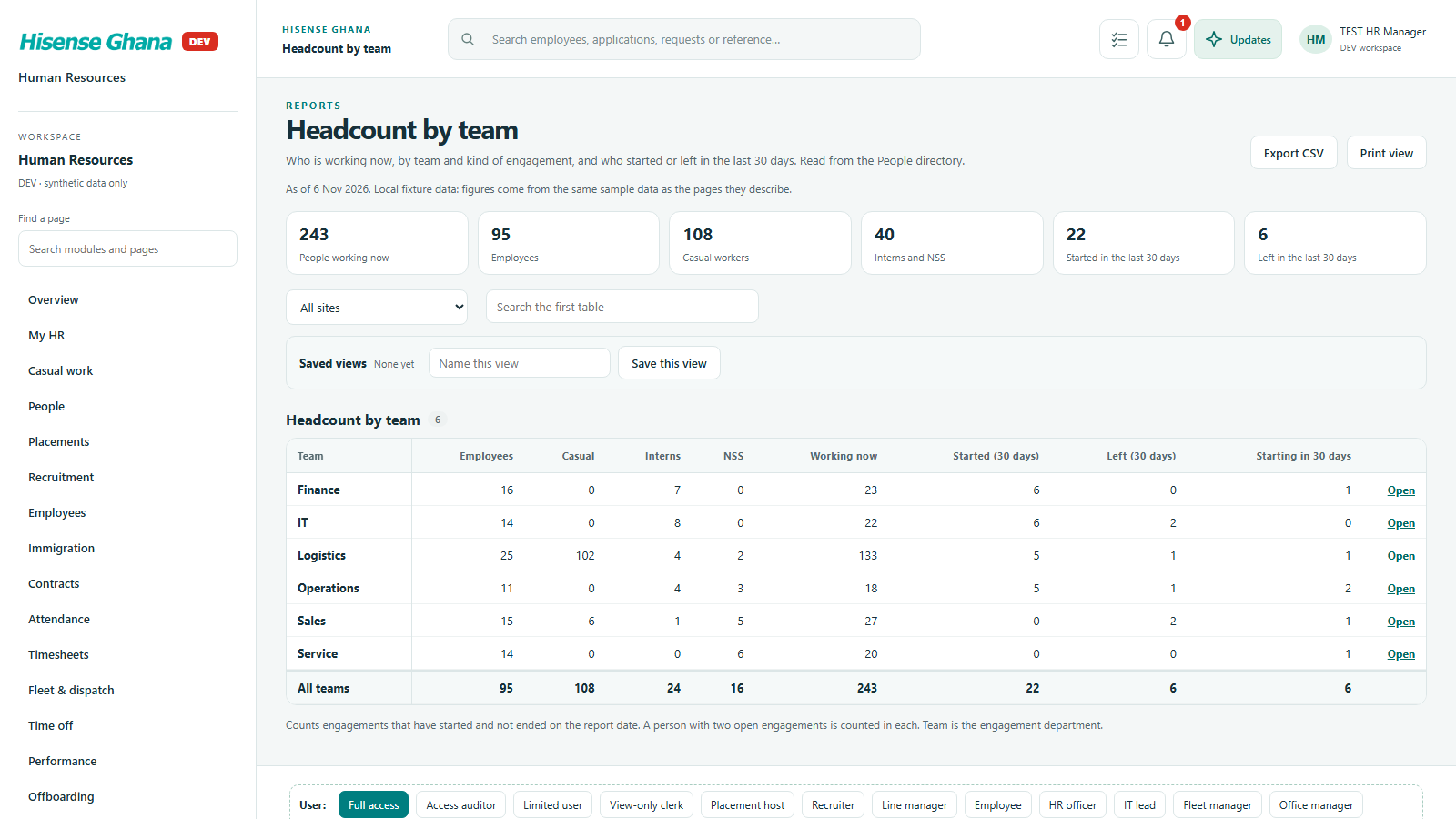
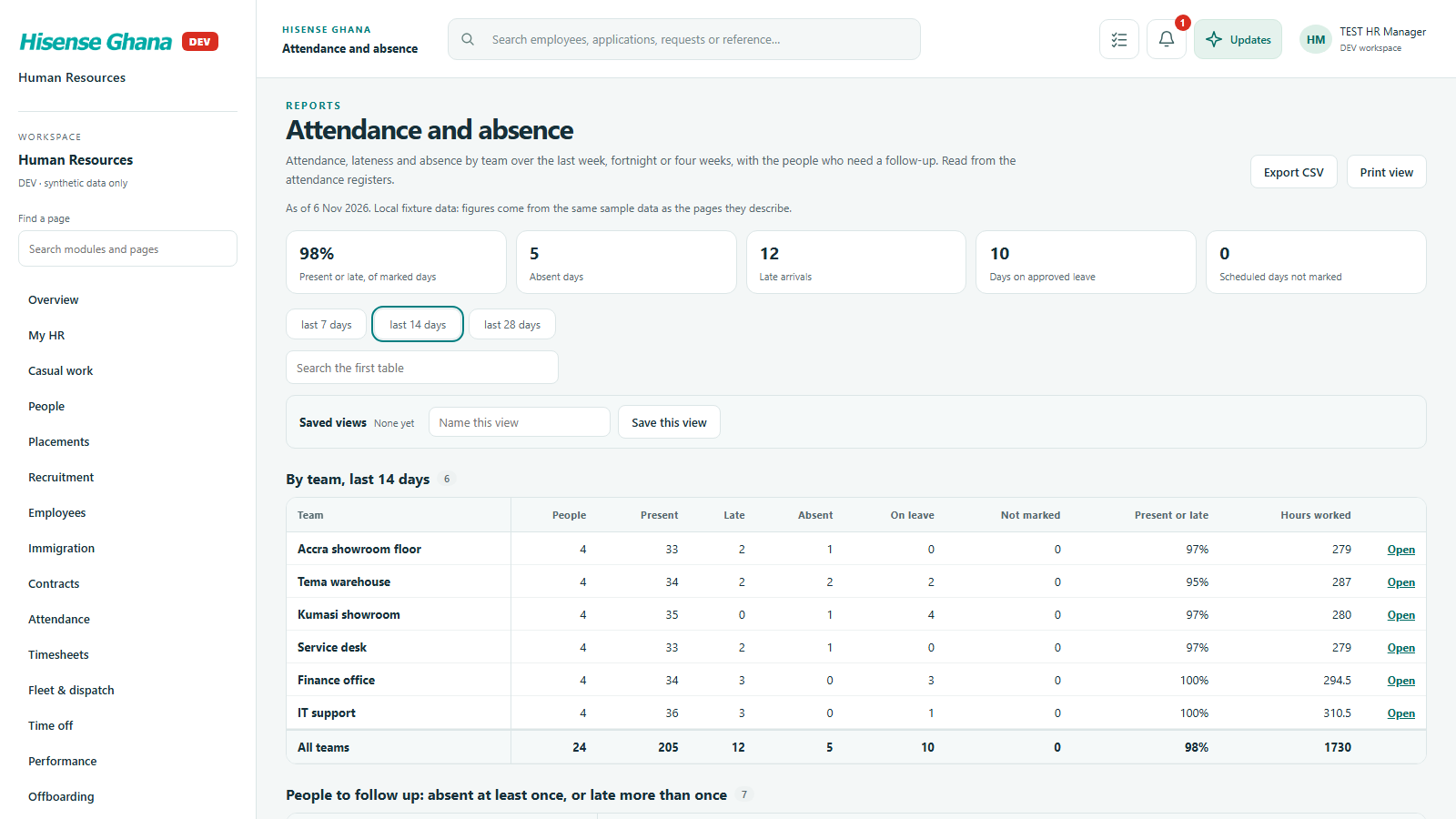
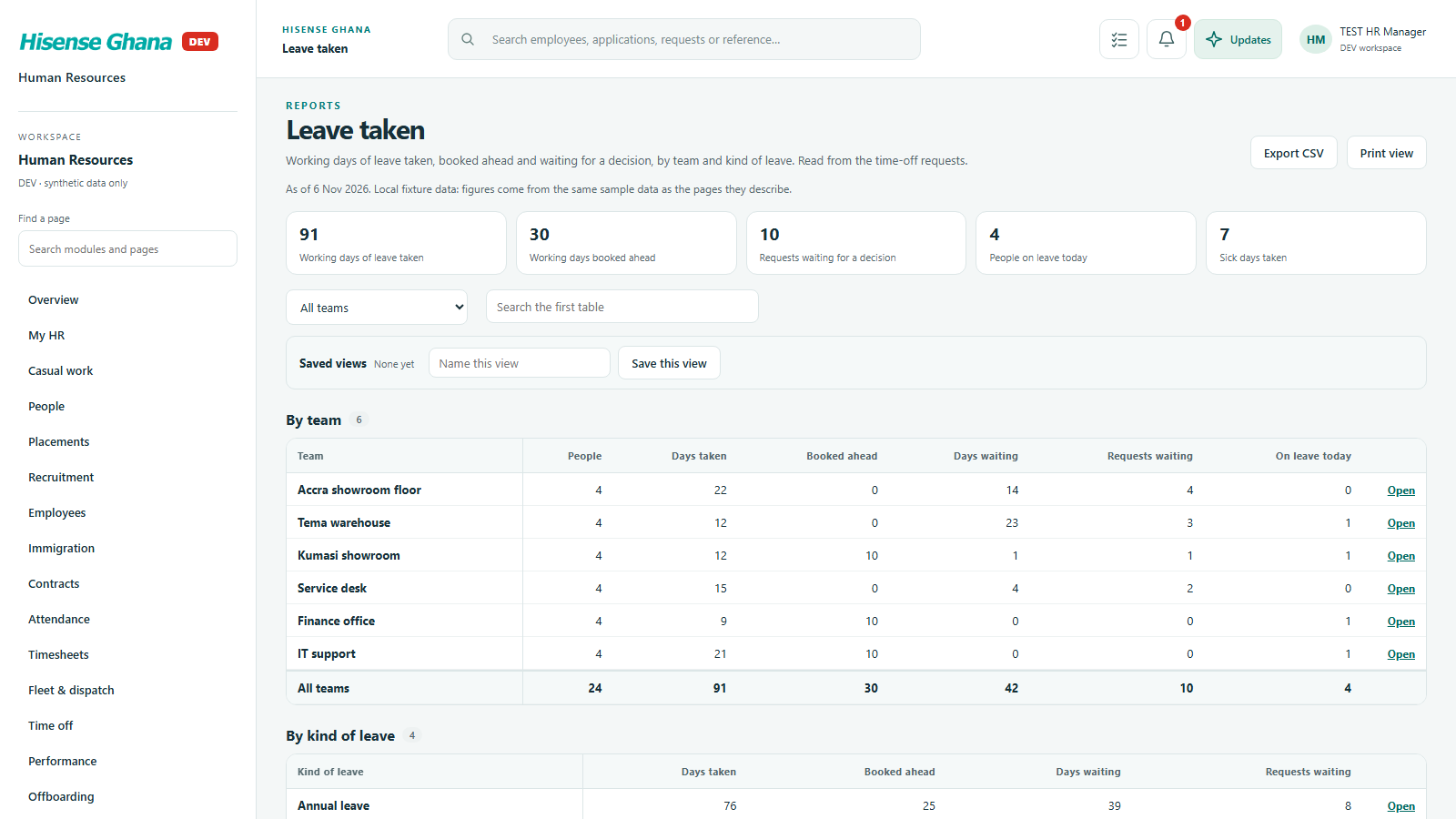
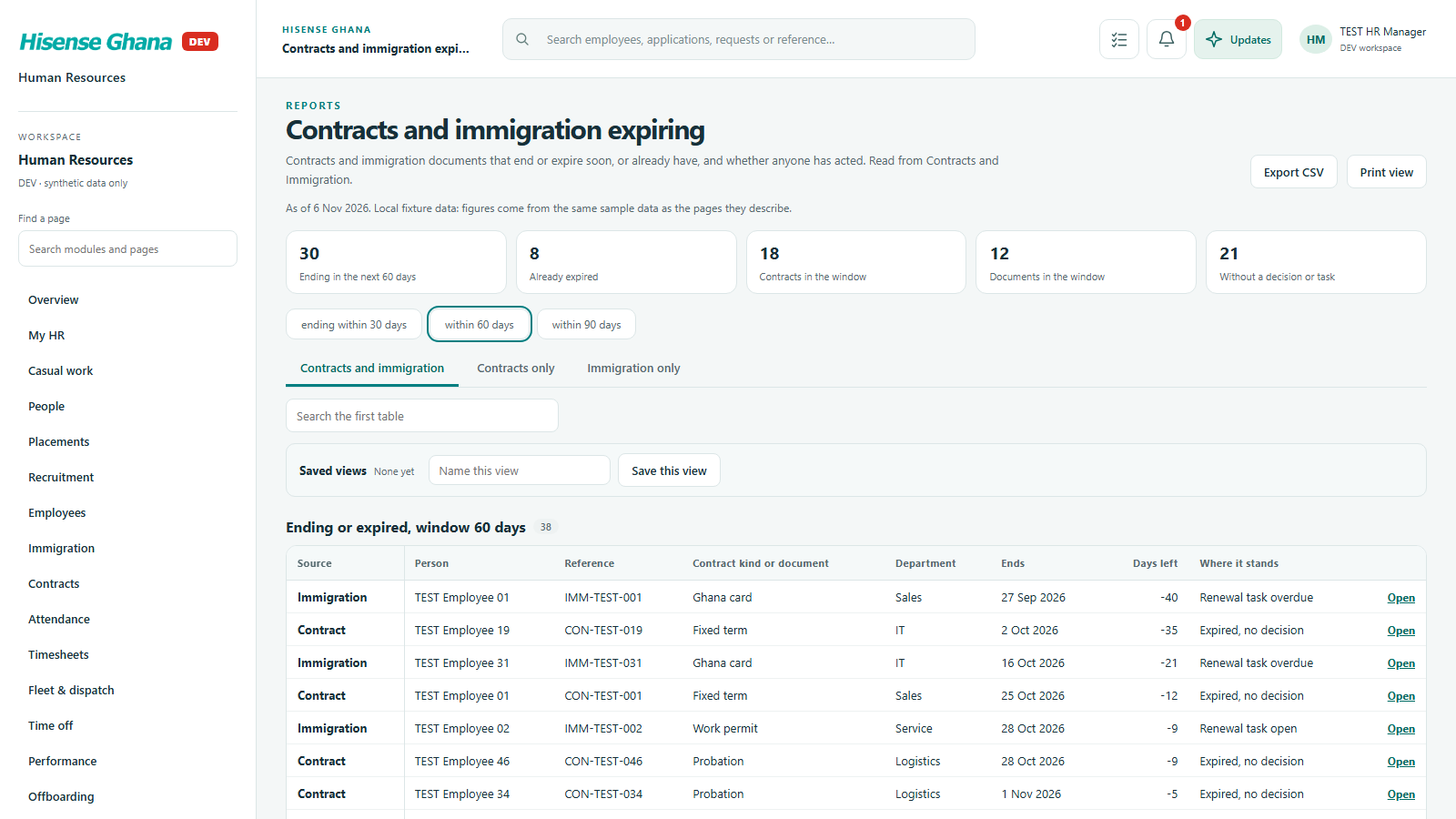
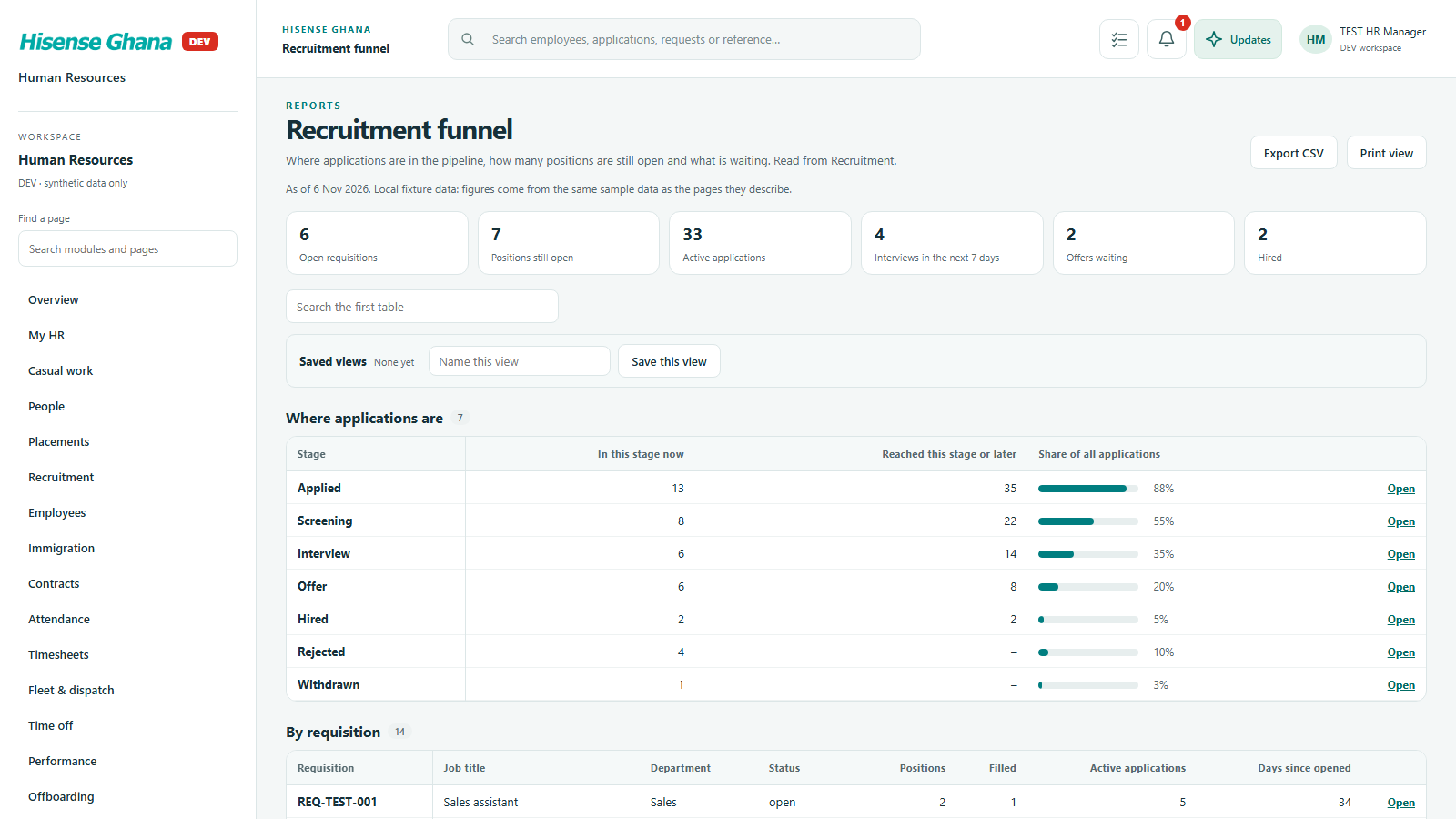
Headcount, attendance and absence, leave taken, expiring contracts and permits, recruitment funnel, review completion.

Open live as HR manager (full access)
Reports: Headcount by team
Headcount by teamas HR manager (full access) · open live
Reports: Attendance and absence
Attendance and absenceas HR manager (full access) · open live
Reports: Leave taken
Leave takenas HR manager (full access) · open live
Reports: Contracts and immigration expiring
Contracts and immigration expiringas HR manager (full access) · open live
Reports: Recruitment funnel
Recruitment funnelas HR manager (full access) · open live

Phone (3CX)

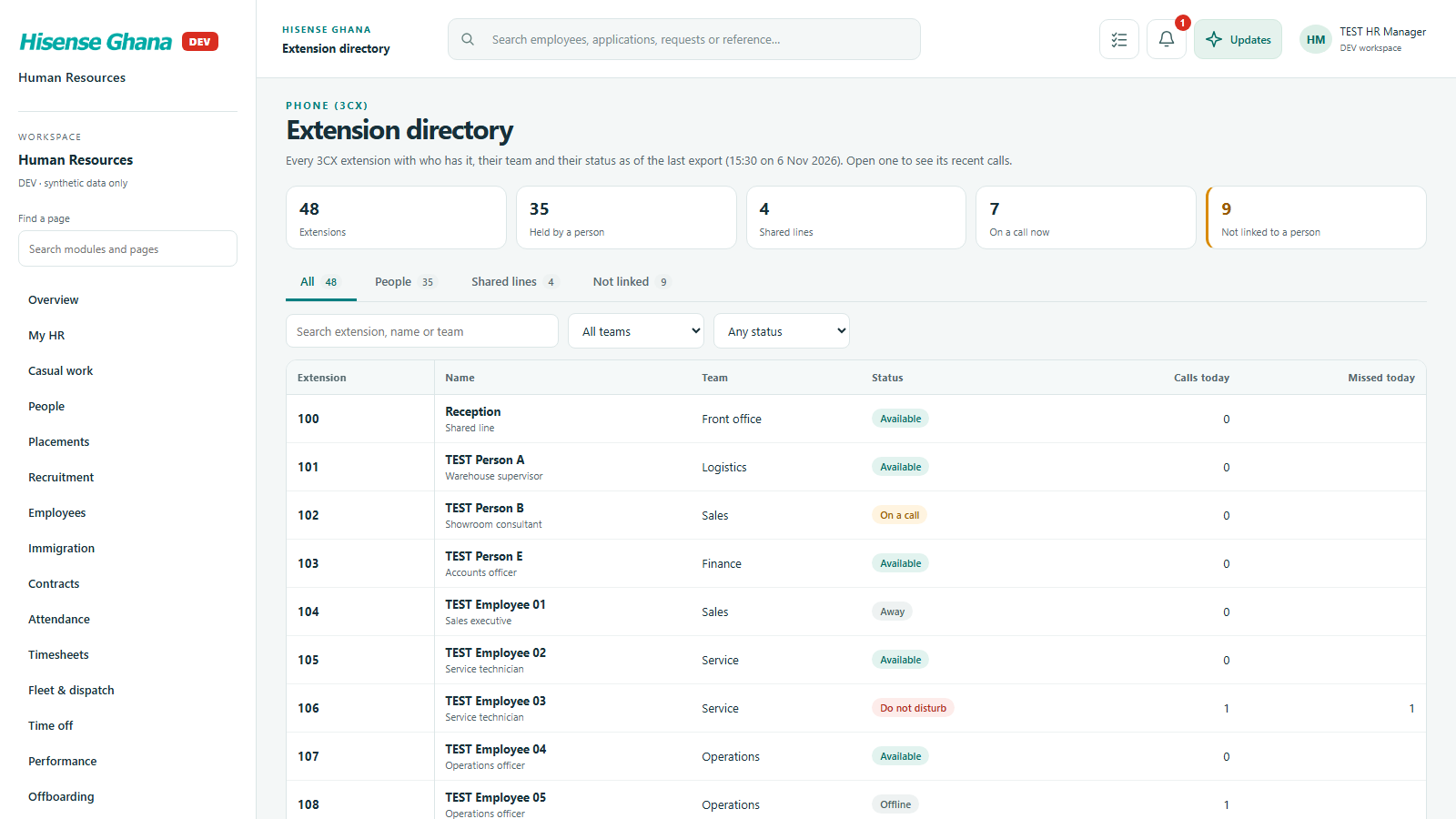
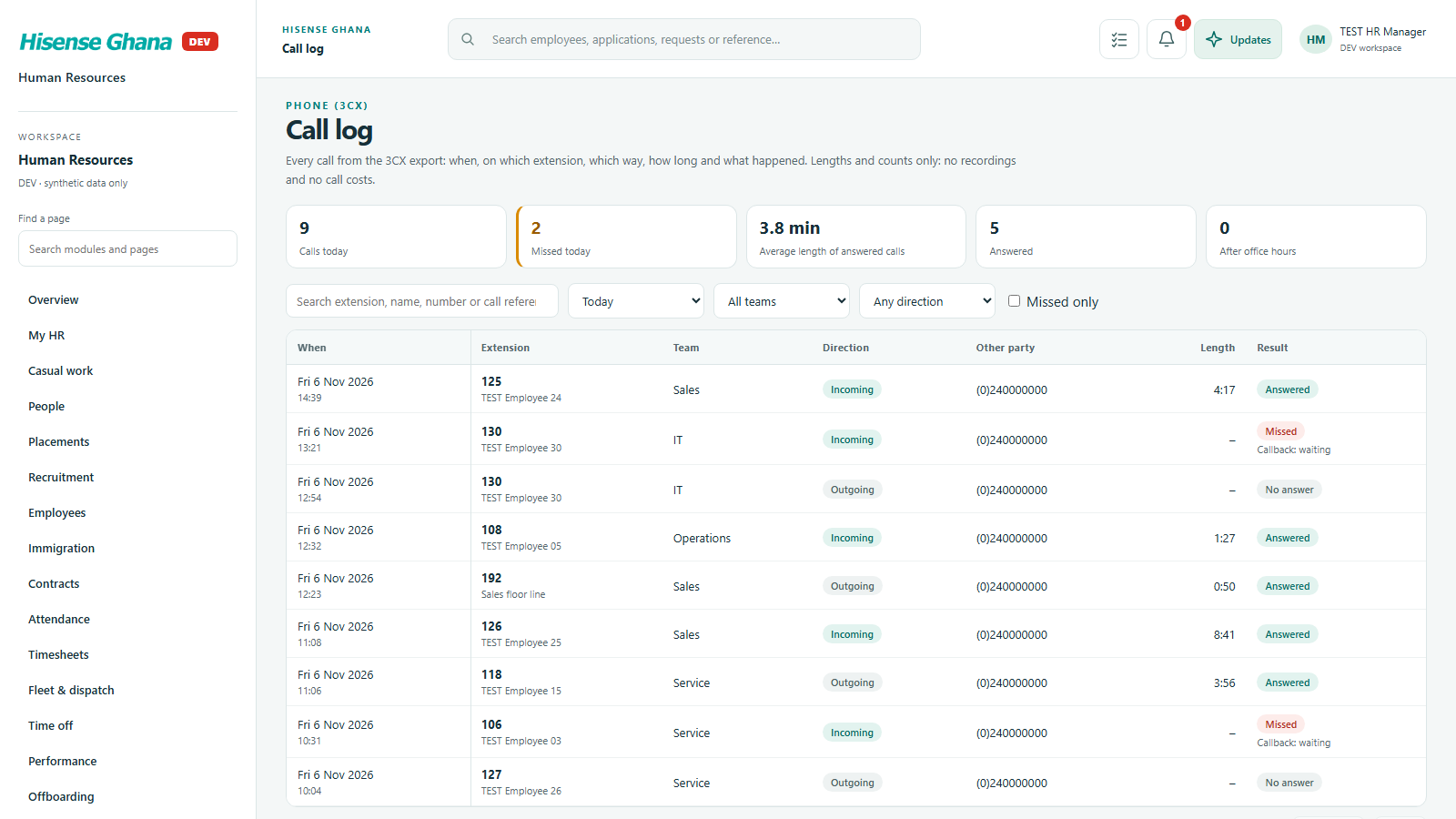
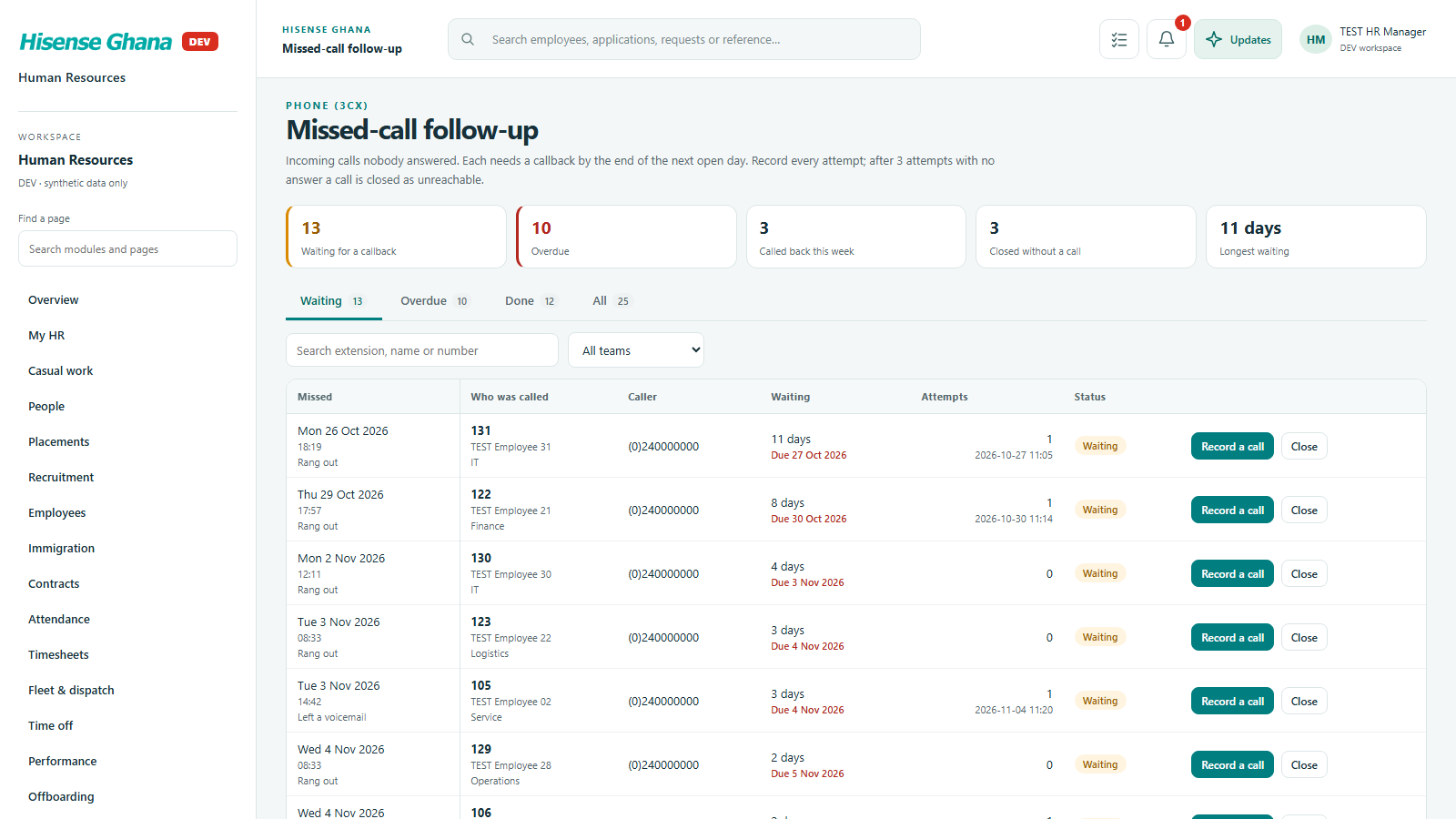
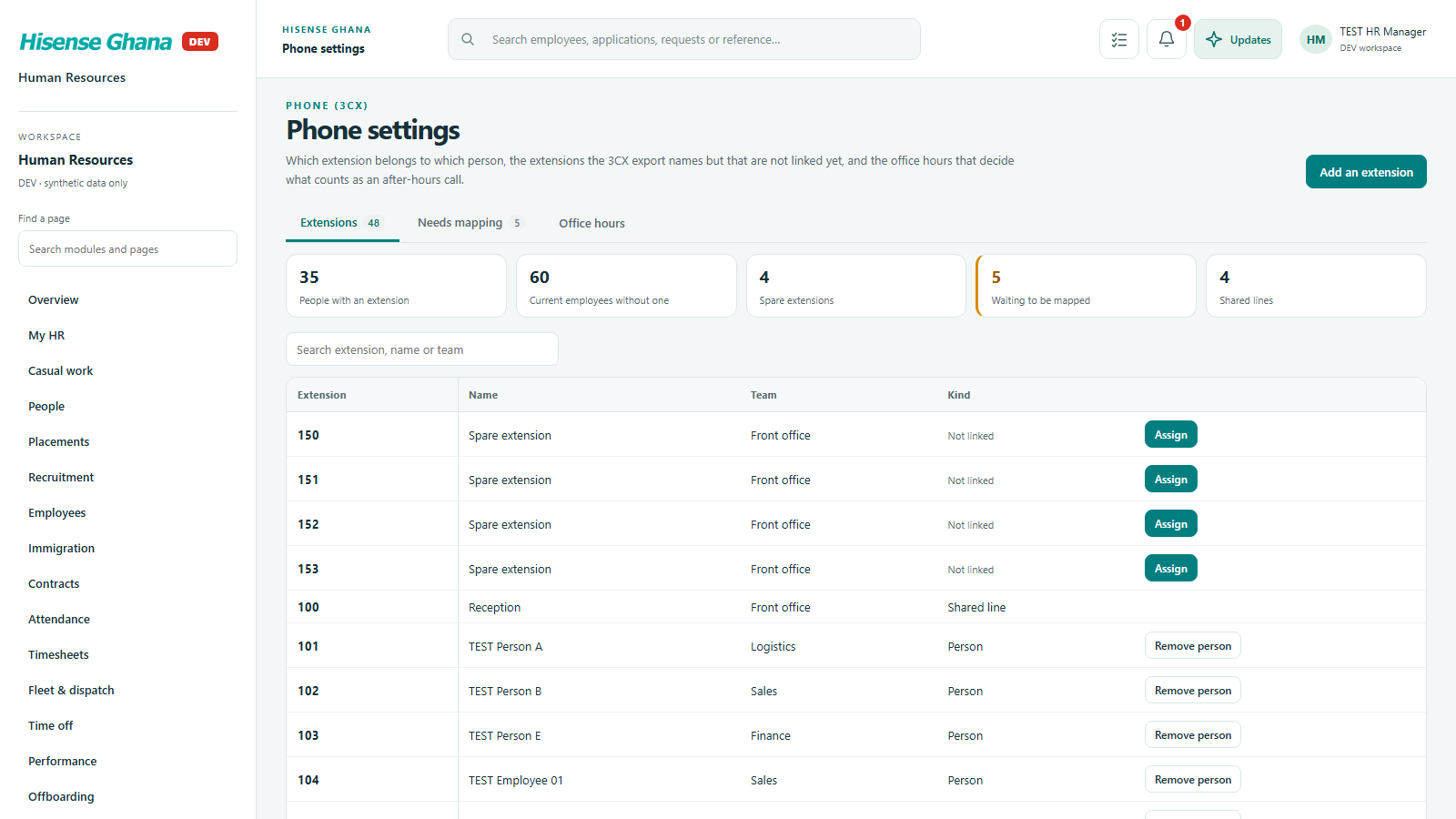
Phone extensions for staff, the call log, missed calls that need a call back, and phone settings. Calls are listed, never recorded.

Open live as HR manager (full access)
Phone (3CX): Extension directory
Extension directoryas HR manager (full access) · open live
Phone (3CX): Call log
Call logas HR manager (full access) · open live
Phone (3CX): Missed-call follow-up
Missed-call follow-upas HR manager (full access) · open live
Phone (3CX): Phone settings
Phone settingsas HR manager (full access) · open live

Administration

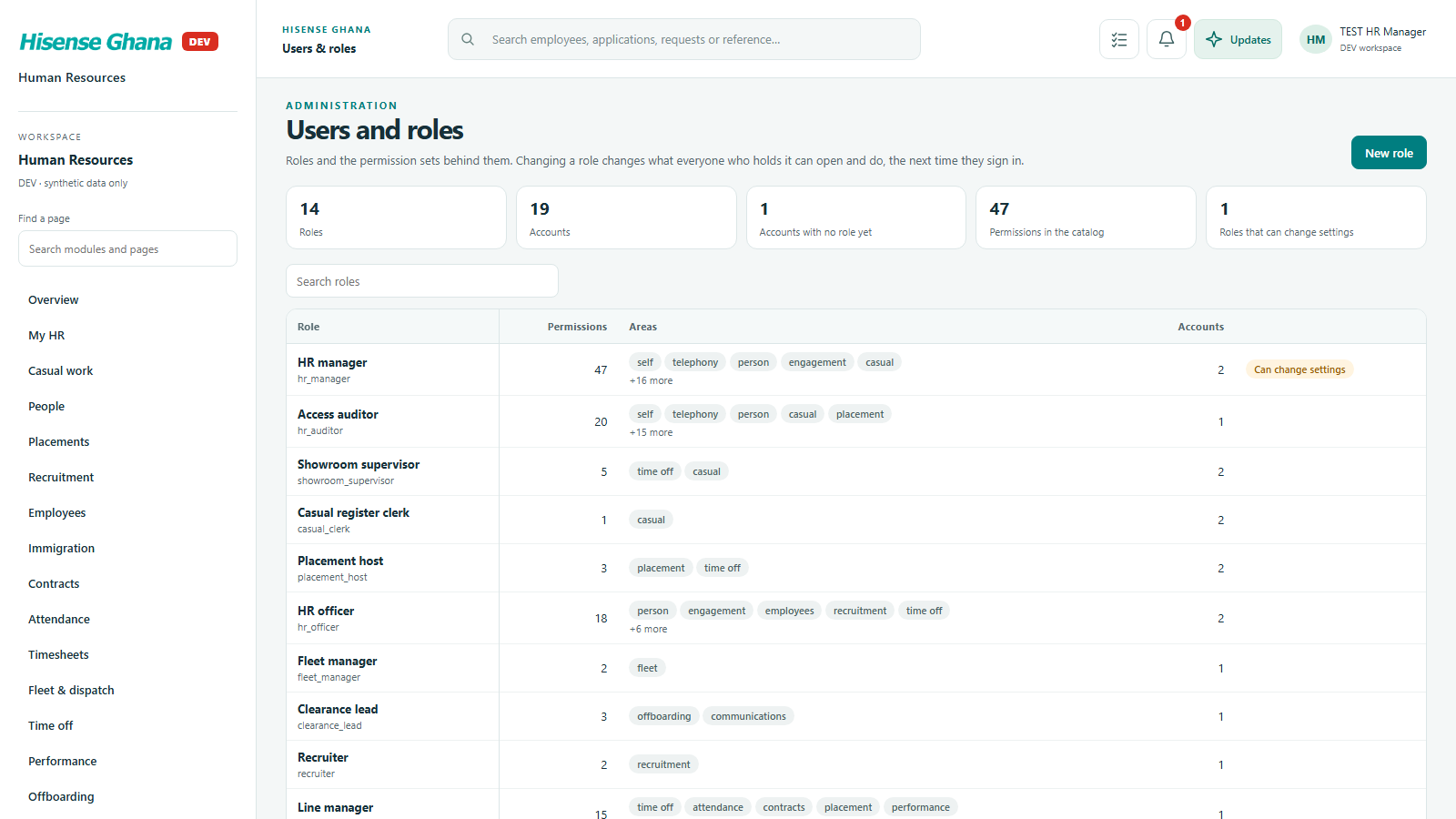
Roles and permission sets, the audit log, access reviews and system settings.

Open live as HR manager (full access)
Administration: Users & roles
Users & rolesas HR manager (full access) · open live
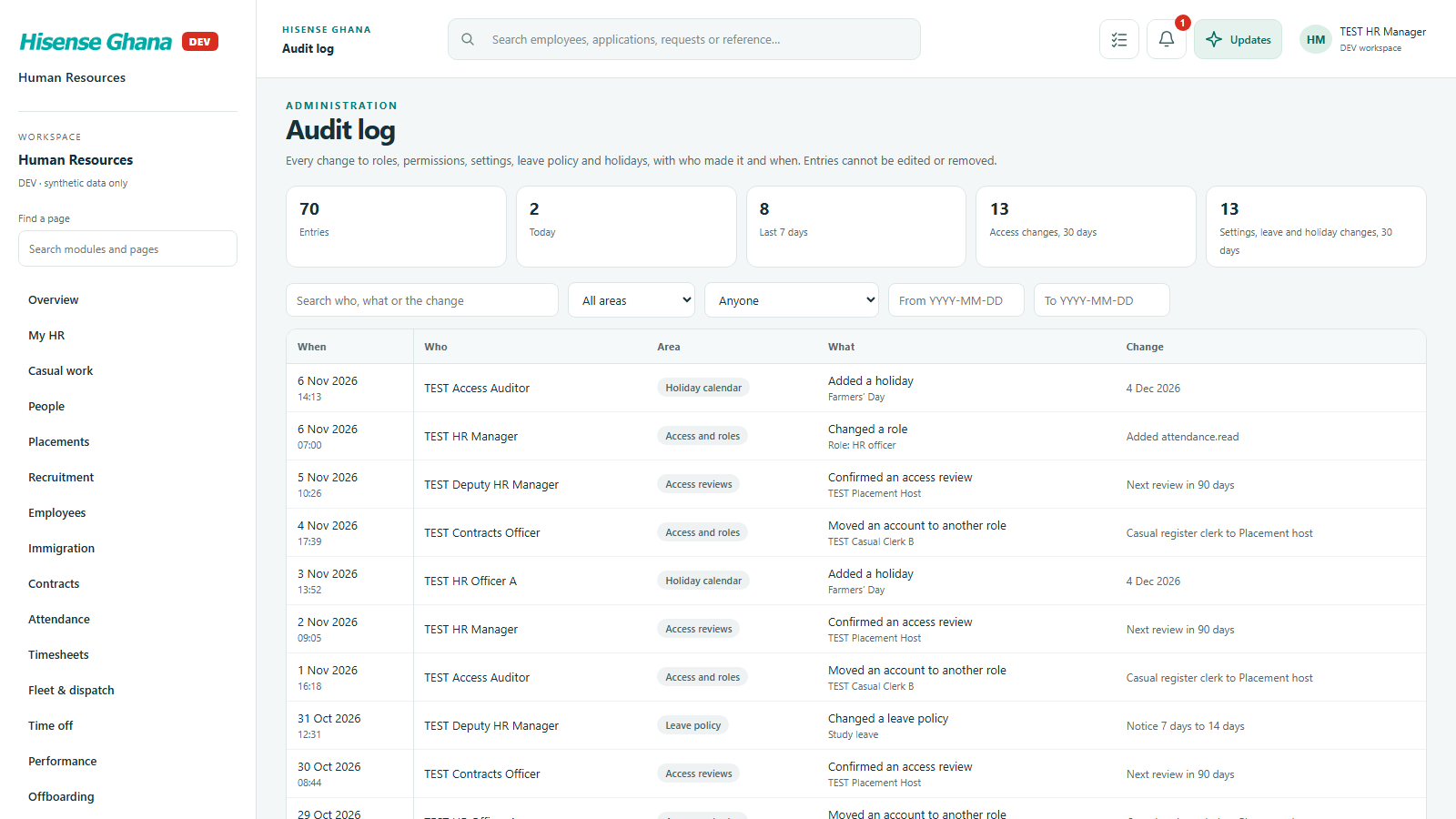
Administration: Audit log
Audit logas HR manager (full access) · open live
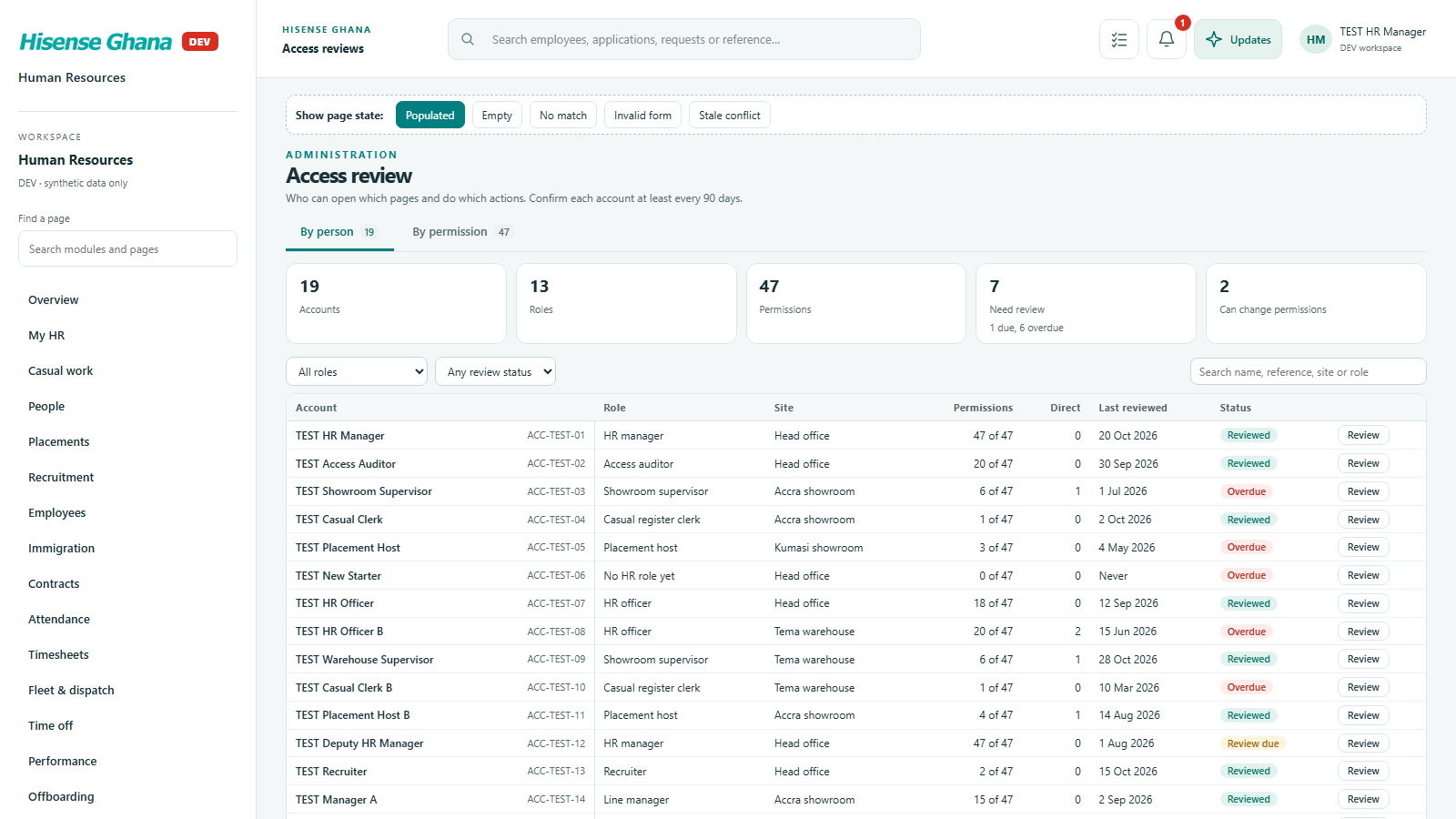
Administration: Access reviews
Access reviewsas HR manager (full access) · open live
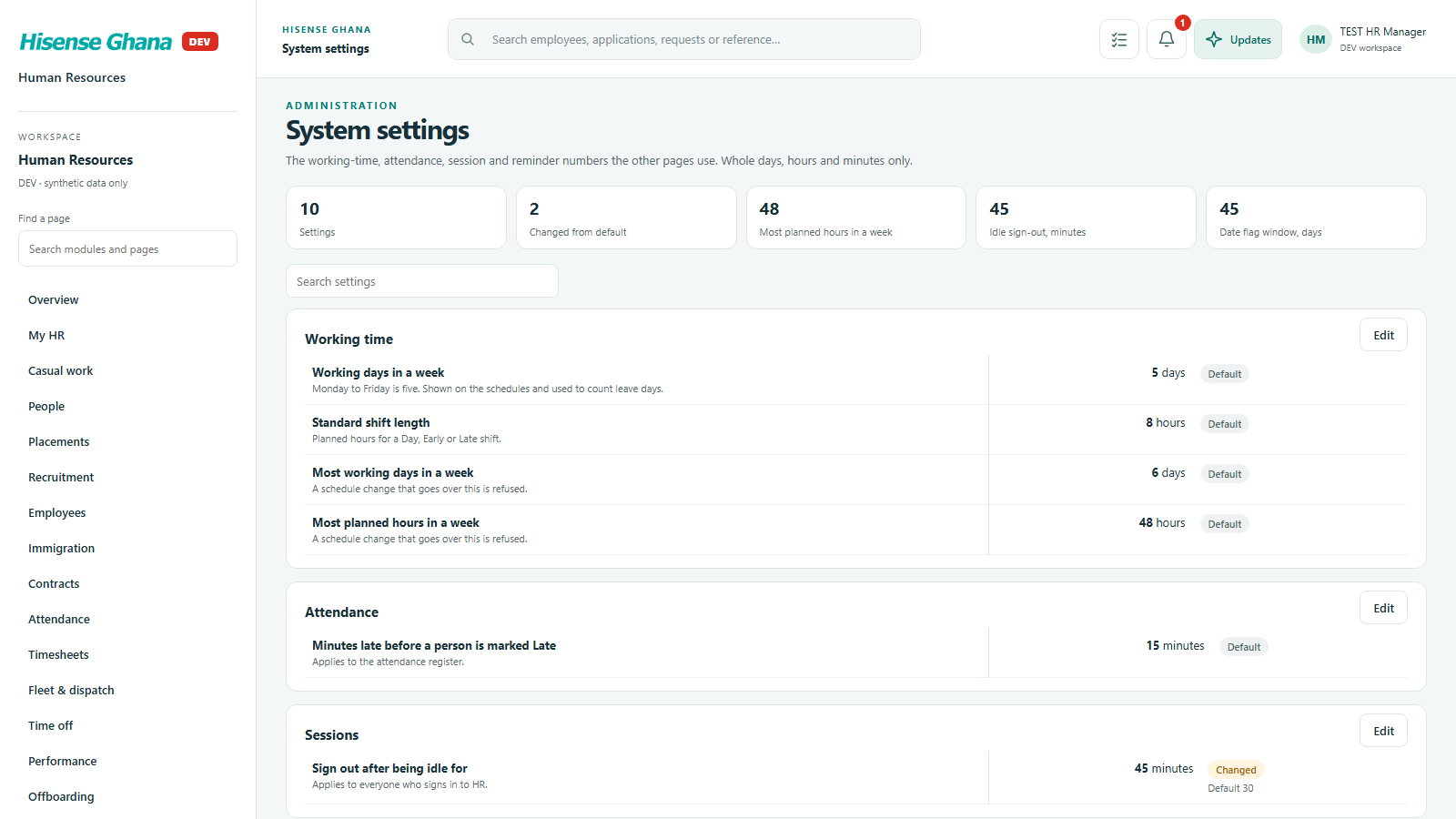
Administration: System settings
System settingsas HR manager (full access) · open live

3. Live data

Everything above runs on sample data held in the page. These screens were taken with the app reading and saving to a real database (a local scratch copy, sample people only), signed in as people with different permissions. The banner at the top of each page says so. The database, not the page, decided what each person could see and do.

Who gets which rows

The same page, three different sample people. The database decides which rows come back; the page only draws them.

Who gets which rows: HR manager
HR managerThe database returns all 8 people.
Who gets which rows: Line manager
Line managerOnly the manager’s own team (2 people): the database leaves the rest out.
Who gets which rows: Staff member
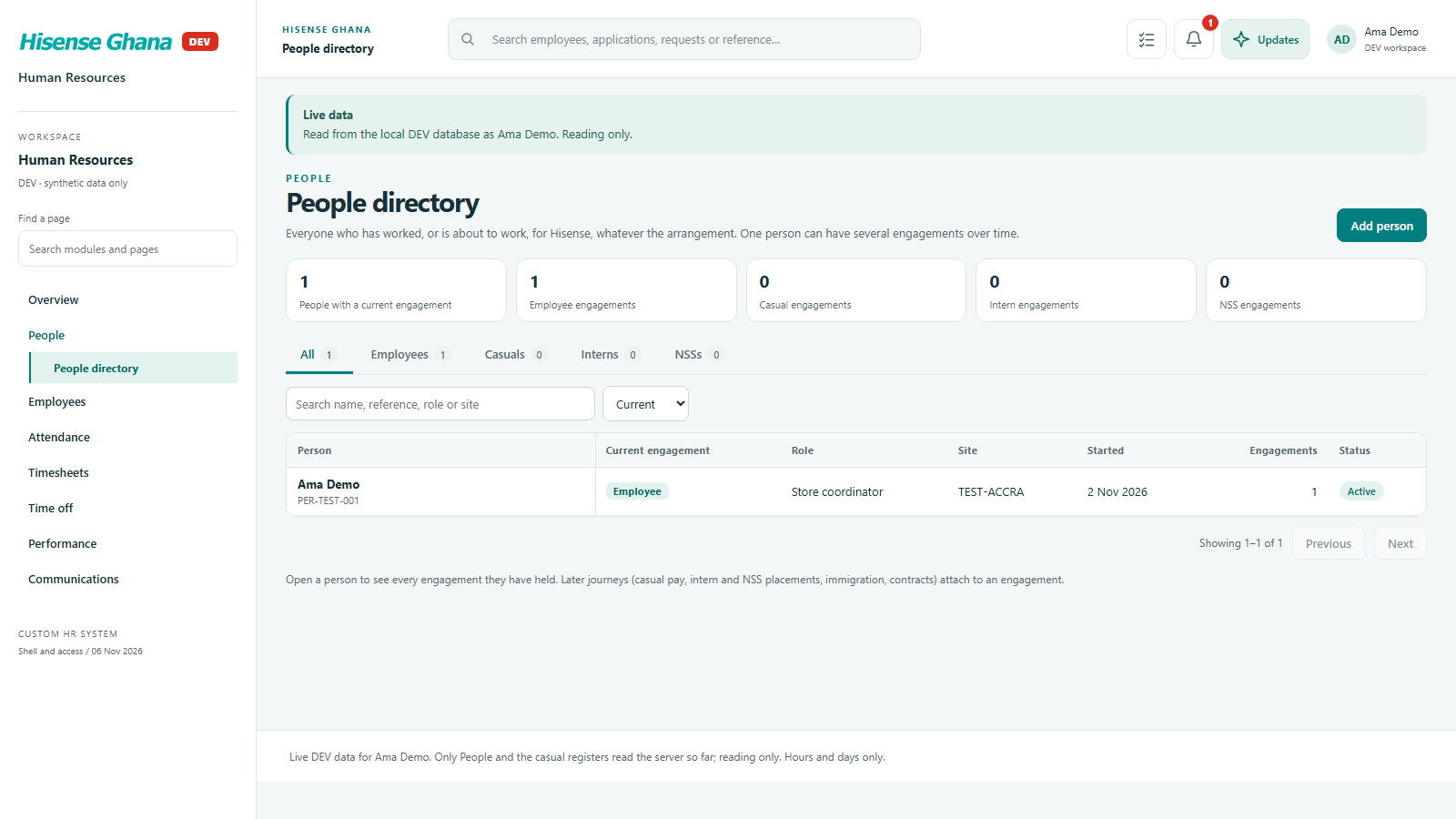
Staff memberOnly themselves (1 person).
Who gets which rows: HR manager overview
HR manager overviewTasks, notices and count tiles are built from database rows, and only for the keys this person holds.

Casual work register

Reading and saving through the database. Whole-batch actions report exactly what was refused and why.

Casual work register: HR manager
HR managerThe register for 4 Nov holds the one database line (a 6-hour draft).
Casual work register: Staff member
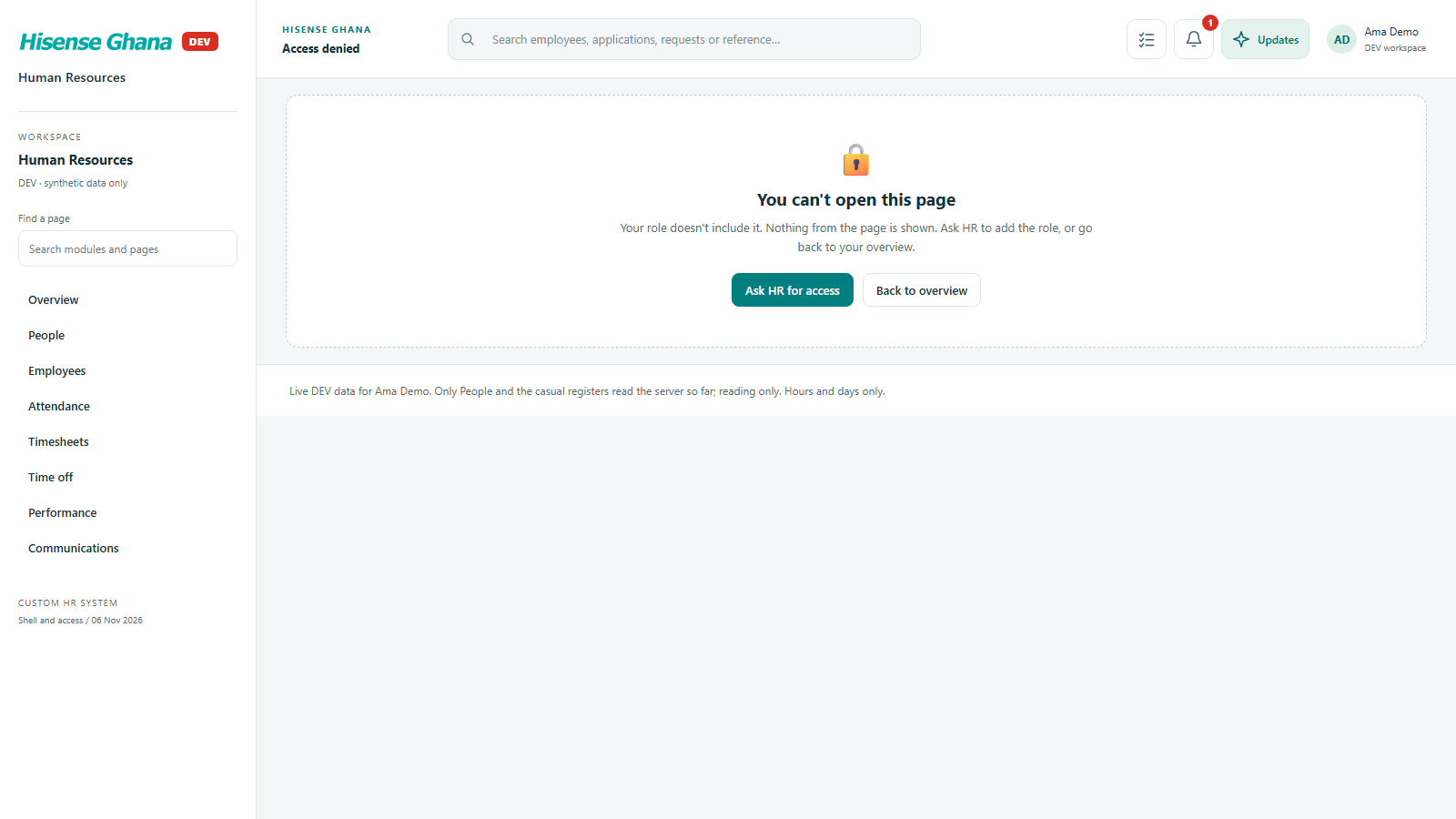
Staff memberNo casual key: the database refuses and the page shows Access denied.
Casual work register: Site supervisor
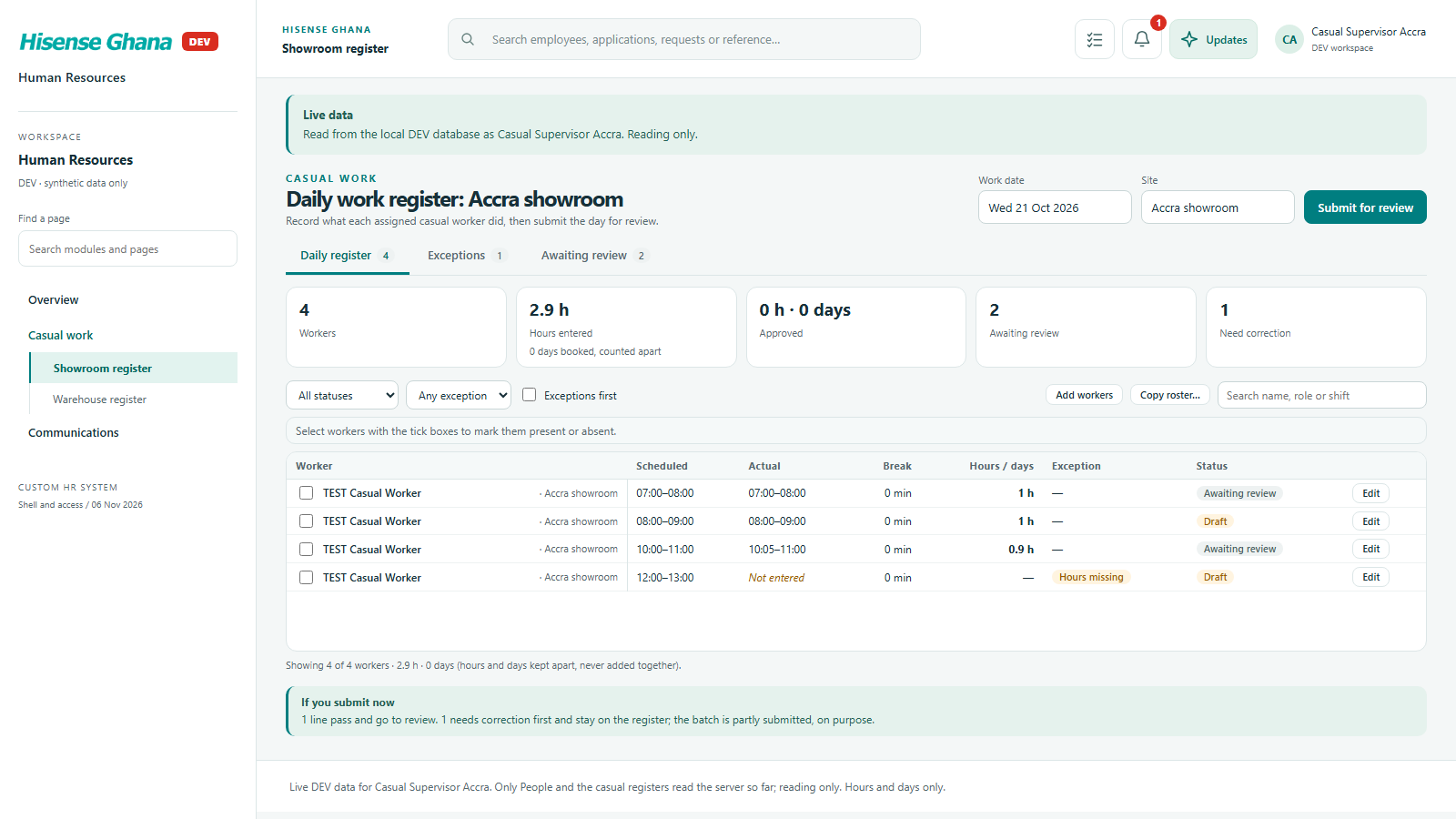
Site supervisorSees only their own site’s lines.
Casual work register: Reviewer
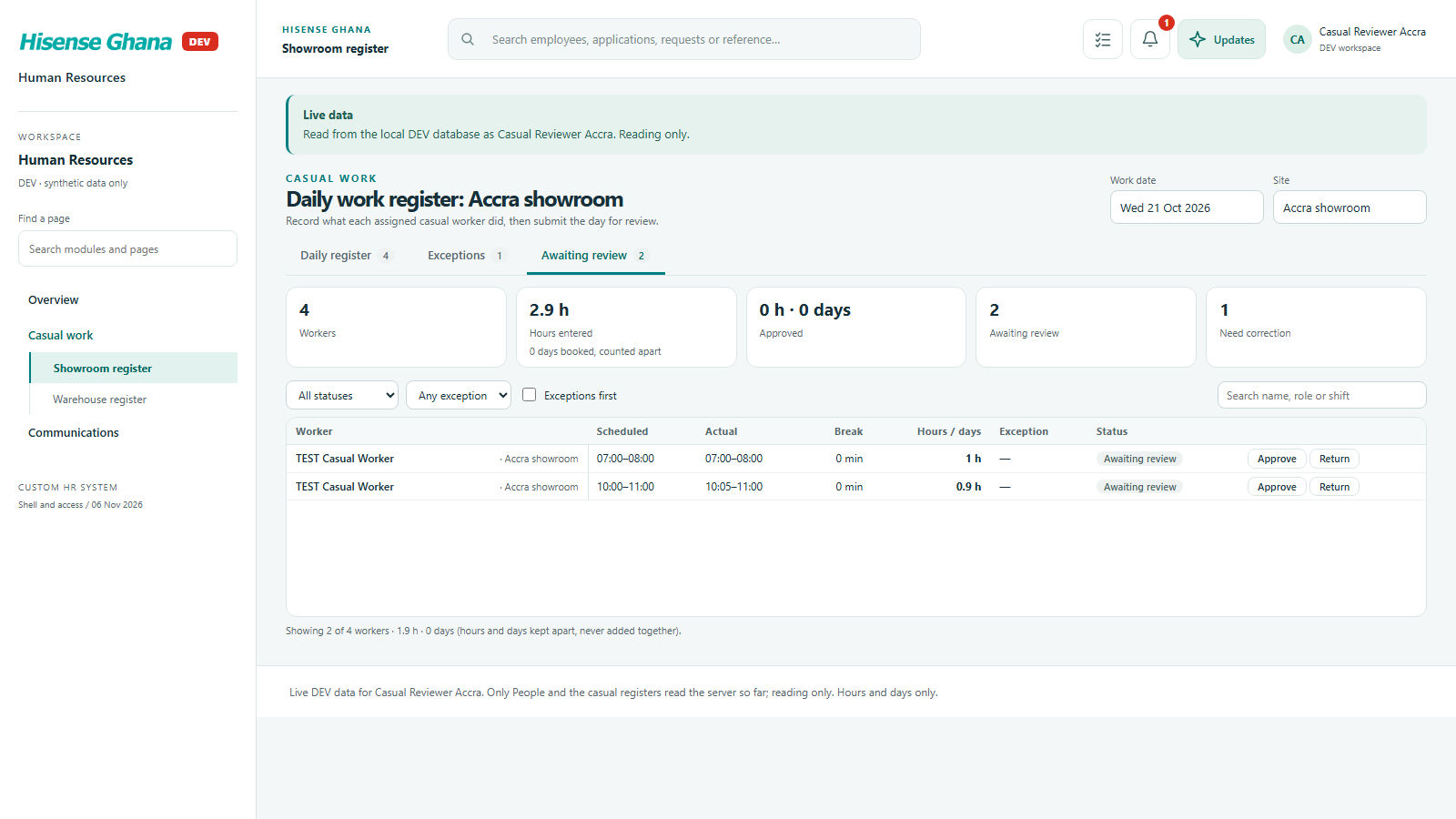
ReviewerThe Awaiting review tab lists lines waiting for a decision.
Casual work register: Add workers
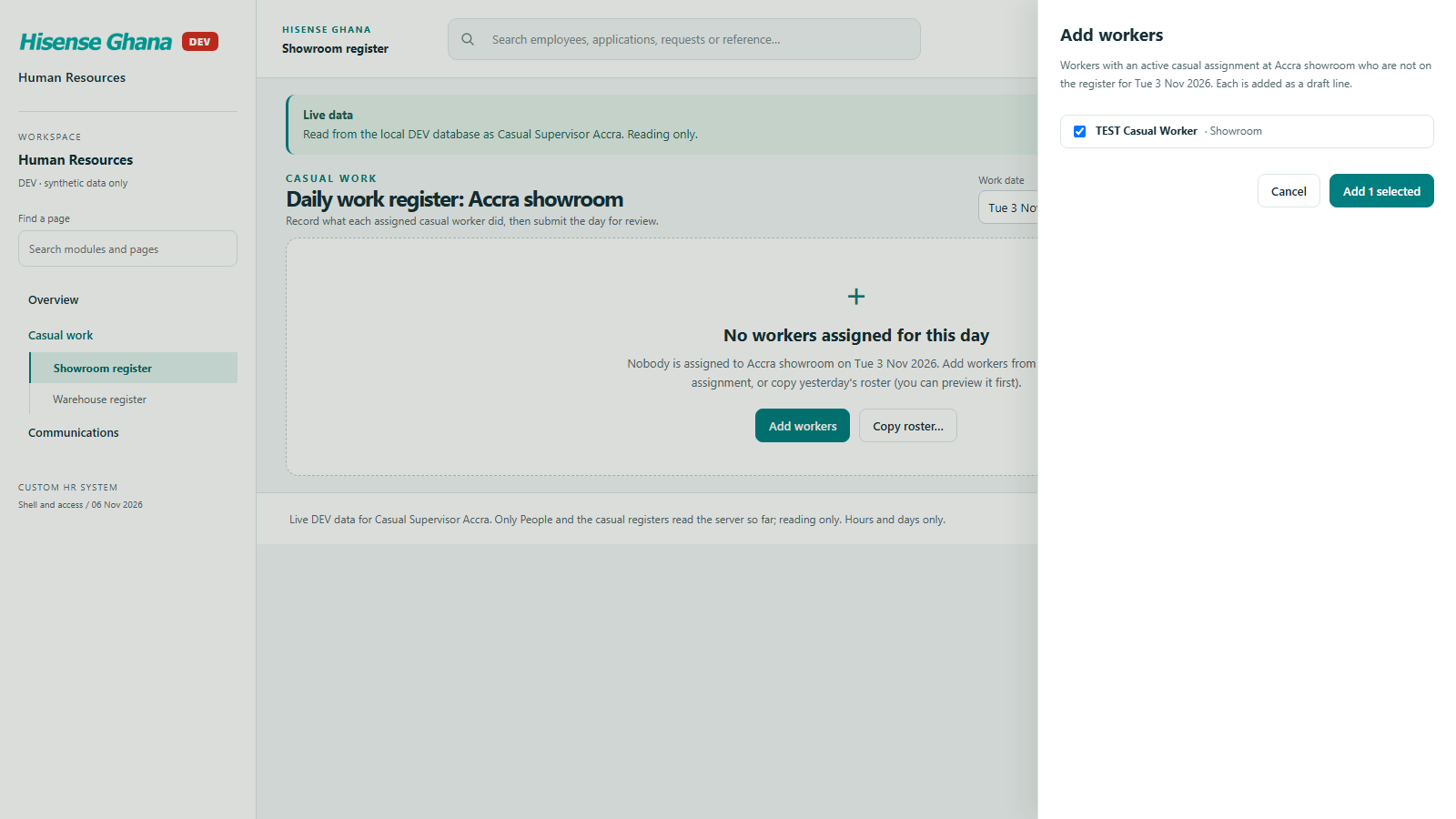
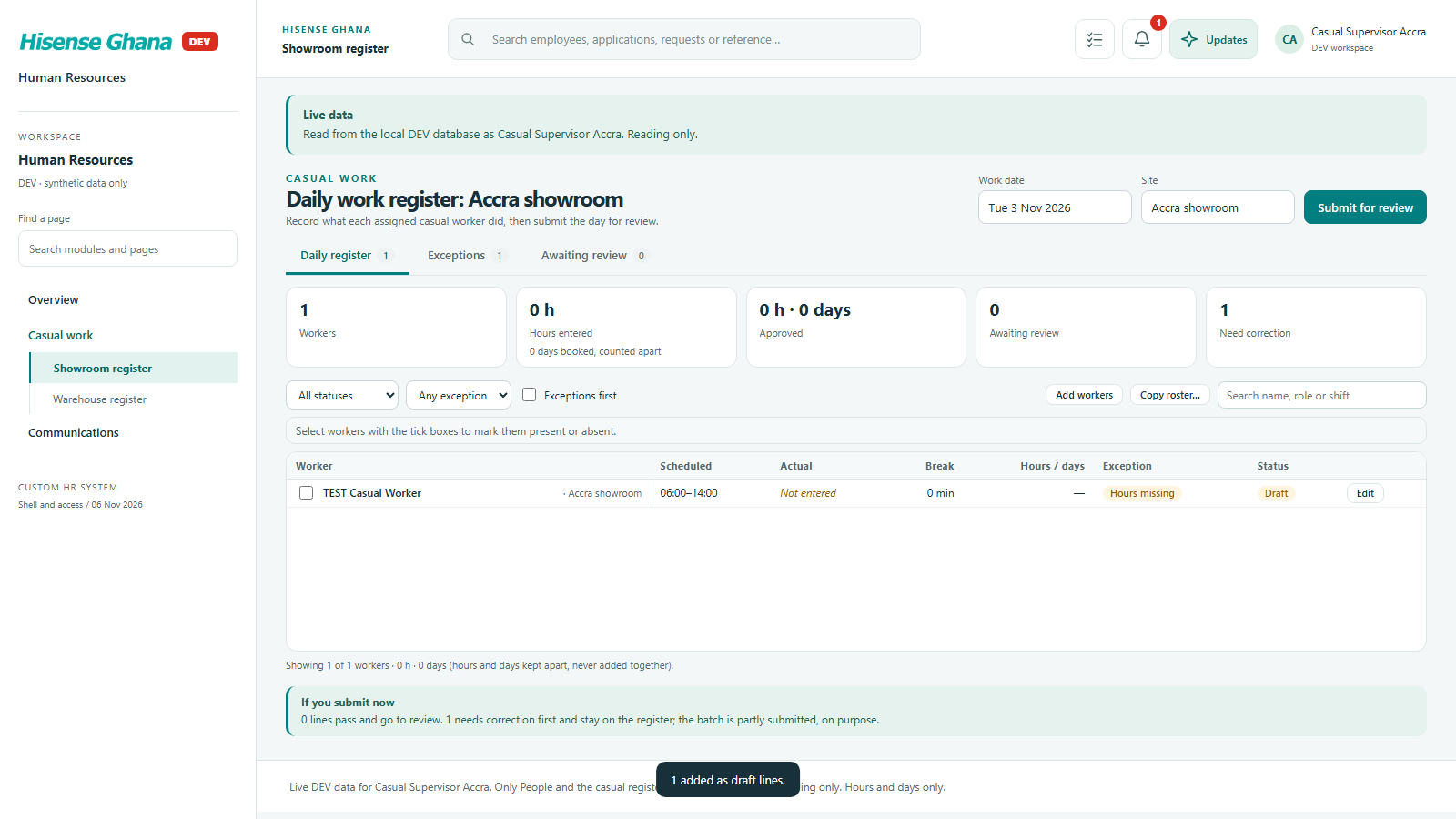
Add workersAdding workers sends a request the database checks (site, date, no duplicates).
Casual work register: A new draft line
A new draft lineThe saved line comes back from the database as a draft.
Casual work register: Bulk selection
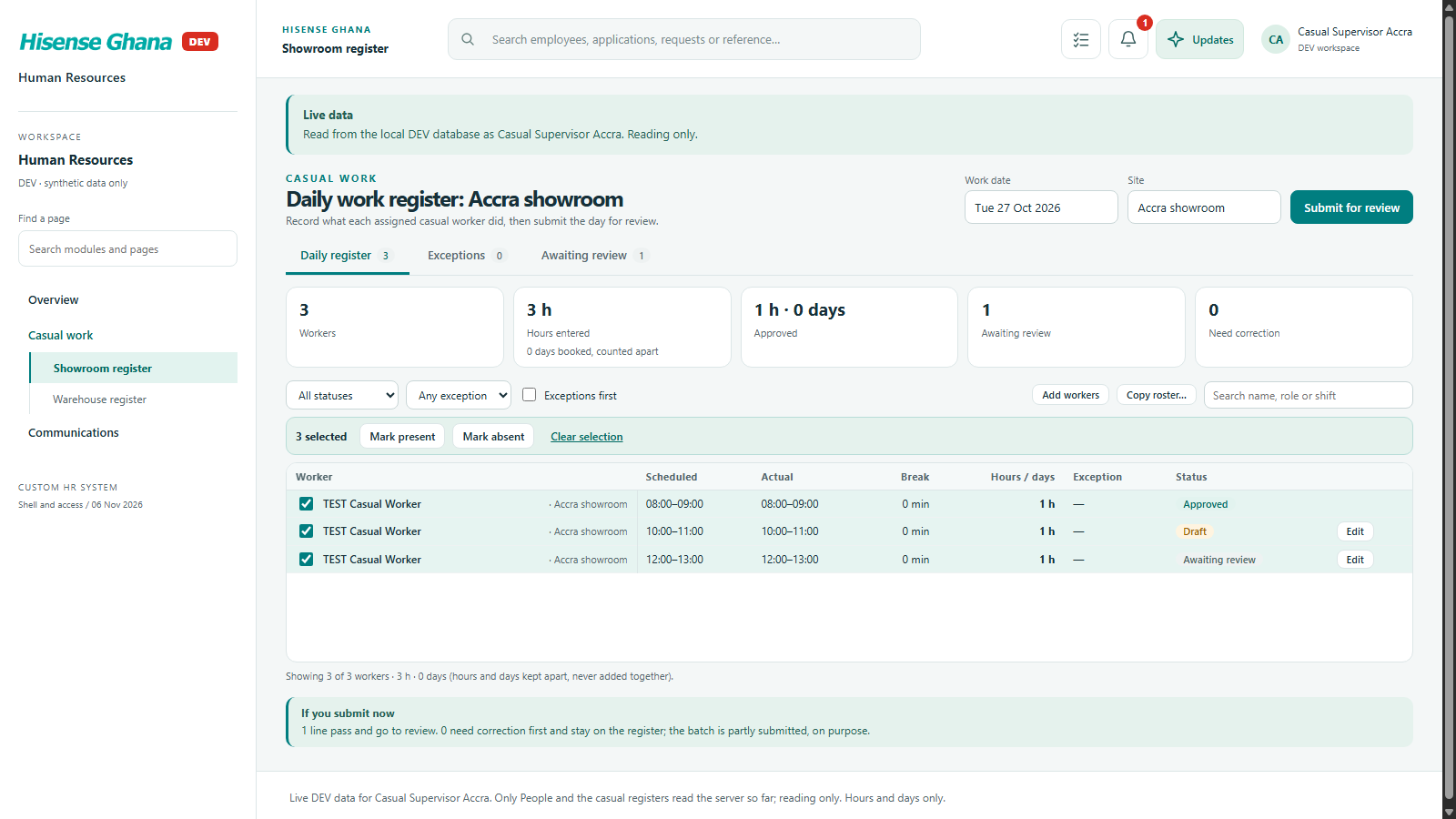
Bulk selectionSeveral lines selected for one action.
Casual work register: Bulk result
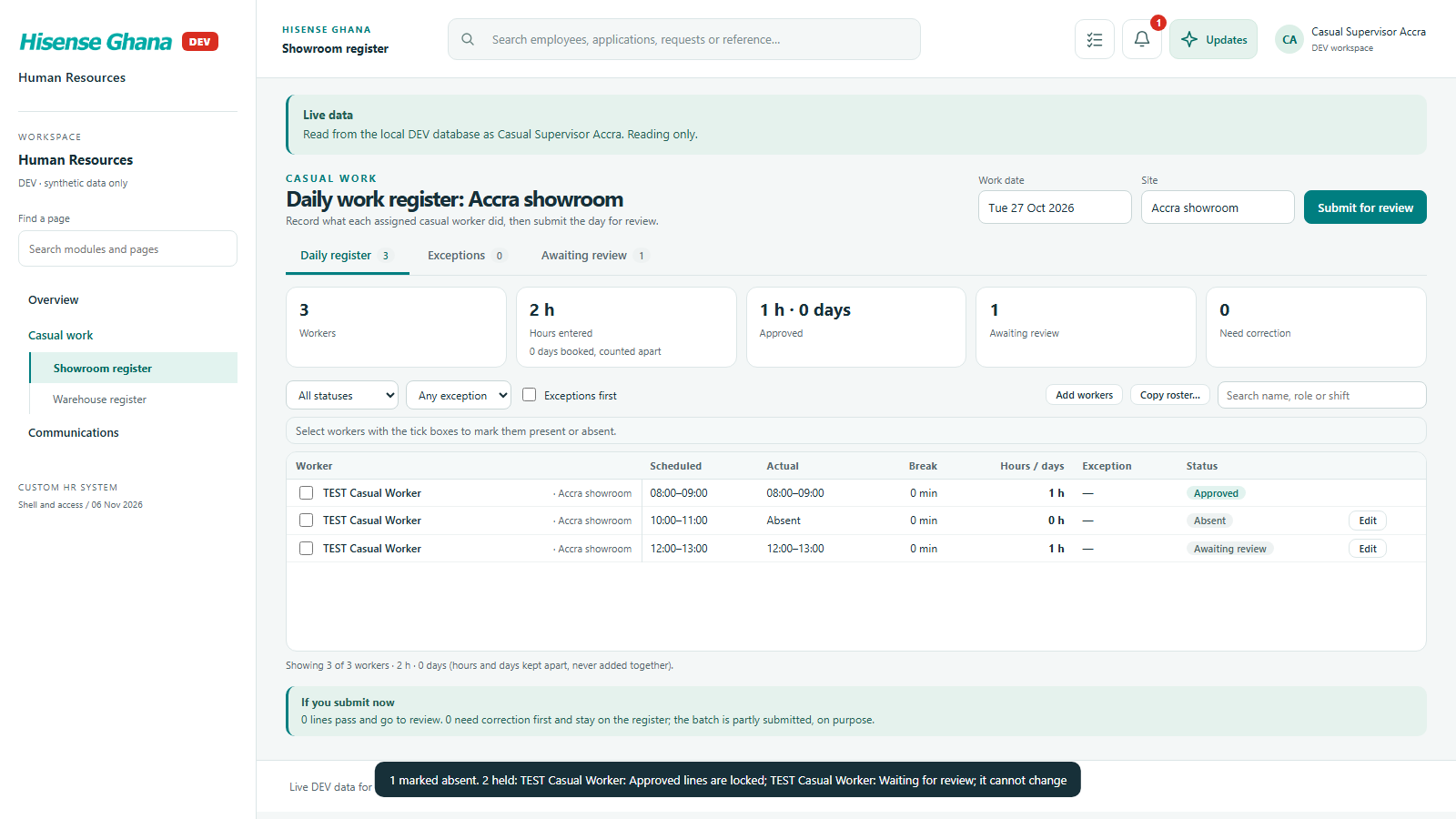
Bulk resultThe database held 2 lines: approved lines are locked and a line waiting for review cannot change. The rest saved.
Casual work register: Copy roster preview
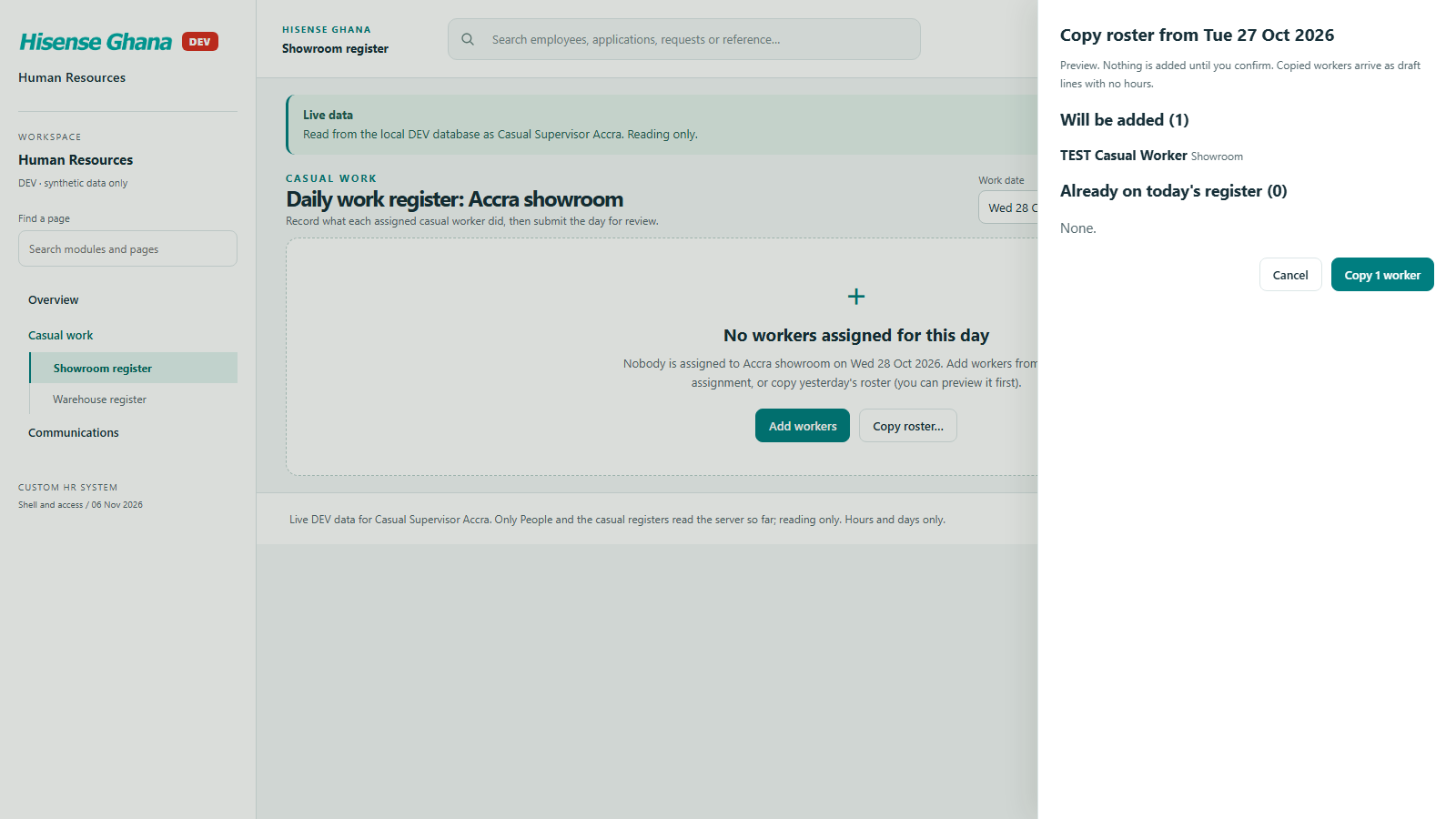
Copy roster previewA preview of what copying a roster would add, before anything is saved.

People, employees, contracts and cases

Lists read from the database, paged and filtered on the server, with the sensitive details withheld.

People, employees, contracts and cases: People (HR manager)
People (HR manager)One page of 50 at a time; tile and tab counts come from the database.
People, employees, contracts and cases: Employees (HR manager)
Employees (HR manager)Server-paged list; search is a database filter.
People, employees, contracts and cases: Employee tabs
Employee tabsCurrent, Recent starters, Need attention, Left and All are database filters, and each total matches its tab.
People, employees, contracts and cases: Employee profile
Employee profileOne database read: summary, employment record, documents shown as “On file (not shown)” (no document numbers), emergency contacts.
People, employees, contracts and cases: Staff member
Staff memberA staff member’s directory holds only themselves.
People, employees, contracts and cases: Contracts
ContractsContract rows read from the database.
People, employees, contracts and cases: Immigration cases
Immigration casesCases read from the database; document numbers are never returned to this key.
People, employees, contracts and cases: Placements
PlacementsIntern and NSS placements read from the database; an open-ended one shows “Open”.

Attendance

Who is expected, who came in and the weekly schedule, read from and saved to the database. Every save carries the version it saw, so a row someone else changed comes back stale.

Attendance: Register (HR manager)
Register (HR manager)Expected, marks and approved leave for every employee the caller may see.
Attendance: Schedules (HR manager)
Schedules (HR manager)One week at a time from the database.
Attendance: Register (line manager)
Register (line manager)Only their own reports.
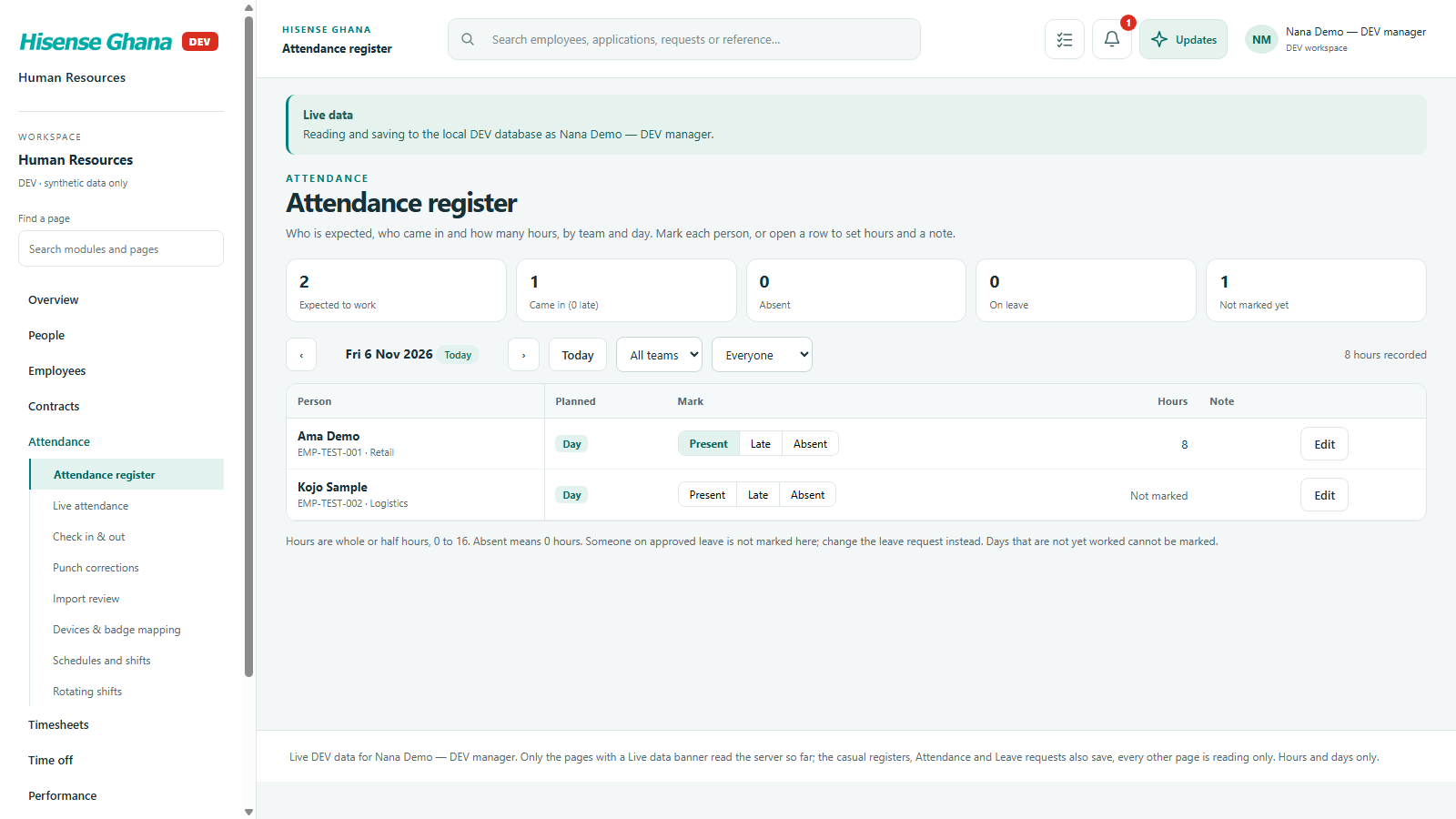
Attendance: Marking (line manager)
Marking (line manager)A mark is saved through the database and the week is read again; the database repeats the hours and rest-day rules.
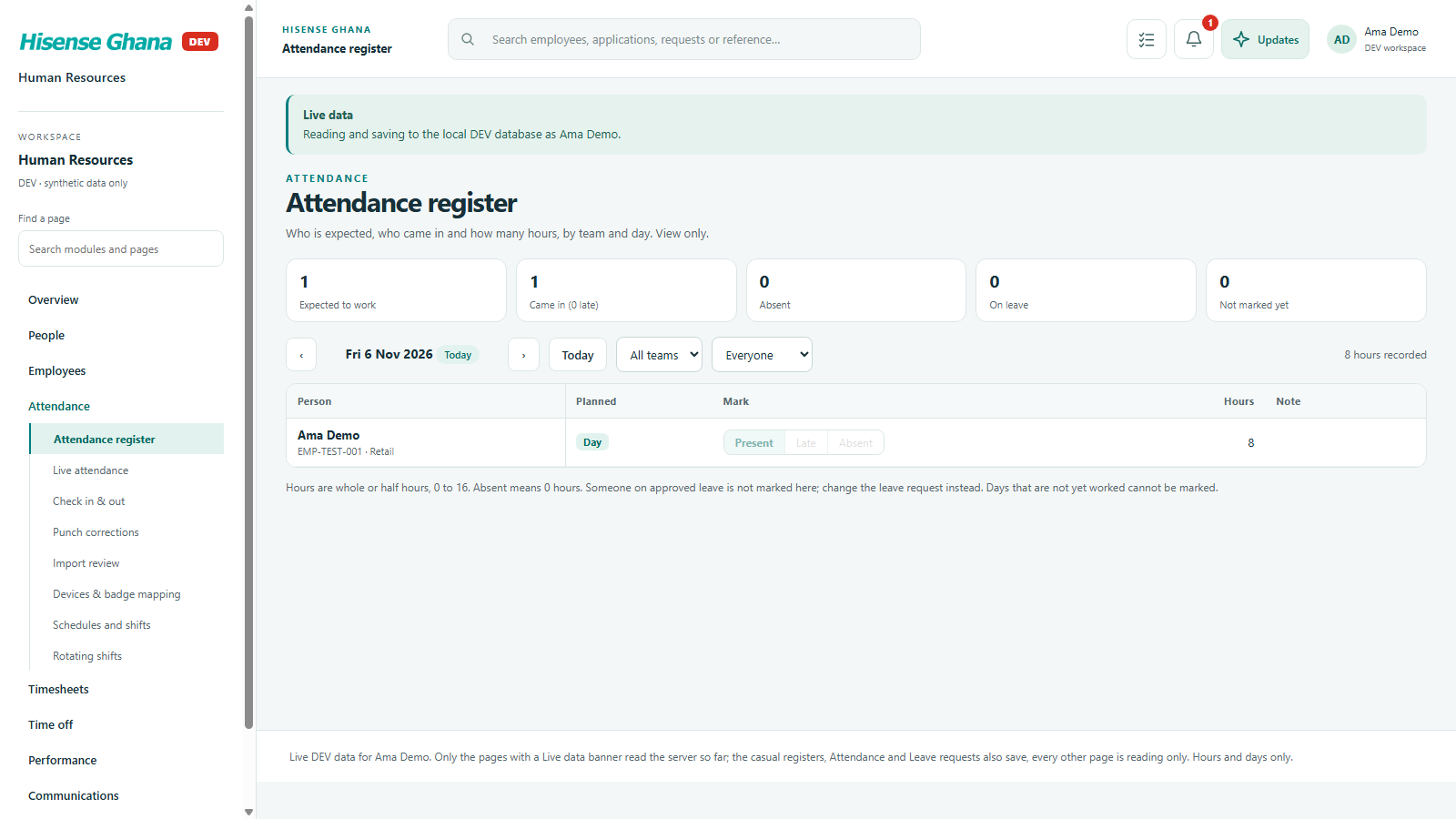
Attendance: Register (staff member)
Register (staff member)View only: no mark buttons without the write key, and only their own row.
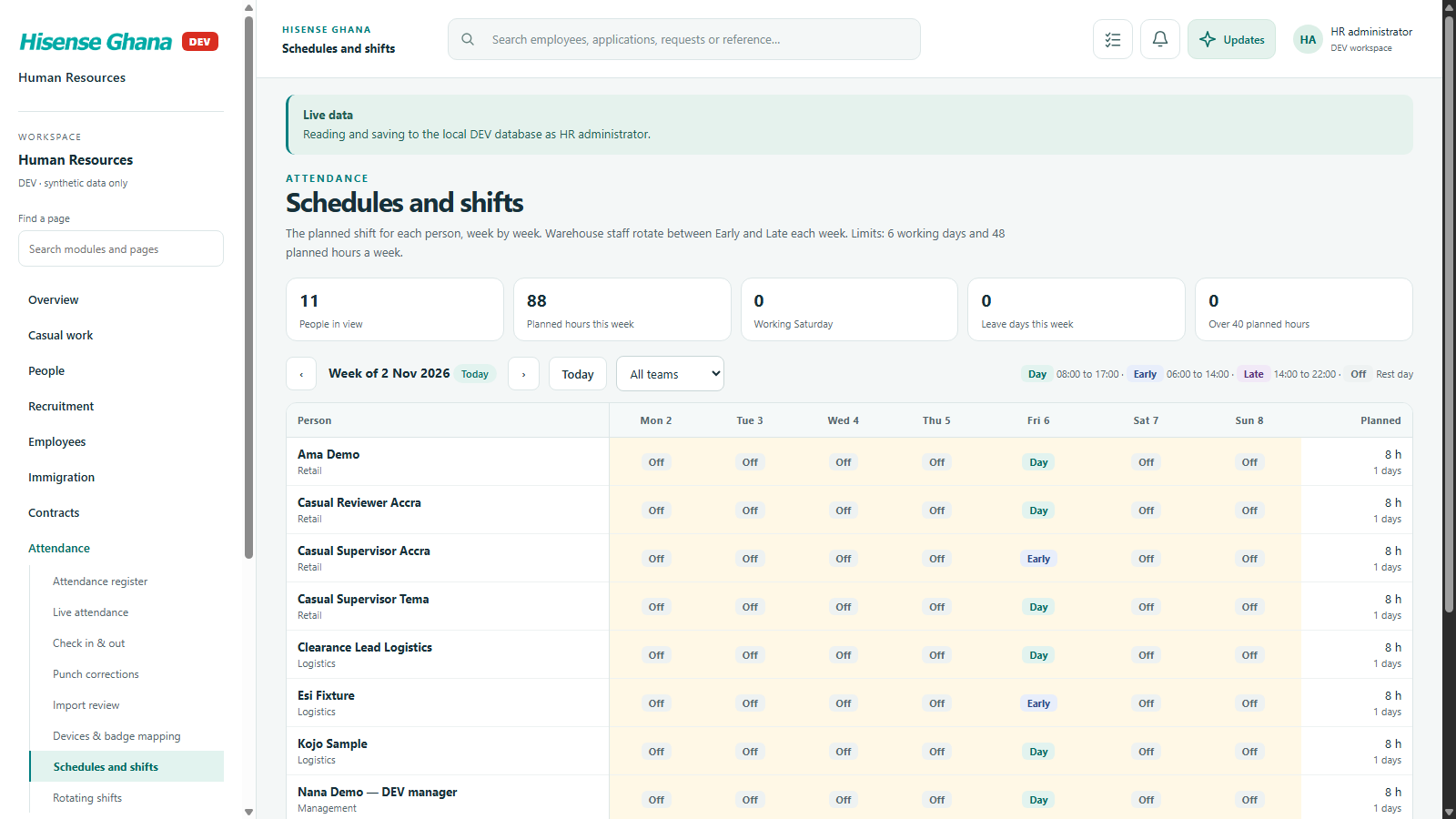
Attendance: Changing a shift (HR)
Changing a shift (HR)A shift change is saved with its version; a row changed by someone else comes back stale.

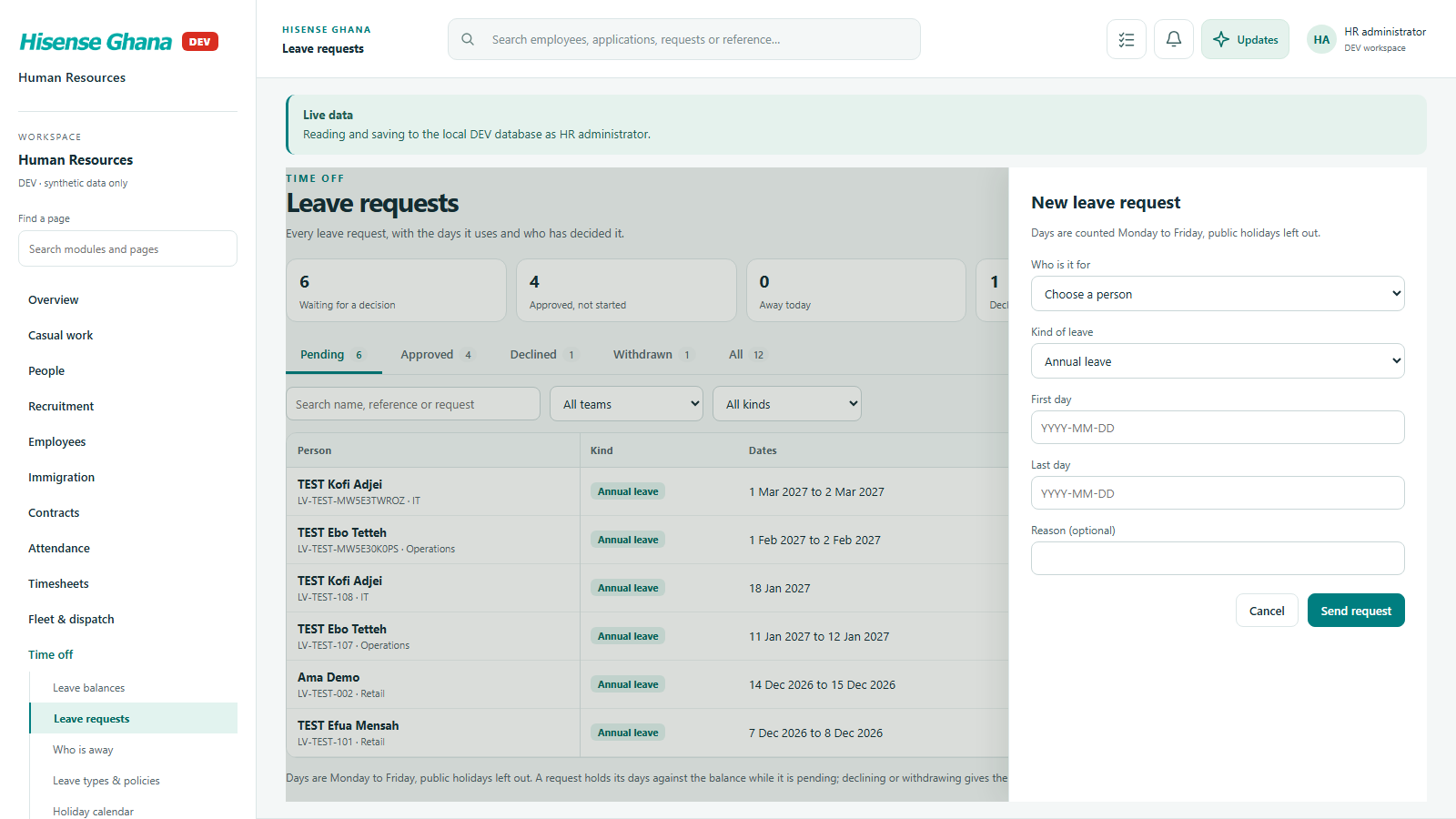
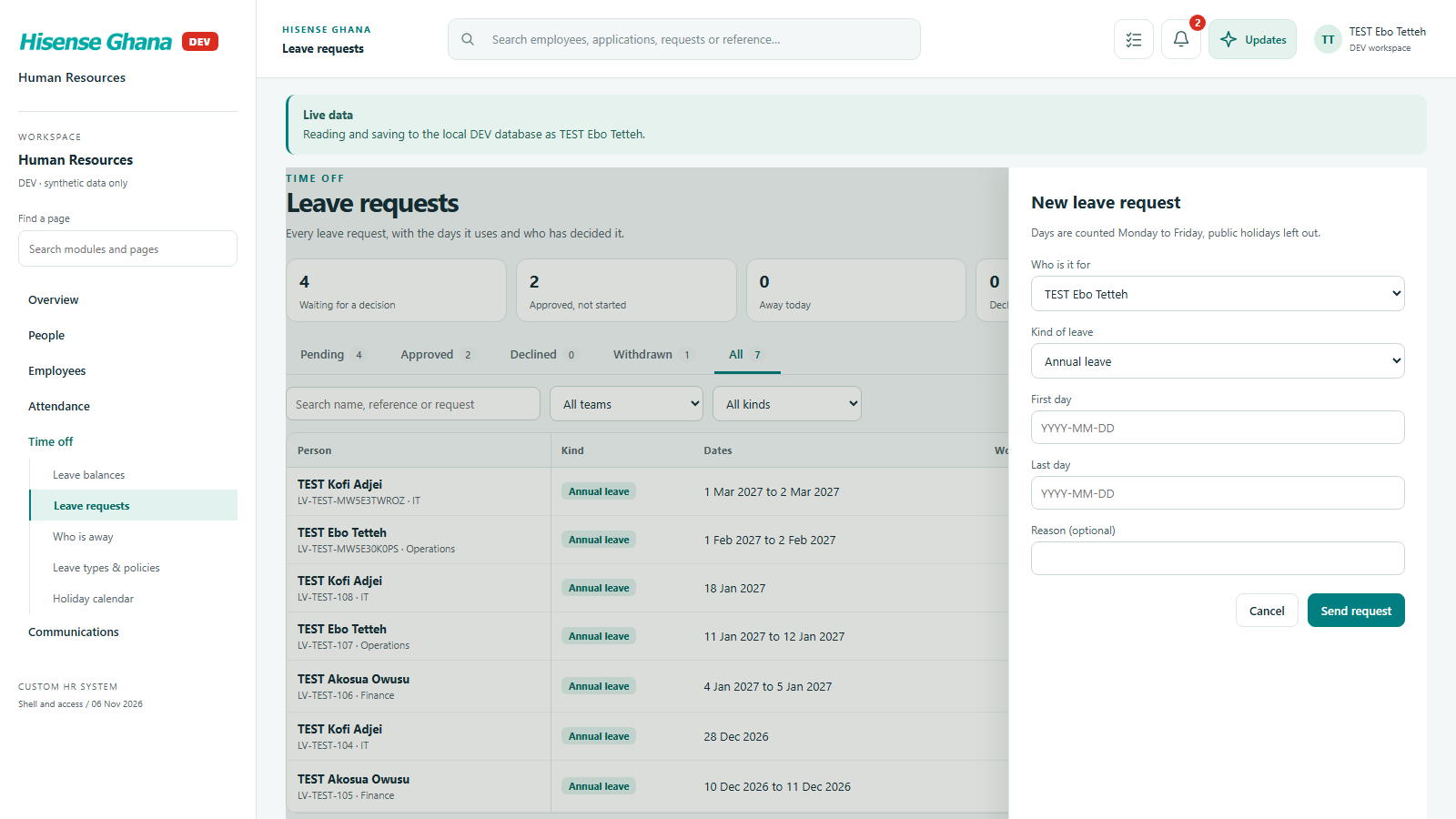
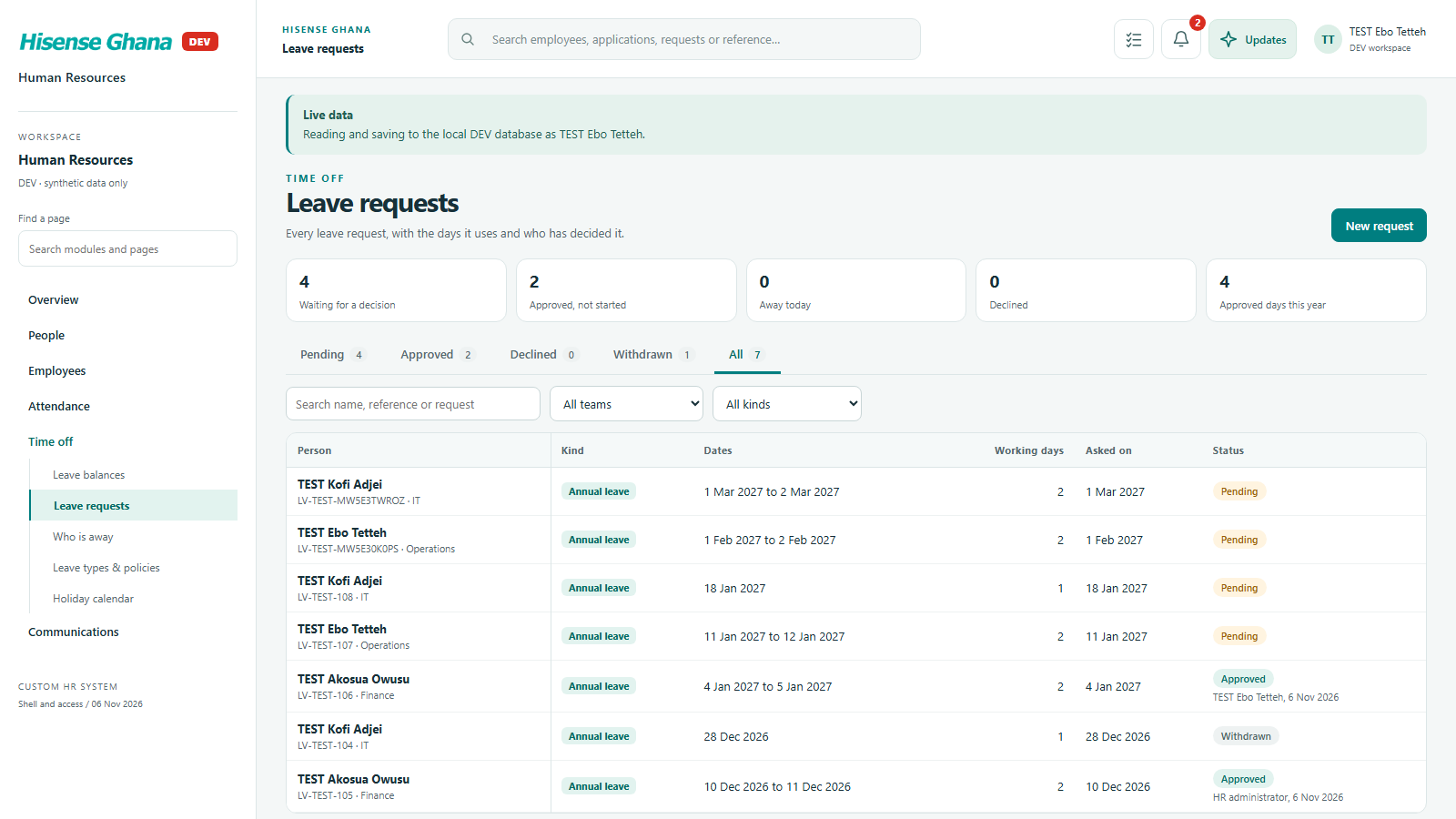
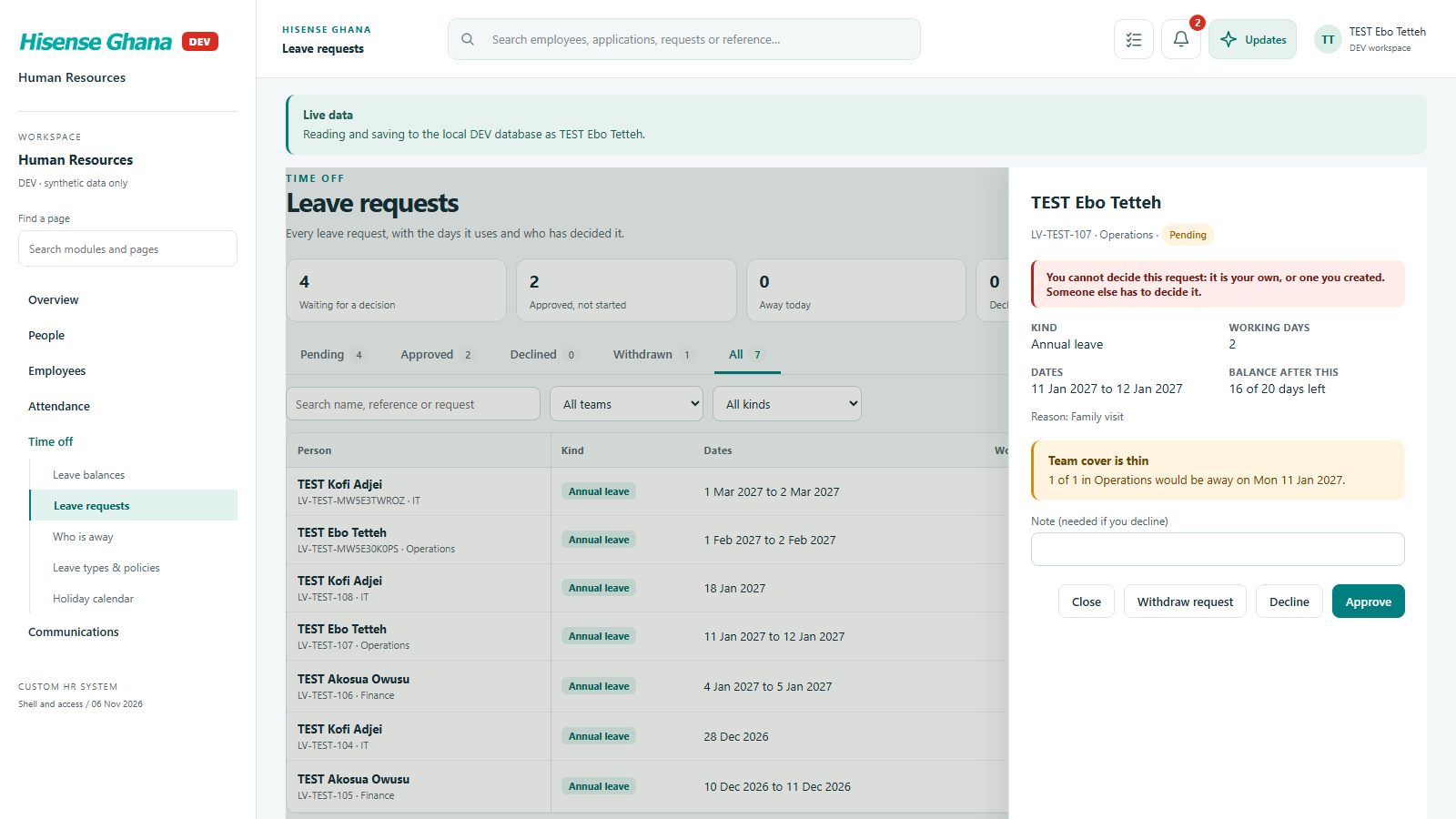
Leave requests

Requests, approvals and who may ask on whose behalf are decided by the database.

Leave requests: New request (HR manager)
New request (HR manager)The “Who is it for” list comes from the database: HR sees everyone.
Leave requests: New request (manager)
New request (manager)A manager sees themselves and their reports only (3 people).
Leave requests: Requests (manager)
Requests (manager)The manager’s own list, with their own request and their reports’ requests.
Leave requests: Own leave
Own leaveThe database refuses a manager deciding their own request, or one they created, and the page shows its message.

Not shown live: the pages not listed above still read sample data, and nothing has been applied to the shared DEV database yet.